Buy anything from 5,000+ international stores. One checkout price. No surprise fees. Join 2M+ shoppers on Desertcart.
Desertcart purchases this item on your behalf and handles shipping, customs, and support to UK.
✨ Illuminate Your Ideas with MAX7219! ✨
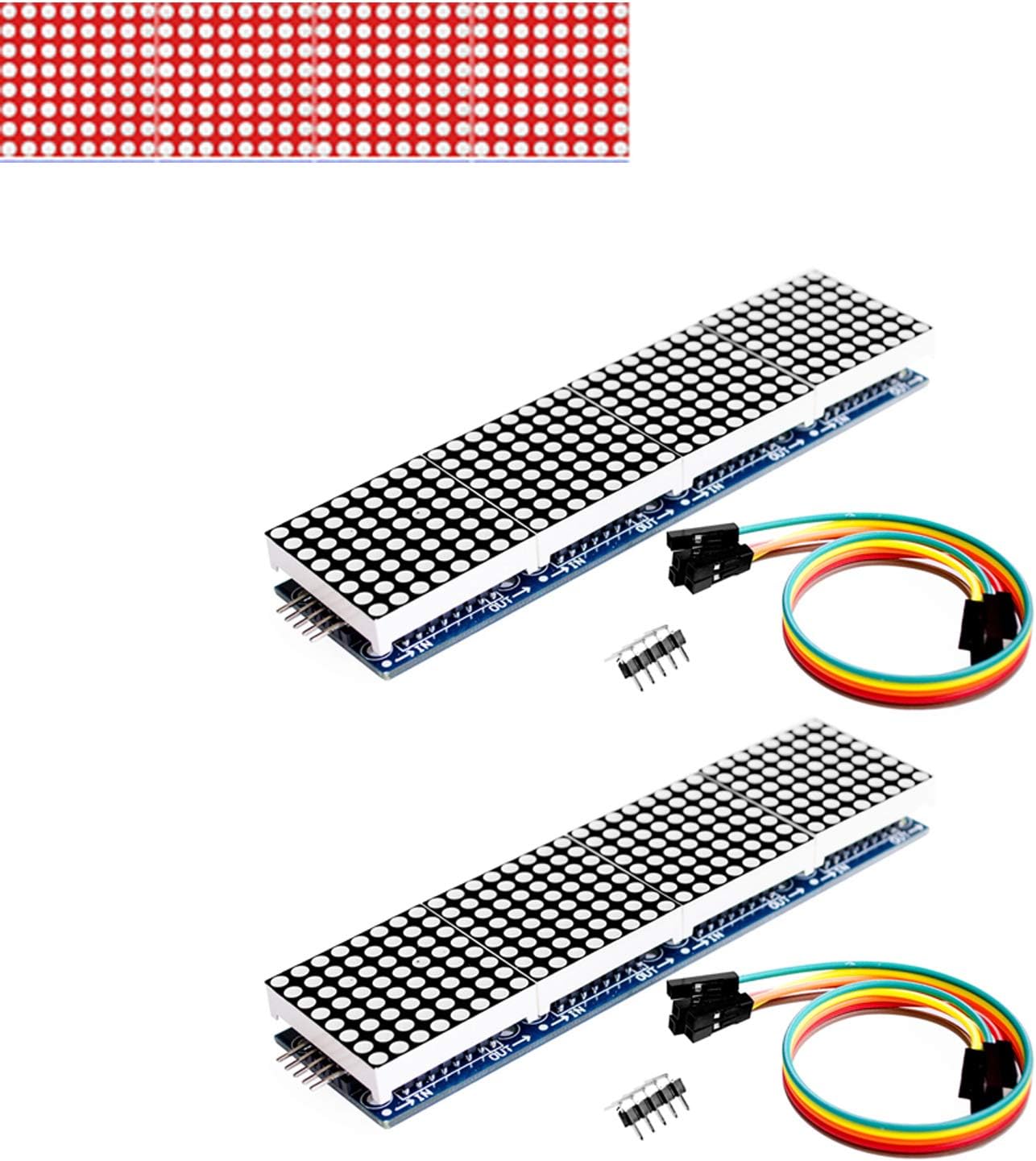
The 2pcs MAX7219 Dot Matrix Module is a versatile 4-in-1 display solution designed for Arduino microcontrollers. With a compact size of 12.8x3.3x1.3cm and a 5V operating voltage, this module features a vibrant red LED display, 64 fixed screw holes for secure mounting, and the ability to cascade multiple modules for larger displays. Ideal for DIY projects, especially during the festive season!
| ASIN | B07KQ31FX6 |
| Additional Features | Portable |
| Aspect Ratio | 16:9 |
| Best Sellers Rank | #6,107 in Single Board Computers (Computers & Accessories) |
| Brand | Onyehn |
| Built-In Media | [Custom] 2x MAX7219 Dot Matrix Module 4-in-1, 2x 20cm DuPont line 5pin |
| CPU Model Number | No |
| Color | Red |
| Compatible Devices | Arduino microcontrollers |
| Connectivity Technology | USB |
| Customer Reviews | 4.1 4.1 out of 5 stars (110) |
| Display Resolution Maximum | 3840x2160 |
| Display Type | LED |
| Graphics Card Interface | Integrated |
| Graphics Description | Dedicated |
| Hard Disk Description | HDD |
| Hard Disk Interface | USB 2.0 |
| Hardware Interface | 3.0 V TTL |
| Human-Interface Input | Buttons |
| Item Weight | 0.22 Pounds |
| Manufacturer | Onyehn |
| Model Name | 8541612868 |
| Model Number | 8541612868 |
| Native Resolution | 3840 x 2160 |
| Number of Component Outputs | 2 |
| Operating System | All Windows Server Versions 2000 |
| Personal Computer Design Type | Mini PC |
| Power Plug Type | Type A - 2 pin (North American) |
| Processor Brand | No |
| Processor Count | 1 |
| Processor Series | Atom |
| Processor Socket | No |
| Processor Speed | 1 Hz |
| RAM Type | DDR4 SDRAM |
| Resolution | 3840 x 2160 |
| Screen Size | 4 Inches |
| Specific Uses For Product | Versatile Applications |
| Total Usb Ports | 1 |
| Video Output | DisplayPort |
| Video Output Interface | DisplayPort |
| Video Processor | Intel |
| Wireless Compability | Infrared |
D**E
Nice and bright! Not too difficult to get working.
I soldered both modules together with very short, stiff jumpers (removed plastic and bent included 90 degree pins) to make 1 long display. It works very well once I figured out how to properly configure everything. I'm adding these to my list of "known good and useful" Arduino accessories for future purchases! The only thing that could make these better is if the seller would just send them for free! :) I used a NANO, so your setup may be a little different... I couldn't find the answers easily out there in Arduino land, so I'm including what I used to get it all working with both the example Ticker sketch and my clock program in case you too are having issues. #include <SPI.h> #include <Adafruit_GFX.h> #include <MAX72xxPanel.h> and for both displays connected together I needed: //constants will not change ... const int pinCS = 10; // Using Arduino NANO! Attach CS to this pin(10), DIN to MOSI(11) and CLK to SCK(13) const int numberOfHorizontalDisplays = 8; // 2x 4 module panels attached together const int numberOfVerticalDisplays = 1; ... and in void setup() matrix.setPosition(0, 7, 0); // The first display is at <0, 0> matrix.setPosition(1, 6, 0); // The second display is at <1, 0> matrix.setPosition(2, 5, 0); // The third display is at <2, 0> matrix.setPosition(3, 4, 0); //... matrix.setPosition(4, 3, 0); //... matrix.setPosition(5, 2, 0); //... matrix.setPosition(6, 1, 0); //... matrix.setPosition(7, 0, 0);// And the last display is at <7, 0> // ... matrix.setRotation(0, 1); // The first display is horizontal matrix.setRotation(1, 1); //... matrix.setRotation(2, 1); //... matrix.setRotation(3, 1); //... matrix.setRotation(4, 1); //... matrix.setRotation(5, 1); //... matrix.setRotation(6, 1); //... matrix.setRotation(7, 1);// The same for the last display Rotation was necessary because the library still expects each 8x8 module to be individual modules with the pins on top and bottom, instead of on the sides like these are. This works only if the incoming data lines are on the right hand side when looking at the LEDs I hope this was helpful! If it was, consider giving it a thumbs up! And don't forget to like and sub... wait, this isn't a YouTube script! Sorry about that! Thanks for watching!
P**R
Works and looks good.
I used them for a little Arduino alarm clock project. Screens work great, easy to get them working, and putting them behind tinted glass makes effect even better. They do draw a lot of current when powered to full brightness, so I recommend connecting 5V power directly to the screens - so they don't draw everything from arduino's USB port, and a 2A power supply at least. At full brightness they get warm. Since this project will make screens work all the time, I will update the review if they start failing.
D**K
Not as pictured
NOT AS PICTURED. Once upon a time these modules had the LED matrices mounted so there was no gap between panels. Now there's a massive gap between the 8x8 panels which makes them completely useless for animation displays. They don't fit into the established footprint for these modules, and the panel gaps are egregious. You can fix these by cutting and filing the circuit board between the panel elements, then re-soldering jumper wires between boards and 3d printing a support bracket to hold the thing together. 2 hours of extra work per unit because the mfg changed designs and the seller continues to advertise the previous design.
R**R
Good for the price.
Item arrived on time. I had to investigate little bit to make it work, but it worked finally after I found the right configuration. It is not MD_MAX72XX::ICSTATION_HW type as "Devil Man" suggested, but he might have received that type. The module I received is FC-16 type, which I found after removing one of the dot matrix from its socket. For that you have to define #define HARDWARE_TYPE MD_MAX72XX::FC16_HW in your code before Setup() function. Take a look at attached picture to find module type if you want to find out yours. These are the types available in the library. enum moduleType_t { PAROLA_HW, GENERIC_HW, ICSTATION_HW, FC16_HW } Without setting the correct hardware type the data appears on the display, but the order of these module is not in sequence. Due to which you will see part of the text displaced. Here is the program which displays scrolling text //<----------------------------------------------------- CODE ------------------------------------------------> #include <MD_Parola.h> #include <MD_MAX72xx.h> #include <SPI.h> // Define the number of devices we have in the chain and the hardware interface // NOTE: These pin numbers will probably not work with your hardware and may // need to be adapted #define HARDWARE_TYPE MD_MAX72XX::FC16_HW #define MAX_DEVICES 4 #define CLK_PIN 13 #define DATA_PIN 11 #define CS_PIN 10 // Hardware SPI connection // Arbitrary output pins MD_Parola P = MD_Parola(HARDWARE_TYPE, DATA_PIN, CLK_PIN, CS_PIN, MAX_DEVICES); char text[] = "Sample message!"; char step = 0; char delayMs = 50; void setup(void) { P.begin(); P.displayScroll(text, PA_CENTER, PA_SCROLL_LEFT, delayMs); P.setIntensity(0,2); } void loop(void) { if(P.displayAnimate()) { step++; if(step >2) step=1; switch(step) { case 1: P.displayScroll(text, PA_CENTER, PA_SCROLL_RIGHT, delayMs); break; case 2: P.displayScroll(text, PA_CENTER, PA_SCROLL_LEFT, delayMs); break; default: break; } delay(1000); } //<--------------------------------------------------------- END CODE --------------------------------------------------> The modules are very bright, so I reduced the brightness a little bit, but brightness control through software is not that useful as It could be. Hope it helps.
T**N
Good frosted modules but wider than specified.
The module looks good but the circuit board is wider than 12.8cm at 13.15 cm. If you need this to fit precisely in an enclosure then you'll need to modify the opening to the 13.15 cm width.
S**.
Plug and play, good price and quality
These are really great displays, simple plug and play for Max_72XX and the MD_Parola libraries, hardware set to FC16_HW, very glad to find these, good price and package very well, can't beat that.
D**R
Item arrived on time and in good order
Trustpilot
1 month ago
1 month ago