



Mobile Gaming Trigger, Physically Mapped Game Trigger, RGB Light, PUBG Mobile Controller, Alloy Button Zero Latency, for PUBG/Fortnite/COD/NEW STATE Mobile Game, Support Automatic Continuous Click
Product ID: 831716460
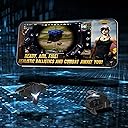
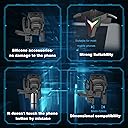
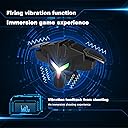
Winner Chicken Dinner!! This is a pulse game trigger specially designed for gamers Instructions: 1. Open your game settings and move the shooting and aiming buttons to the positions corresponding to your triggers in the key settings. 2. Power on: long press the left button until the RGB light is on, the default is single point mode after booting. 3. Double-click the left button to switch the shooting vibration feedback function. (You can play for 5 hours with the vibration function turned on, and 12 hours with the vibration function turned off) 4. Click the right button to switch the click mode, and select the click frequency you like (in continuous click mode, press and hold the left button to make the mini14/sks/slr automatically shoot continuously) Note: In this mode, it is recommended to use your other shooting button to control the projectile (such as grenades/smoke bombs, etc.). Using the trigger will cause it to be thrown immediately after pressing it. You cannot control the throwing time and throwing direction. Note: There are 2 styles of this trigger in the game 1. Pulse model, with RGB lights, needs to be charged, supports 4-speed variable frequency shooting, suitable for shooting 2. Mechanical model, no RGB light, no need to charge, no variable frequency shooting function, suitable for aiming 3. The pulse model will be presented with a USB data cable, but the mechanical model will not. 4. The conversion speed of RGB lights changes with the switching of gears. 5. The red light will be displayed when the power of the button is low, the RGB gradient light will be displayed when charging, and the green light will be always on when it is fully charged. Depending on the phone model, there may be deviations from the positions shown in the pictures, please adjust the buttons in a comfortable way. If you encounter problems during use, please contact me to provide permanent.
| ASIN | B0BFYVKJ7Q |
| Customer reviews | 1.0 1.0 out of 5 stars (1) |
Trustpilot
1 month ago
3 weeks ago