

Buy anything from 5,000+ international stores. One checkout price. No surprise fees. Join 2M+ shoppers on Desertcart.
Desertcart purchases this item on your behalf and handles shipping, customs, and support to UK.
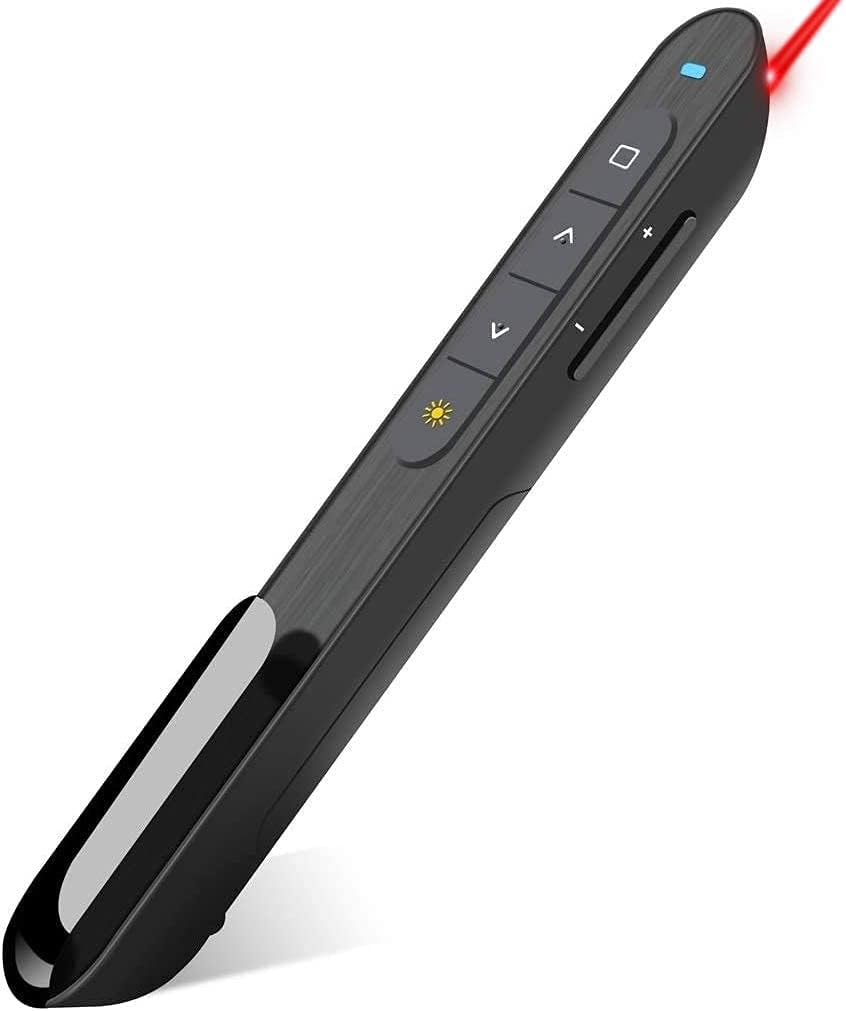
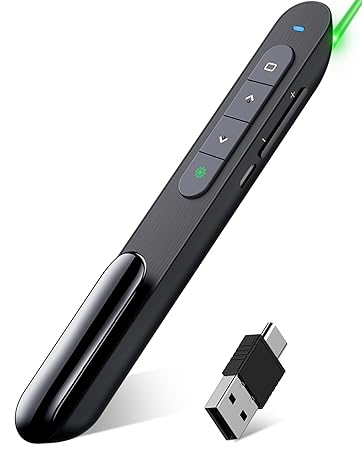
desertcart.com : Wireless Presenter, Hyperlink Volume Control Presentation Clicker RF 2.4GHz USB PowerPoint Clicker Presentation Remote Control Pointer Slide Advancer (Black) : Office Products Review: Perfect Plug-and-Play Functionality - Wow! I love this thing. It is totally plug-and-play. I just inserted the USB into my computer and I could instantly use it to control my PowerPoint presentations. The laser pointer works great as well. I tested it on my home computer first. That worked fine. Then I tried it in my classroom. I was worried that it would be confused if I swapped it around to different computers, but it doesn't seem to matter. Just plug the USB in and it's good to go. The fact that the USB slides into the unit is great as well. I'm sure I would loose it otherwise. Oh, and the price is great. Review: Best Presentation Tool Ever - This little clicker is a total presentation lifesaver! The Wireless Presenter Remote makes running slides feel smooth and professional—no more awkwardly running back to the laptop to hit “next.” The buttons are responsive, the range is fantastic, and it just works every time. I love the extra features too—the hyperlink and volume control are game-changers. Being able to adjust the sound on the fly or open a link mid-presentation without fumbling makes me look like I’ve got it all together (even if I don’t ). Setup couldn’t be easier—just plug in the USB dongle and go. No drivers, no headaches. The design is sleek, comfortable to hold, and the pointer is bright and clear. Honestly, it takes the stress out of presenting and lets me focus on delivering my content with confidence. Whether it’s for work, teaching, or even karaoke slides (yes, I tried it), this remote is a must-have tool. Simple, reliable, and makes me look like a pro every time!

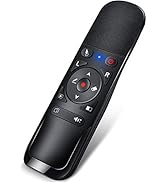
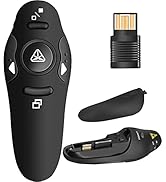
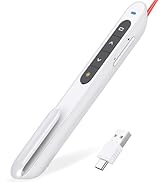
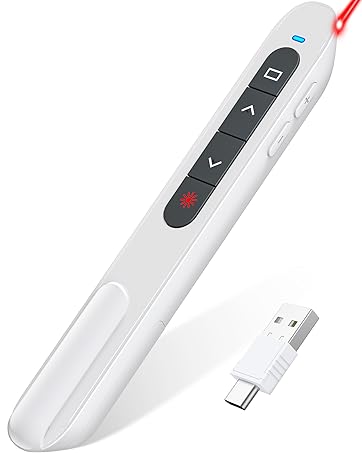

| ASIN | B01410YNAM |
| Additional Features | Built-in Laser Pointer, Hyperlink Button |
| Battery Type | AAA |
| Best Sellers Rank | #930 in Office Products ( See Top 100 in Office Products ) #2 in Office Presentation Remotes |
| Brand | DinoFire |
| Button Quantity | 6 |
| Color | Red |
| Compatible Devices | Laptop |
| Compatible Television Models | Hisense 43A6H |
| Connectivity Technology | Radio Frequency |
| Controller Type | Button Control |
| Customer Reviews | 4.4 4.4 out of 5 stars (12,263) |
| Global Trade Identification Number | 00701473808109 |
| Item Weight | 0.3 Ounces |
| Manufacturer | Shenzhen Qixun Space Technology Co., Ltd |
| Maximum Number of Supported Devices | 1 |
| Maximum Range | 30 Meters |
| Mfr Part Number | FR02-01 |
| Model Name | rcrf-011 |
| Model Number | rcrf-011 |
| Number of Batteries | 1 AAA batteries required. |
| Smart Home Compatibility | Not Smart Home Compatible |
| UPC | 701473808109 |
| Unit Count | 1.0 Count |
| Warranty Description | 2 Year |
K**D
Perfect Plug-and-Play Functionality
Wow! I love this thing. It is totally plug-and-play. I just inserted the USB into my computer and I could instantly use it to control my PowerPoint presentations. The laser pointer works great as well. I tested it on my home computer first. That worked fine. Then I tried it in my classroom. I was worried that it would be confused if I swapped it around to different computers, but it doesn't seem to matter. Just plug the USB in and it's good to go. The fact that the USB slides into the unit is great as well. I'm sure I would loose it otherwise. Oh, and the price is great.
J**N
Best Presentation Tool Ever
This little clicker is a total presentation lifesaver! The Wireless Presenter Remote makes running slides feel smooth and professional—no more awkwardly running back to the laptop to hit “next.” The buttons are responsive, the range is fantastic, and it just works every time. I love the extra features too—the hyperlink and volume control are game-changers. Being able to adjust the sound on the fly or open a link mid-presentation without fumbling makes me look like I’ve got it all together (even if I don’t ). Setup couldn’t be easier—just plug in the USB dongle and go. No drivers, no headaches. The design is sleek, comfortable to hold, and the pointer is bright and clear. Honestly, it takes the stress out of presenting and lets me focus on delivering my content with confidence. Whether it’s for work, teaching, or even karaoke slides (yes, I tried it), this remote is a must-have tool. Simple, reliable, and makes me look like a pro every time!
K**R
Excellent Tool for Presentations
I regularly use PowerPoint presentations in my teaching. This tool is great for advancing slides without have to be near my laptop. I can walk around and advance or backup slides as needed. Having the pointer as part of the clicker is extremely helpful.
M**H
Great option for occasional use
I needed a clicker for an event and was short on time, so I decided to take a chance on an off brand. I'm used to the classic Logitech, but didn't want to drop 30-40 bucks on something that might or might not get used. This was the one I decided on. Overall it's a good remote. I'm happy with the range....I've been able to get upwards of 100' when keeping direct line of sight. I try to carry a USB extension so I can get the receiver up high. It seems to be very much plug and play. There are a few hoops to jump through when using on Mac, but it works without any downloads or trouble. I'm very torn on the design. Again, I'm used to the Logitech units that fit in the hand very naturally and have left/right buttons for advancing slides. I'm not a huge fan of the up/down buttons like this has just because it's not self explanatory as to which is advance and which is back. Left/right seems natural, so it takes telling the presenter what's what if they aren't used to that layout. I really wish there were fewer buttons....a simple advance/back feature and laser button would be sufficient. The multipurpose button is not very useful IMO and I could do without it, or at least with it not being the top button. Slide advance buttons need to be at the top so you can know what button you have your finger on without having to count or look. Also, the volume rocker is not useful to me either. If you need to adjust volume during a presentation, you need to have someone else controlling it IMO. That rocker is very easy to press not meaning to, which can cause the volume to level to be reflected on screen depending on your setup. These are just personal gripes. The one real issue I have is the pocket clip. I agree one needs to be present on a design like this, but it should be much more sturdy than it is. This one could be broken by simply playing with it with one finger. Way too flimsy to be of use. I've managed to keep mine attached, but I can see that being a big drawback. Overall, if you don't use a clicker much and you prefer the pencil design, this isn't a bad option. Just memorize the button placement and don't mess with the pocket clip much.
G**T
No setup and works great
This clicker works great. We use it on different laptops for presentations. Just plug in the usb bud and go. No setup. We have used it 50 feet away from the laptop with no issues.
K**M
Great product
Great for power point presentations, comfortable in the hands, easy to carry and has along battery life
B**.
Just What I Needed
Fine product for the cost. Works as advertised. Why pay more, this fits the bill.
E**O
Can sometimes be a little glichy
I bought this to use with my computer. I do a lot of presenting and did not want to be kept to my computer for clicking through the slides. This tool has been great to use and very easy to set up and gives me the ability to walk around the room while giving my presentations. The only thing that I have noticed with it is that sometimes after putting the PowerPoint in slideshow mode is that the slides begin flipping through on their own and the clicker doesn't work. Now I will say that I unplug the USB that comes with the clicker and plug it back it and it begins to work correctly with no issues.
P**T
Laserpointer erfüllt seinen Zweck. Liegt gut in der Hand. Guter Empfang und lange Leistung
C**S
The product is quite good and works as expected. One reason for choosing this product is it had the needed feature of controlling the volume from the presenter, some models like Logitech did not have. At the same time I would like to mention that this product ships from abroad and can take up to 3 weeks to deliver. So if its not urgent, then go ahead and place an order...... And now since last two weeks (Sept '19) or so it stopped working. Don't know if it is under any kind of warranty..
M**I
I bought this presenter to use in my classroom while teaching students. It doesn't function when you are more than 2 meters far from its USB. Consequently, I had to borrow another presenter from one of my colleagues.
L**S
Was good when it worked but quickly broke/stopped working
A**H
Good product Only thing is the light of razor become very tiny at TV screen
Trustpilot
1 week ago
1 week ago