🖋️ Elevate your workflow with the ultimate digital paper experience
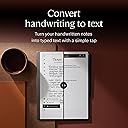
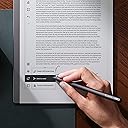
The reMarkable Essentials Bundle combines a 10.3-inch black-and-white e-ink tablet with a Marker Plus pen featuring a built-in eraser, all housed in a premium black leather folio. Designed for distraction-free note-taking, it offers up to two weeks of battery life, seamless cloud syncing, and the ability to convert handwritten notes to typed text. Lightweight and ultra-portable, it’s the perfect tool for professionals seeking a focused, paper-like digital experience.


| ASIN | B08HDL3XJR |
| Active Surface Area | 10.3 square inches |
| Additional Features | Portable |
| Best Sellers Rank | #10,358 in Electronics ( See Top 100 in Electronics ) #225 in Computer Tablets |
| Brand | reMarkable |
| Built-In Media | 9 Marker replacement tips, USB-A to USB-C cable |
| Color | Gray |
| Compatible Devices | Android, iPhone |
| Connectivity Technology | Wi-Fi |
| Customer Reviews | 4.4 out of 5 stars 1,331 Reviews |
| Display Type | LED |
| Global Trade Identification Number | 07090045251195 |
| Item Dimensions L x W | 9.69"L x 7.4"W |
| Item Weight | 0.4 Kilograms |
| Manufacturer | reMarkable |
| Mfr Part Number | RM113 |
| Model Name | RM113 |
| Model Number | RM113 |
| Native Resolution | 1872x1404 |
| Operating System | Linux |
| Pressure Sensitivity | 2048 Levels |
| Screen Size | 10.3 Inches |
| Special Feature | Portable |
| Specific Uses For Product | Phone |
| Target Audience | Consultants, Engineers, Managers, Student, Working professionals |
| Warranty Description | You may return any new computer purchased from Amazon.com that is "dead on arrival," arrives in damaged condition, Amazon.com reserves the right to test "dead on arrival" returns and impose a customer fee equal to 15 percent of the product sales price if the customer misrepresents the condition of the product. Any returned computer that is damaged through customer misuse, is missing parts, or is i… |
J**S
Love this device!
I hesitated because of price but this product has changed my work-life for the better. As an HR representative, I struggled with organizing notes, and I take notes on EVERYTHING. The tagging feature I absolutely revolutionary for me. I can keep all of my notes in one place, in a portable, light device that I can also link to my computer. I love porting over documents to take notes on. The pen options are perfect for a wide range of uses. It stays charged for a decent amount of time considering I am using it all day every day. I didn’t bother buying an expensive ReMarkable brand cover for it, so I got an inexpensive off brand one that works perfectly. The magnet feature on the pen has helps keep it from being misplaced. The eraser feature on the pen is amazing, too. It can be very precise, which is awesome. There are a couple of features that aren’t ideal for my uses. The first is the tip on the pen. The package includes extra tips, which is great but even when I’m consciously trying to write lightly, they wear out very quickly. There are off brand pen tips on the market but haven’t tried them yet. Another feature I wish the device had was being able to move typed text around on a page. It’s more feasible in the app than on the actual device, but you can’t in real time move text to different spots in the page, which is not the end of the world but definitely frustrating.
A**S
A Notebook that's been Enchanted with Magic
12 hours after unpacking my reMarkable 2, I wrote the following post on my FB page and I figure it translates pretty well into a product review. Here were my thoughts after 12 hours: I bought an e-Notebook called reMarkable 2, and it is the best thing in the world. Here's what you can do with it: Create folders, each containing as many notebooks as you like, each notebook formatted differently. You can have a notebook that's lined, a to-do list, weekly planner, yearly calendar, etc. There are thousands of downloadable formats. You can write, draw, download PDF's, download books, write on those, erase what you've written and start all over again, cut, copy, paste, resize, rotate, convert handwriting to text, and make it searchable. You can screen-share, upload to the cloud, email documents, and you have 9 writing tools to do all of that. You can create layers so you can quiz yourself by hiding what's beneath and then revealing it by removing a layer. There's so much more, and I have only started playing with it last night. Is it expensive? Yes. Is it worth it? Yes! Here, see for yourself... (and then I posted pics and a video)
K**D
Game changer!
This has to be one of the most life-changing products I have purchased in the last five years. As a designer, CEO and inventor, I use a lot of paper. Those papers, in the pages of thousands, are everywhere. But digital tablets don’t quite do it from my point of view to replace paper. So when I saw the reMarkable 1, I was sold. Three years later and they came out with the reMarkable 2, I bought one immediately. And I gifted my reMarkable 1 to a friend. It worked perfectly, but I wanted the two week battery life. The original reMarkable 1 was about three days. 5 years after I bought it, the reMarkable 1 still works perfectly. No planned obsolescence! I’ve had the reMarkable 2 for almost 2 years now. Still a fantastic piece of equipment. So fantastic that I brought a friend one for their birthday. I shared my reMarkable with a woman on a plane who had just bought an iPad. After the plane ride she ordered a reMarkable 2. I don’t get any credit for talking about how great the product is. It just works really fantastic for me and I’m super enthusiastic to share that with everyone I meet. So I’ve sold several dozen in the years that I’ve had mine. I’ll eventually upgrade to the new color version, but after I give this one a few more years of work. Just one of my notebooks in my tablet has over 1400 pages. And with cloud support, I never have to worry about losing a piece of material that’s important, even if I lose the tablet. I had several journals disappear on my basement because it was flooded. And more importantly I can carry everything that I’ve ever written with me at all times, both in tablet and on mobile. I also use it for signing legal docs, reading scientific papers, and I connected it as screen to a computer, via the app, to create whiteboard drawings in real time that I can share on meetings.
J**S
Game Changers
The ReMarkable2 is making my life easier daily. I am still learning to use it and leverage the features it contains yet in a few short weeks it is making my work/side hustle/personal life easier. A few simple positives: It is simplistic. It does one thing and it does it well. It is distraction free. Basic usage is intuitive. Intermediate usage is pretty intuitive with a little guidance. I still need to dive into training videos to become a power user. I appreciated the packaging came in recyclable containers. The ability to write, erase, and move text is super simple. Organizing is easy once you understand the Folder/Notebook/Quick Sheets structure. I spent 3 days in a seminar recently. I was able to download the PDF notebook (over 200 pages of documents) into my ReMarkable and then write my notes on the document. I will upload the document back to Dropbox to save/print off later. I had the option of writing my notes on the document or using a Layer (think clear sheet) that I could write on and turn the 2nd layer off if I wanted to see the main document without my notes. That wasn't an issue for me. Later, I did have one page with checklists I needed to use 3 times so I chose to use the Layers for each use and then remove them when I didn't need it anymore. At work, I have a weekly meeting that traditionally has been one sheet of paper per week and then keeping up with each piece of paper as I needed to go back and review. With the Notebook feature, I now have those meeting notes going into one document that I will add to each week. It's easy to find and no lost pieces of paper. I also have a coaching practice and this allows me to keep notes on clients in one running document instead of multiples I must file and track. Two things for the creators to consider - first, it would be easier to read downloaded documents with a lighter/color screen. That said, the existing screen didn't stop me from accomplishing what I wanted to accomplish. Second, a pen loop would be helpful as the magnetic pencil can come unattached. That said, placing the ReMarkable with the binder edge down and pencil on top in my bag helps. I think I have now sold 6 of these to family and friends. At the recent conference there were a few of us who had the ReMarkable2 and we met during a break to share notes and unanimous enthusiasm for this tool. It is fantastic.
M**8
Great Product - I returned it
The Remarkable 2 is a great product. It is simple and does exactly what you want it to do. It is expensive for what it is. five years ago I would have kept it. The system software is fine but nothing special. The screen is not backlit so you will have trouble using it in any darker environment. The Kindle Scribe gives a greater handwriting experience. I prefer the scribe which I own. Both can send your written notes to an app or email and both do a mediocre job of converting handwriting to text - you will have to do a lot of editing. Compared to an iPad there is no comparison. The iPad is better (I also own an iPad). The e-ink tablets give a better handwriting experience but seriously for the price just get an iPad. It does everything else far better. I really wanted to love the remarkable 2. It is a well made cool product - if it was half the price it would be amazing. At the current price level it is just not worth it. I'm going to upgrade my iPad - because it is a far better value and product than the remarkable 2. Update: after I returned my first remarkable 2 I found that I really missed the simplicity and focus it provides. After searching on another site I was able to get both a remarkable and keyboard case for about half of what I originally paid. I recommend you do the same. $300 is about the right price for a remarkable 2 with a keyboard. It lacks the tech to be worth more than that. The iPad is easy to get distracted on. Same with the scribe. Remarkable 2 is just a notebook. Which is perfect for just writing without distractions.
D**.
Marker broke after 30 days, company won't replace!
I actually like this product, I've used it happily for a month and it has helped my productivity. That said, the marker is NOT robust. The very first time I changed out the felt tip (about 30 days in) the thin plastic that helps hold it into place snapped. Now the tip is not held securely in place and it is 'wobbly' when it writes. And this tip replacement process was done using the factory included card and tips! Furthermore, remarkable quickly rejected my warranty claim without explanation. Clearly they expect users to purchase another $140 marker from them when this happens, instead of standing behind the warranty on their current flawed product. Purchase at your own risk! The tablet is perfect for what I wanted. The interface is fairly easy to use, albeit a little clunky in some areas. If you want a feeling that is similar to taking notes on paper, and quick easy page turns and organization of your notes, this is a neat little tablet. Just be really careful when you change the tip out; the provided card-with-slot doesn't grab the tip very easily and it's way too easy to apply too much pressure to the thin plastic walls. And don't expect the company to stand behind the quality of what it makes when your expensive marker eventually fails. At first I was an excited supporter of this product and I planned to purchase another for my wife. But I can't recommend paying this kind of money to a company that won't stand behind their obviously flawed product.
J**R
Love it
9 months of use so far, for personal stuff and college classes - I go through nibs like crazy but I love this thing to death. The reason I chose this product over others is because it operates as an e-scribe and really only as an e-scribe. I didn’t want book uploads, audio recording, insane storage/organization. I’ve uploaded PDFs to use as templates with 0 issues, documents upload to my PC no issue, and the battery lasts me long enough to do a week+ of school work (I do keep it in airplane mode when not syncing files). Lightweight, aftermarket cases are easy to find. It’s a 10/10 for me
M**R
Nice
I’m impressed. Was hesitant after reading the reviews. I am happy I didn’t listen and got this. The product is well made, durable, simple to use, and isn’t distracting like my iPad. The tablet is lightweight and looks fantastic. The pencil feels particularly like writing on a paper surface. Love the eraser on the back and it works perfectly. I am confused why I must sign up and pay money to use the app when the device is pricey as is. So I honestly have not used the app.
S**R
Incredibly frustrating to use because it lacks a common sense feature
For the love of god, if you cannot add a Boolean variable and a if statement to disable the zoom function within the next month; fire every single one of your developers and product managers for they are completely useless. Unintentionally zooming and repositioning the page fifteen times an hour shows a complete lack of testing prior to release, a lack of care for your product and disrespect to its users. I’ll write the update for you, I’ll do it for free. You have no excuses, completely unacceptable. Go read the Reddit thread from 3 years ago; they complained about it then, they complained about it last year and now I’m complaining about it presently. Ridiculous, don’t buy this until it’s fixed.
P**Y
Génial
Super tablette graphique et en couleur. On peut prendre des notes, créer des dossiers, faire des dessins, organiser ses idées... c'est génial mais un peu cher.
S**I
Loving it
Loving it so useful
J**H
La mejor con diferencia
Es la mejor libreta electrónica que todas las que tengo. Es ultra fina (aunque de nada sirve porque le puse una funda gruesa para que no se me rompa porque viajo con ella a todas partes). Es muy fácil de utilizar, el trazo es muy uniforme, tiene muchas opciones y, además, se puede utilizar de libro electrónico, y la batería es muy duradera. Por poner una pega, el refresco de pantalla que se hace molesto (a mi parecer lento) y el tacto gomoso del Marker Plus
K**S
رائع
جهاز رائع
Trustpilot
3 weeks ago
1 day ago