๐ฅ Cut, engrave, and create like a proโyour desktop just got a serious upgrade!
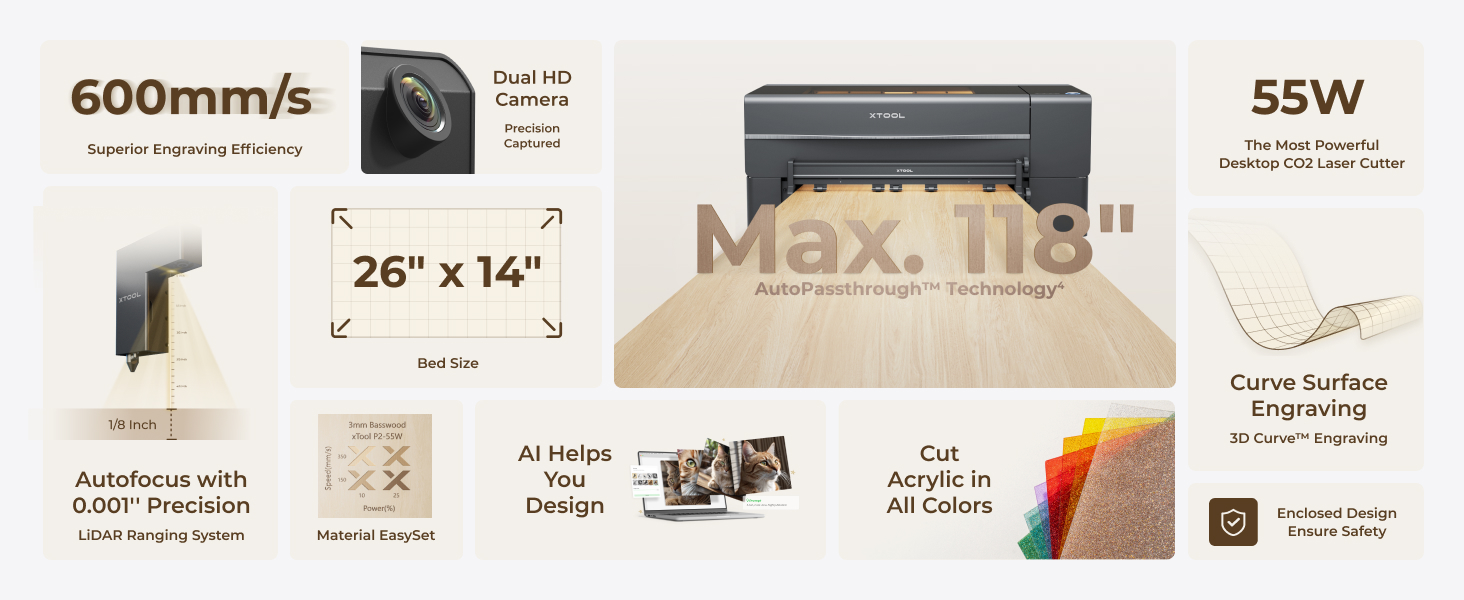
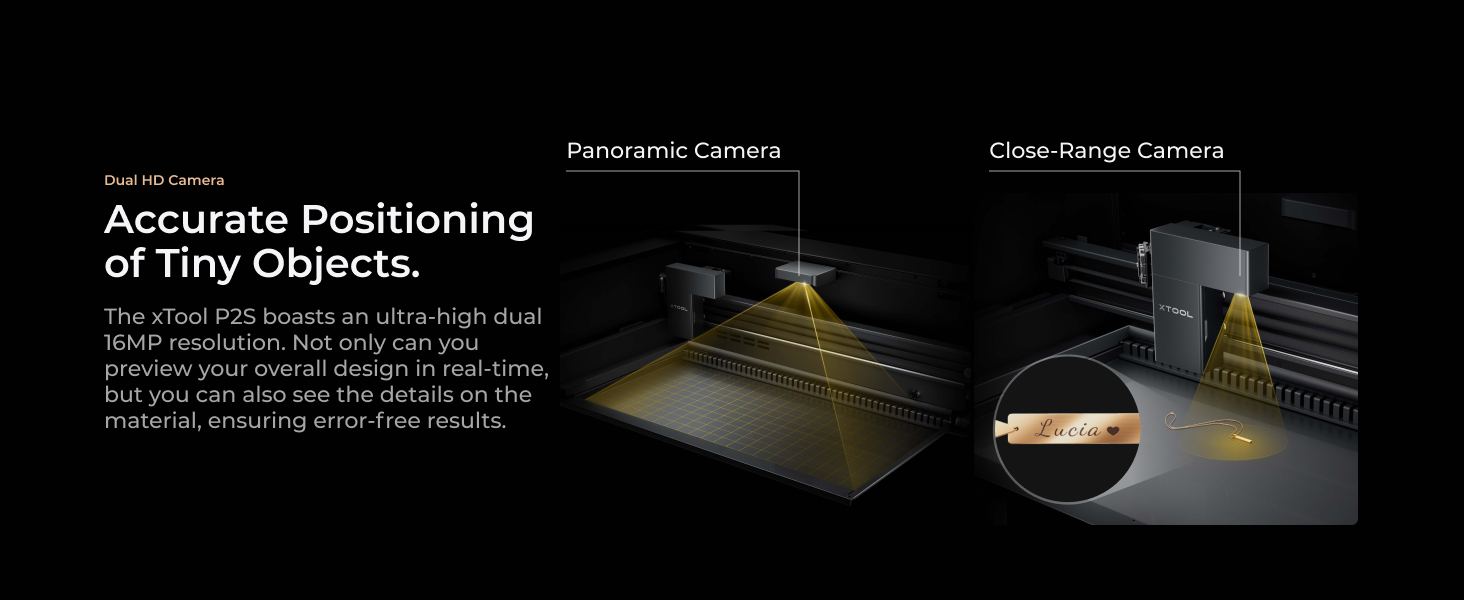
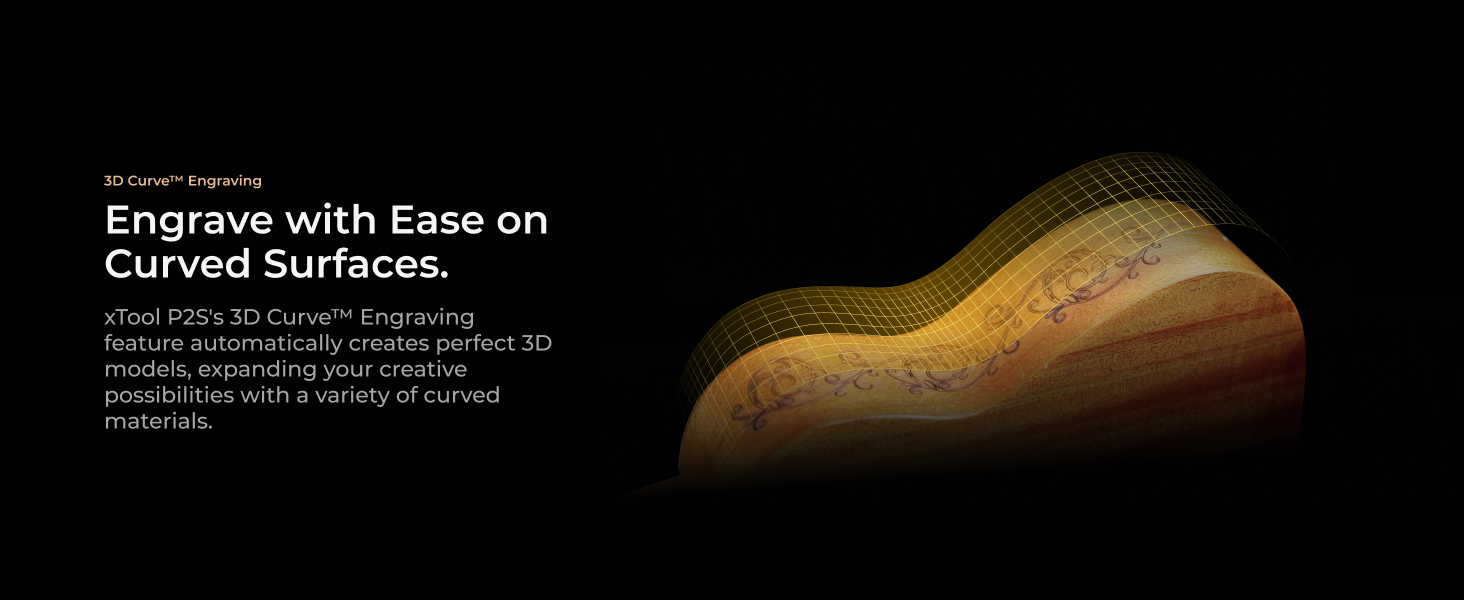
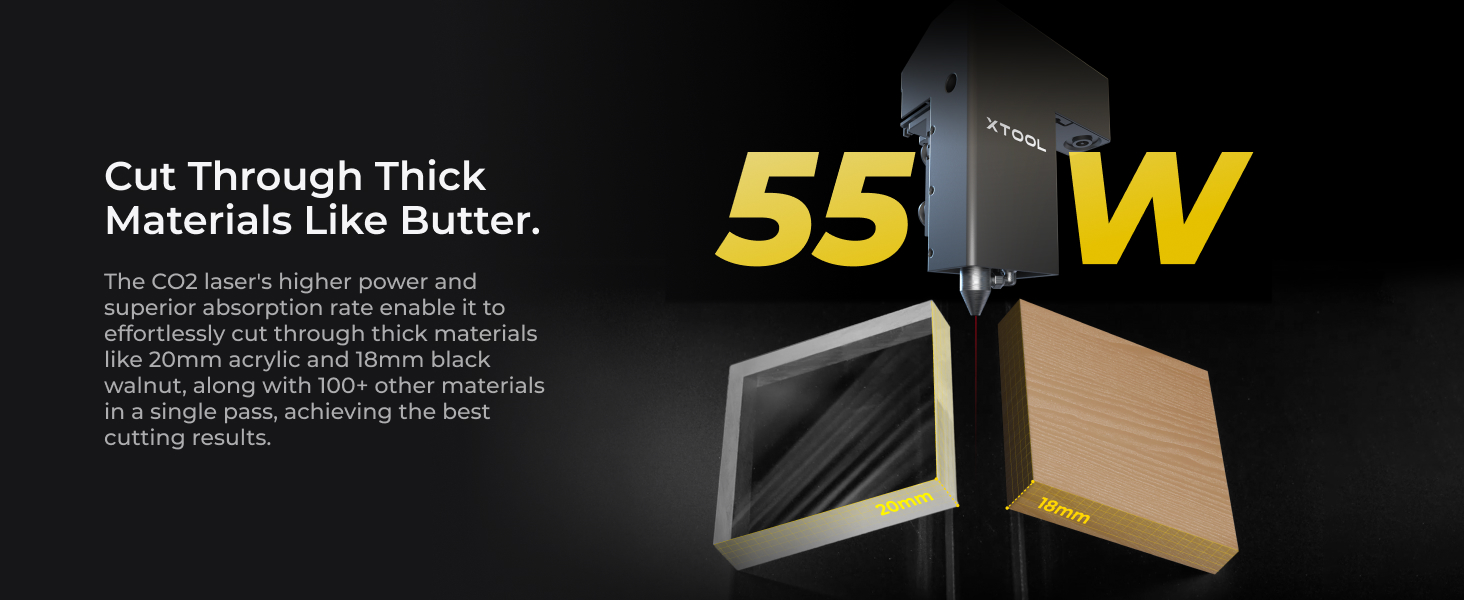
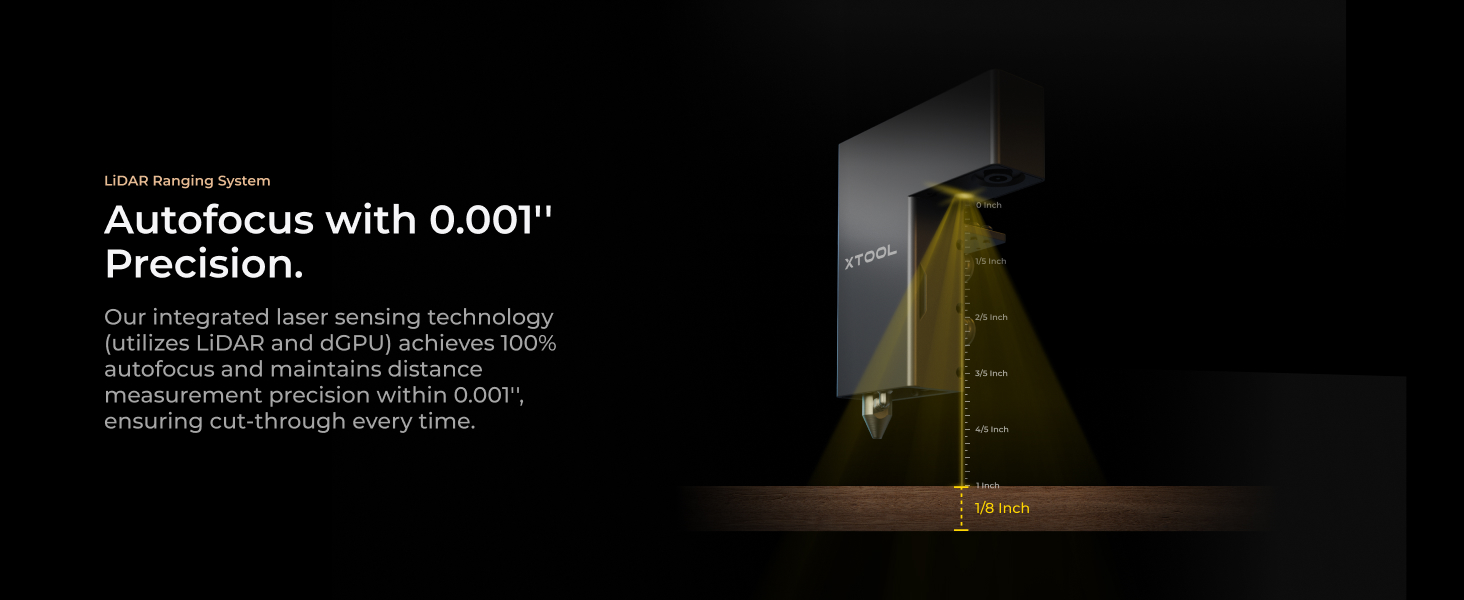
The xTool P2S is a 55W CO2 laser cutter and engraver featuring dual 16MP cameras, a large 26" x 14" working area, and 0.001'' autofocus precision. It supports 3D curved cylinder engraving and handles materials from wood and acrylic to glass and metal with high-speed engraving up to 600mm/s. Safety features include AI fire detection and efficient smoke removal, making it a powerful, versatile, and secure tool for professional-grade desktop laser cutting and engraving.

| Manufacturer | xTool |
| Item model number | MXP-K011-004 |
| ASIN | B0DDXQYH36 |
M**Z
LOVE IT!!!
This is my second xTool Laser (previous D1 Pro & 40 Watt laser head). I love the quality and performance. I purchased the P2S mainly for Acrylic, and it does not disappoint! I've only done a few projects, but I love the results. The fan vents outside of my basement window, and there is no odor at all from cutting/engraving Acrylic. Did not cut/engrave any wood, as I have the other laser for that, but I will try it with the batch processing. It really has all the bells and whistles. I purchased a work bench with wheels, as it weighs 100 pounds and I do need to move it to clean the fan. I was concerned that it would shake, but it does not move at all. The XCS software has come a long way from 2+ years ago - still learning, but there are plenty of help videos out there. If you are looking for a great laser, this is it!
A**R
Fantastic laser, easy to set up and use with minimal experience
Prior to purchasing this laser cutter, i had used both a Diode laser, as well as a Xtool F1 galvo laser, and this has to be far and above the easiest, most reliable laser i've experienced to date. Setup: The setup was extremely simple with very clear instructions, i was up and using it within 30 minutes. Software: I've used both Lightburn as well as Xtool Creative Suite, and while Lightburn has more flexibility typically, XCS is extremely easy to use and beginner-friendly. I believe the P2S loses some functionality if you use lightburn, notably the use of a rotary, but i rarely need to start up lightburn, except for the occasion where i need to vector trace a bitmap (come on Xtool! Get this added to your software!). One thing i appreciate is the built in ability to do a laser test grid similar to Lightburn for your material, you can even do it for a custom shape which is a nice touch. Functionality: The speed of this laser is probably one of the better you're going to get in this price range. I believe the OneLaser is the new sexy up and comer, which i would probably say is the android of the laser world, whereas xtool is the iPhone. The OneLaser is likely a bit better value for the money if you are a heavy user, but if you just want to set it and forget it, the P2S can't be beat, especially with the addon of the SafetyPro AP2 smoke purifier, which also just works out of the box with the laser. I was able to load up files and start cutting right away. And have been doing so for a few months almost daily. One thing i appreciate a lot about this laser is the working area, which is 12 inches by 24 inches roughly, which is on the larger size of the other devices in this class. Maintenance: This is where i'm quite impressed with the hardware, all the mirrors are magnetically attached and easy to clean. Although the first mirror does require the back panel removed to access which is like 11 screws. This is the same area you fill the water reservoir for the cooling system. The lens is very easy to access and clean, with 2 screws, and one retaining gasket to access, although i kinked the air assist hose the first time i cleaned it, and triggered an error. After unkinking the air hose it worked normally again. Accessing the rear fan for cleaning is extremely easy, and i appreciate that you can remove the fan from it's housing to clean further. Calibrating the laser dot is simple as well, and the software walks you through it. Final Impressions: I love this laser. The price you pay is a bit of a premium for the brand and Xtool ecosystem, but for someone just looking to unbox and start using, i find it worth the cost. If you're an experienced user, you might want to look into OneLaser, or if you have a bit more to spend, a Thunder Bolt laser. For me, i have no doubt this will be a great workhorse for years to come.

D**Z
Xtool P2 laser
Excelente me tiene enamorada y enloquecida con todo lo que hace. Excelente mรกquina
R**Z
Loving it
A huge upgrade from my Glowforge Pro. It's demonstrably better in every way. * XCS software is excellent and consistently improving. I find little need for Inkspace now. Far superior to the web-based Glowforge experience (and I have a Premium subscription). * Rotary and conveyor accessories add significant versatility (and were not available on my Glowforge). * 12" x 24" working space (actually 305mm x 600mm). Can handle 3m long material with the conveyor but requires additional expansion kits. I find myself using the conveyor a lot more than I initially thought because it gives you much more layout flexibility. * AP2 is fantastic. Automatically controlled by the P2S and there is no odor even when cutting acrylic. * Fire suppression system adds a lot of peace of mind. This was very easy to set up. xTool got the plug-and-play experience right with this accessory. * 3D mapping is pretty close to magic. * The material test array function has saved me tons of time figuring out the score, engrave, and cut settings for new material. Especially important as I virtually never use xTool materials. (The xTool material settings do give you a great starting point, though, assuming there is one). The lack of this function was one of my top 3 issues with the Glowforge experience. * The camera alignment using the close-up view is perfect. I drew a pencil line across multiple parts, aligned it using the cameras, and it literally cut right down the middle of the pencil line. Blew me away! * No calibration was needed out of the box - the gantry was square and the laser mirrors were all properly aligned. A few nits: * You must remove the back section of the lid to add the water and antifreeze (COs laser coolant). Given this is a mandatory first step it should be easier to remove. I had visions of damaging my laser before I even had a chance to use it! Thankfully that did not happen. * The slats make it look more like a commercial machine, but the honeycomb grill is much more practical for small projects. It should be the default. * The accessories require you to take things apart and reassemble them. As an engineer, I don't mind, but I see how some could be put off by this. The rotary attachment is the most egregious in this respect. * Inkscape still does a better job than XCS at tracing raster images. However, that's about all I use Inkscape for now, whereas it used to be my primary SVG creation and editing tool. * Using the gantry does allow smoke and fumes to escape capture by the AP2. This is potentially significant. I set the fan to 100% when using the gantry but that just makes the emissions issue a little bit better. Overall I am very happy with the P2S as well as the AP2, RA2, conveyor, and the fire suppression system. I've used it daily since receiving it with no bad experiences. I would highly recommend this to anyone who needs a CO2 laser of this this type.
K**.
Doesn't Last, Would Pass
We got this machine to add to our lineup of laser cutters. I was immediately impressed with the power and precision and it handled our workload. The speed was incredibly impressive compared to our Glowforge, not to mention it was about half the price. About 6 months into the use of our machine, we would get error messages stating that something was wrong with the fan despite regular cleanings and maintenance on the machine. We realized that the connection to the fan was loose and that it would work if there was pressure on the back of the fan module. Considering we can't physically hold the fan in the entire time it's cutting, I reached out to customer service. After TWO WEEKS of emailing back and forth, they sent us a replacement fan (AFTER we sent them the fan from our machine, which is inconvenient at best) since it was still in warranty. This immediately remedied the machine and we were back to cutting. Unfortunately, 3 months after the replacement, it started doing the same thing again, pointing to an issue with the machine design itself. I reached out again, but since we were 1 week out of our warranty, they said that we would need to pay for the machine to be sent and they would refund us if it was genuinely a product issue. The machine will start to cut and then stop, saying that the fan is not working even though it is spinning and CLEAN. My main concern is that XTool seems to already know of this issue as they say that an external fan purchase can fix this issue all together on their website when you click on "how to fix this issue" within their software. With that being said, I would not purchase this again as it seems like a money grab. We now have a rather large paper weight instead of a machine.
Trustpilot
1 month ago
1 week ago