
Buy anything from 5,000+ international stores. One checkout price. No surprise fees. Join 2M+ shoppers on Desertcart.
Desertcart purchases this item on your behalf and handles shipping, customs, and support to UK.
๐ฏ Print Fast, Print Smart, Print Quiet โ The Future of 3D Creativity is Here!
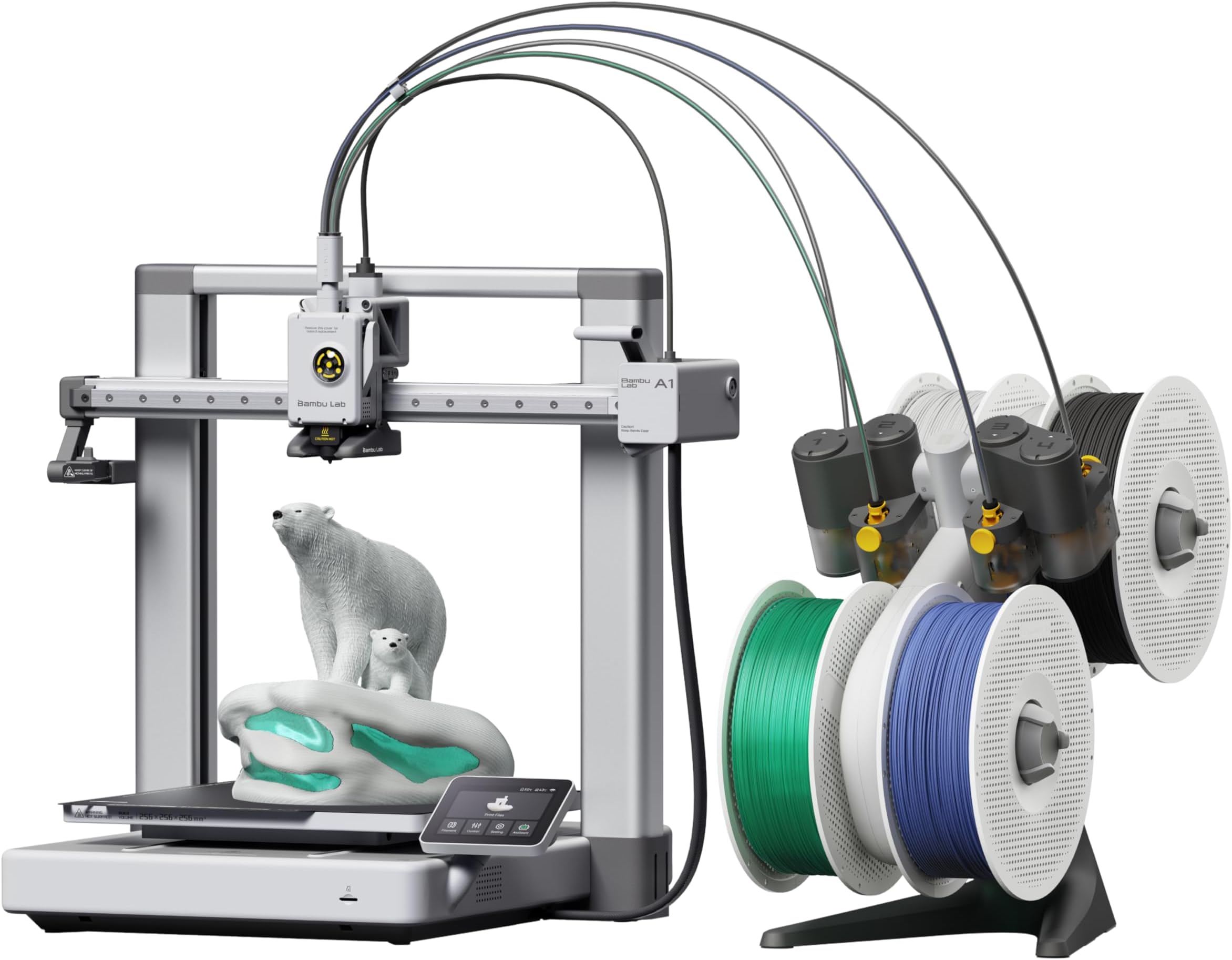
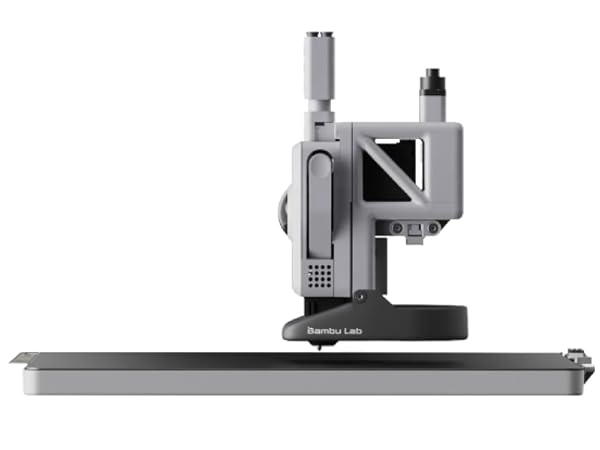
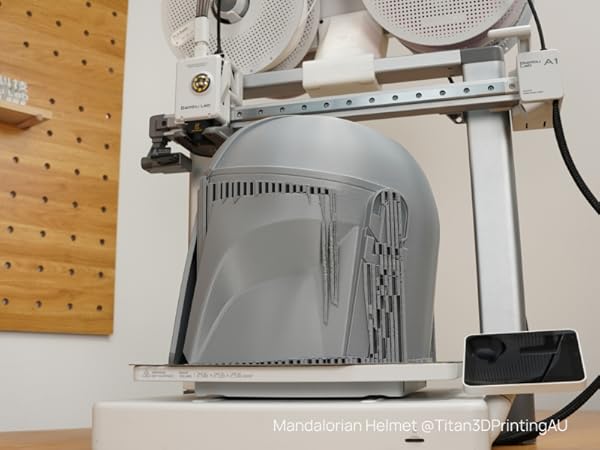
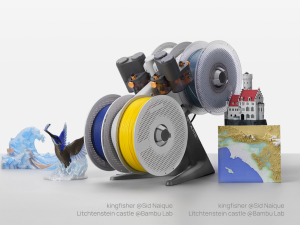
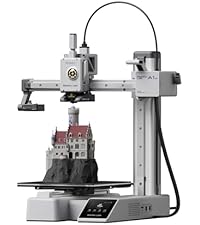
The Bambu Lab A1 Combo pairs a high-speed, high-precision FDM 3D printer with the AMS lite multi-material system, enabling vibrant multi-color prints. Featuring fully automatic calibration and active flow rate compensation, it delivers consistent, professional-quality models with minimal noise (โค48 dB). Compact and beginner-friendly, it connects via USB and supports STL files, making it ideal for creative professionals and managers seeking efficient, reliable 3D printing solutions.








| ASIN | B0D17V4SKM |
| Item model number | PF002-A |
| Product Dimensions | 59.6 x 42.5 x 53.6 cm; 13 kg |
A**7
Perfect Beginner-Friendly 3D Printer That Exceeded My Expectations
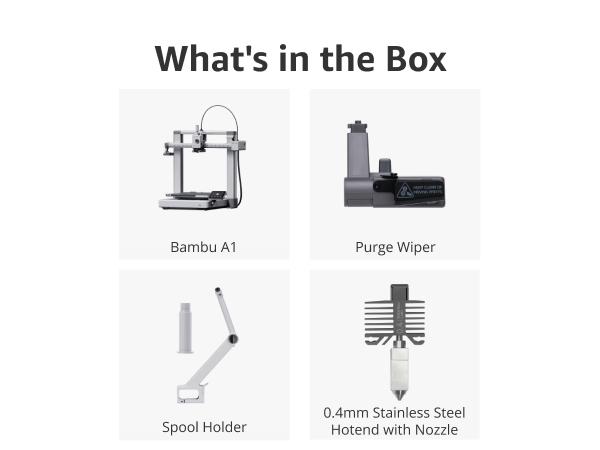
This review is exactly what I wish I had read when I first started researching this printer. As a beginner, this printer was more than enough to take me to the next level in 3D printing. It is an excellent printer, very beginner-friendly, easy to use, and simple to operate for daily printing tasks. The setup process was straightforward, and the printing quality has been consistently impressive. One important note: the printer does NOT come with filament included, so you will need to purchase filament separately before you start printing.
H**0
ุฌู ููู ุฌุฏุง ูุนูู ุงููุตู
M**M
ุฃูุฉ ู ูุชุฌ ุฌูุฏุงู ู ู ุงุญุณู ุงูุทุงุจุนุงุช ุงูุชู ุฑูุชูุง ูุงุชู ูู ุงูุฌุฏูุฏ ูุดูุฑุง
R**D
Bambu lab a1
Very good condition, everything works great!
P**A
Didnโt come with filaments (not combo)
Just received but didnโt come with the filaments.
M**E
Super impressed. This model has had some safety upgrades since its been reviewed by some of the big youtube 3d print folks. The set up took about 30 minutes and was relatively easy. Remove some screws, plug in some wires and set up the filament. The AMS section is huge and not listed in the dimensions of the printer. Sounds obvious, but I bought a table based on the listed dimensions and obviously they dont both fit. This also doesnt come with filament and the printer is kind of picky about what it would prefer to interact with. I bought some filament that would come quickly and it just didnt work right - the filament had a knot in it, it broke inside the tube and it took about an hour of fiddling to clear everything. This has been the only problem so far. here is what I like - bear in mind I had a creatly CR10s that was a lot more difficult to set up and I am still not sure that it properly leveled. I cant say that the CR10 had one good print out of it that I really loved. The leveling is done automatically - takes about 20 minutes on the first boot then is an optional thing for every print at the beginning. The printer has four modes of printing - stealth, standard, sport and ludacrous. Standard is fine, but I will say that I run most of my prints on stealth mode as it reduces the amount of wobble and vibration put out by the machine. Another recommendation here is to find a surface that you can secure to a wall. The 3d printer table I have was not stable enough to provide a good base for this and prints can lose quality with the amount of movement this printer is capable of. Lets talk about finding things to print. Normally I would scour the internet, download somethings, pay for some items and figure out how to create the settings. Not so here. The bambu community has made some great files and found the best settings for things you might want to print. There is a lot there and most of those things are coming out looking premium. The community has things they recommend printing as essential add ons, which I will describe next. I did the get AMS combo, but ended up not using it yet because of space and the previously mentioned jam. One of the essential add ons is a top mounted system for this which I will be printing shortly. Also the machine likes to fling filament across the room as part of its constant cleaning process. I recommend making a waste catcher as the very second thing you print after the benchy. The slicer this uses is really cool. I havent gone deep into the settings fully but one of the problems I used to come across was printing a file that had multiple parts that didnt fit on the plate. In this slicer, you can set up multiple plates, choose which one to slice first, send that to the printer - this all works wirelessly and seamlessly - and watch it go. For some items i have printed, I first tried to print something with multiple pieces, decided not to try and run the machine for 16 hours and opted instead to add a new plate, clone one of the items and go one at a time. The plate is also cool. On the CR10, it was a glass plate that never felt like it was as clean as the first time it came out of the box. Here we have a metal, textured plate that has enough bend in it to pop off a print and has great adhesion. It magnetises to the machine and is easy to pop off and then requires a bit of lining up to get back on. The build plate is a little small, but so far everythign i have found on the app has been for my printer. I will start looking into bigger cosplay prints soon and am thrilled to see that the slicer also has a feature for cutting prints into smaller pieces. no 3rd party apps required. There is nothing beginner about this hobby, but if you are looking for a first printer and am budget conscious this is a good option. The CR10s made me 3d printer engineer and repair guy... the A1 combo has allowed me to print and enjoy making.
A**ใผ
ใ่ฏใใฃใ็นใ ใปๆๅคง500mm/sใฎ้ซ้้ ๅฝขใงใๅ่ณชใๅฎๅฎใใฆใใพใใ ใปAMS liteใซใใๅค่ฒ้ ๅฝขใงใไฝๅใซๅฝฉใใๅ ใใใใพใใ ใปๅ จ่ชๅใญใฃใชใใฌใผใทใงใณใงใ้ขๅใช่ชฟๆดใไธ่ฆใงใใ ใปใขใฏใใฃใๆต้่ฃๆญฃใซใใใๆผๅบใๅฎๅฎใใฆไปไธใใใ็พใใใฃใใงใ ใป้้ณๆงใ้ซใใ้ ๅฝขไธญใงใ็ๆดป็ฉบ้ใซๆบถใ่พผใฟใพใใ ใๆฐใซใชใฃใ็นใ ใปAMS liteใๅฟ ้ ใชใฎใงใๅค่ฒ้ ๅฝขใๆฅฝใใใซใฏ่ฟฝๅ ๆ่ณใๅฟ ่ฆใงใใ ใป้ ๅฝขใตใคใบใฏๅๅใงใใใๅคงๅไฝๅใไฝใไบบใซใฏใใๅถ้ใๆใใใใใใใพใใ ใปใใบใซไบคๆใฏ็ฐกๅใงใใใไบๅใใบใซใๆใใฆใใๅฟ ่ฆใใใใพใ ๅฎ้ใซไฝฟใฃใฆใฟใใจใ็ตใฟ็ซใฆใฏ้ฉใใปใฉ็ฐกๅใงใๅๅฟ่ ใงใใใใซ้ ๅฝขใๅงใใใใๅฎๅฟๆใใใใพใใใ ้ซ้้ ๅฝขใงใ้ ๅฝขๅ่ณชใซๅฆฅๅใใชใใ็ดฐ้จใพใงใทใฃใผใใซไปไธใใใฎใฏๆๅ็ใงใใใ AMS liteใไฝฟใฃใๅค่ฒ้ ๅฝขใงใฏใๅ่ฒใงใฏ่กจ็พใงใใชใใฃใ้ฎฎใใใชไฝๅใๅฎๆใใๅตไฝใฎๅน ใๅคงใใๅบใใใพใใใ ้้ณๆงใ็น็ญใในใ็นใงใใตใคใฌใณใใขใผใใงใฏ48dBไปฅไธใ ใ้ ๅฝขไธญใงใๅณๆธ้คจใฟใใใซ้ใใญ๏ผใใจๆใใใปใฉใ็ๆดป็ฉบ้ใซ้ฆดๆใฟใพใใใ ๅค้ใงใๆฐๅ ผใญใชใ็จผๅใงใใใฎใฏๅคงใใชๅฉ็นใงใใ ้ปๆฐไปฃใซใคใใฆใใๅฎๆ ผๆถ่ฒป้ปๅใ็ด300Wใจไปฎๅฎใใใจโโ 300 รท 1000 ร 27 โ 8.1ๅใ ใ1ๆ้้ ๅฝขใใฆใ้ปๆฐไปฃใฏ็ด8ๅใญ๏ผใใจๅฎๅฟใงใใพใใใ ๆฏๆฅๆฐๆ้ไฝฟใฃใฆใๆ้กใฏๆฐ็พๅ็จๅบฆใงใ่ถฃๅณใจใใฆ็ถใใใใใณในใๆใงใใ ้ ๅฝขไธญใซใใฃใฉใกใณใใ้ไธญใง็ตกใพใใๆใใใ็ณธ็ใ้ใๅบใใใฟใใใญ๏ผใใจ็ฌใฃใฆใใพใใพใใใ ๅฐใใชไบไปถใ็ฅ็ฆใฎใฆใผใขใขใซๅคใใใพใใใ ใพใจใใใจใ้ซ้ใป้ซ็ฒพๅบฆใป้้ณใปๅค่ฒๅฏพๅฟใๅ ผใญๅใใๅๅฟ่ ใใไธ็ด่ ใพใงๅฎๅฟใใฆๆฅฝใใใ3Dใใชใณใฟใผใงใใใ
D**W
After reading many reviews about 3D printers, I settled on this one with AMS Lite. I was not disappointed. The Bambu Lab A1 was recommended as an excellent unit for beginners and intermediate users, at an affordable price point. I have to admit that I am a complete 3D printing novice but reasonably tech savvy and quick learner. I was still a little nervous about setting it up, but the instructions from Bambu were very clear, and all the parts were well labelled and packaged. With lots of care, I took about 90 minutes to set it all up and needed about another hour or so to figure out the basic configuration and settings. After downloading the Bambu Handy app for my iPhone and later, Bambu Studio for my computer, I was off and running. Depending on your level of familiarity with tech devices and 3D printing, your experience could be quite different. The initial learn could take some time. But I am pleased to say that I managed to set up my printer including my AMS Lite (external filament spooler) and completed my first print job in the same afternoon. The printer comes with some 3D models preloaded into the printer and I selected a simple scraper which can be used to scrape the printer bed. By the next day, I was able to download 3D models from the internet and had them imported into Bambu Studio and successfully printed off on the Bambu Lab A1. But a word of caution, you do have to be patient as 3D printing takes time and there are many concepts and terminology that you have to become familiar with, and I still have a long way to go. But it was very satisfying to have my first 3D printer fully set up in an afternoon and successfully get my first few 3D prints working. I have already printed off 4 models, one taking up to 8 hours to complete. But if my experience is anything to go by, the Bambu printer is an excellent unit to get started with and offers so much more. The results so far have been amazing. I'm very happy with my purchase.
T**N
ใใพใ่ค้ใงใชใใจใใใไธ่ฏใๅบใฆใใฆใ่ค้ใงใฏใชใใใ่ชๅใง็ดใใๅฏ่ฝๆงใ้ซใใจใใใใใใจใใใงใใ ๆฉ่ฝใๆญฃ็ขบใใ็ณใๅใชใใงใใ ่ฒทใฃใฆใใใฃใใ
A**X
The Bambu Lab A1 with the AMS lite has completely changed my 3D printing workflow. The multi-color capability is seamlessโit handles the filament swaps automatically, allowing me to create complex, multi-colored figures and custom projects without any manual work. The setup was incredibly fast, and the auto-calibration (bed leveling, vibration compensation, and flow rate) works perfectly every time. Iโve run over 400 prints on this machine and it is still as reliable as the first day. Whether Iโm printing SUNLU PLA+ 2.0 or flexible TPU, the direct-drive extruder handles it all. If you want a "pro" experience without the constant tinkering, the A1 Combo is the ultimate choice.
Trustpilot
3 weeks ago
3 days ago