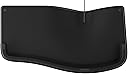
โจ๏ธ Elevate your workspaceโcomfort and productivity, perfectly in sync.
The Incase Ergonomic Keyboard, designed by Microsoft, features a split 104-key layout with a premium cushioned palm rest and integrated number pad. Wired via USB-A for reliable connectivity, it includes dedicated shortcut keys for Microsoft 365 and media controls, all engineered to reduce wrist strain and boost productivity during long work sessions.


| ASIN | B0DXMJDNQ7 |
| Additional Features | Ergonomic, Layered Palm Rest for Wrist Support, Quick Use Keys, Shortcut Keys |
| Antenna Location | Business, Education, Everyday Use, Office, Personal |
| Best Sellers Rank | #1,023 in Computer Keyboards |
| Brand | Incase |
| Built-In Media | Keyboard |
| Color | Black |
| Compatible Devices | Desktop, Laptop, PC |
| Compatible Operating System Family | Windows |
| Connectivity Technology | USB-A , Wired |
| Customer Reviews | 4.3 out of 5 stars 166 Reviews |
| Enclosure Material | Plastic |
| Global Trade Identification Number | 00650450267333 |
| Hand Orientation | Ambidextrous |
| Item Dimensions L x W x H | 19.2"L x 10.3"W x 2.39"H |
| Keyboard Description | Membrane |
| Keyboard Layout | QWERTY |
| Manufacturer | Incase |
| Mfr Part Number | LXM-00001 |
| Minimum Required Operating System Version | Windows 10 |
| Model Name | Incase Ergonomic Keyboard |
| Model Number | LXM-00001 |
| Number of Items | 1 |
| Number of Keys | 104 |
| Number of Packs | 1 |
| Power Source | Wired |
| Recommended Uses For Product | Business, Education, Everyday Use, Office, Personal |
| Special Feature | Ergonomic, Layered Palm Rest for Wrist Support, Quick Use Keys, Shortcut Keys |
| Switch Type | Membrane |
| UPC | 650450267333 |
| Warranty Description | 1 Year Warranty |
C**N
Great option for a keyboard
This keyboard really has a nice feel to it. The keys as very quiet and easy to use. My previous keyboard was similar (Microsoft ergonomic keyboard) but old and showing wear. It was time for a new one. This one's quality seems even better than my last one. Its corded so no issues with connectivity or battery replacement. My old keyboard didn't have the optional piece for raising the keyboard up but I tried it and like it. I started using it yesterday and feel like it will last at least as long as my last one.
D**R
Does justice to the Microsoft Natural's legacy. It's the real deal!
I am a long-time user of the Microsoft Natural Keyboard, ever since I first experienced wrist pain when typing, decades ago. It cleared up the pain quickly and I never had a problem after that. I went through a few generations of the product, going all the way back to the original white ones. When the wrist-rest on my black Microsoft Natural finally developed a hole in it, I found myself in the market for another one, only to discover that Incase had taken over manufacture of the product. I was nervous about this at first until I learned that it's actually the same patent, so I decided to order. I happen to have a black Microsoft version at my office still so now I go back and forth between old and new. For anyone who is used to the Microsoft, I recommend this version without hesitation. It has the same ergonomics and it is excellent quality. I will say the placement of the Delete and Backspace keys is different, which did require an adjustment that lasted a couple weeks for me, where I occasionally was hitting them both, wreaking some mild havoc. However, after adjustment it hasn't been a problem. At this point, I actually prefer the Incase because they really nailed the "clickiness" of the keys. It's smooth and pleasant to type on this keyboard, in terms of the tactile experience. The Microsoft one I have at work now feels clunky in comparison. The material out of which the wrist rest is made is comfortable, but it is a little more prone to marks and staining then the Microsoft version, for whatever reason. Wiping it down keeps it looking it nice enough though, so it is not a significant problem. Overall, I'm very satisfied. And I may replace the Microsoft keyboard at the officed with this one eventually as well.
P**A
A quality replacement for my old Microsoft Natural Ergonomic Keyboard 4000
I switched to the Incase Ergonomic Keyboard as my old Microsoft Natural Ergonomic Keyboard 4000 had several letters worn off the keycaps which confused my granddaughter. I remembered reading Incase had acquired Microsoft's keyboard (and some other hardware) products and was glad to find this keyboard was available. I'm very happy with the keyboard. One minor annoyance - the layout is slightly different, e.g., F6 is at the right end of the left segment (F1-F6) instead of F5 on my old keyboard. Muscle memory from many years has me hitting wrong keys, but I'm adapting. The ergonomic layout feels like it's identical to my old keyboard. That's important to me because I started using Microsoft's ergonomic keyboard when it first came out in 1994, so to say, "I'm used to it" is an understatement. The ergonomic layout cleared up my rather serious case of carpal tunnel at that time; I was considering surgery, but the keyboard avoided that. (I worked at the computer ~12 hours/day back then.) The Incase Ergonomic Keyboard is a quality product, and easy to install - just plug in to a USB connector on your computer and you're set. Recommended.
B**R
Problem: The Microsoft 4000 Ergo is discontinued. Solution: The InCase Ergo Keyboard!
I write code and touch type all keys, but only with the Microsoft Natural Ergonomic Wired Keyboard 4000. Back in 2015, I had one on my desk and four new ones in boxes. Unfortunately, the last of them has worn out -- destroyed hand rests and worn-out keys. It was time to buy five more, but sadly, I discovered they were discontinued. If you want one now, they cost around $450 or more on eBay for a new one... and I don't want a used one. I tried other close matches to the 4000, but I struggled with the slight differences in the layout, which caused inadvertent key presses that had me jumping all around the editor. Simple tasks were a stuggle. Then, by some miracle, I found the Incase Ergonomic Keyboard. I compared it to the old 4000, and it was a near-perfect match. I got it a few days ago, and itโs truly a miracle. This is the closest replacement for the old 4000, though not perfect because the back of the keyboard isnโt elevated. To make it perfect, you can buy some square rubber stick-on feet, about 3/4" high, and attach them to the back of the keyboard. Then youโll have perfection. I am back to normal and have stocked up on these gems!
A**R
Quiet, Responsive, Comfortable
I absolutely love this keyboard!! The keys are quiet, very responsive, it feels very comfortable on my wrists, it's also lightweight, this is a great quality keyboard for the price. I have one (1) at my office and another at my home office for days when I work from home. I've not had any issues with it.
L**E
overrated
this was more expensive and higher rated yet i found one that is much quieter not as chunky and half the price. get the kensington pro fit ergo
G**N
Very similar to possibly the same as the microsoft keyboard but a much better price.
As near as I can tell this is the same keyboard Microsoft sells but for a much lower price. Good quality. I would prefer a little more texture on the keys, but some might like it this way.
J**E
Not a replacement for ALL Microsoft ergonomic keyboards
While MS still made keyboards, the Wireless Comfort 5050 was my go-to for years. When they stopped making it, I even stocked a brand new spare for when it died, and when it did I learned that replacement was defective. Incase had not yet started selling theirs, I got on their email notification list as soon as it was announced, and in the interim was using a wired X9 copycat of the 5050 that works great. I pre-ordered this keyboard and was so excited to arrive, I'm sad to have to write this review but I HATE this keyboard. I understand the keyboard it exactly replaced also has 4 keys to the left of the spacebar, but the 5050 did NOT have that (Excel? I don't know what the key that isn't CTRL/ALT/Windows is called) but the placement of that key throws off my muscle memory and every time I go to paste, I make something bold. I purchased a third party Mac utility to remap that key so it's also the Windows (Command) key, but I still end up hitting the wrong key. Finally I unplugged this keyboard and threw it at the wall today, and switched back to my X9 copycat. I will keep an eye for Incase to make other former MS models that only had 3 keys to the left of the spacebar, until then I can't recommend this.
R**H
Just like Microsoft
Had one of these from Microsoft. Incase is making them with the same feel.
L**Z
Teclado
Mi favorito me gusta micho
C**N
Almost an exact copy. Affordable price.
This keyboard is a great copy of my old microsoft keyboard. My only complaint is that unlike the microsoft version there are no rear feet to flip down.
P**Y
Canadian keyboards are all FRENCH configuration (weird ENTER key)
If you are ordering from Canada, be careful on what you expect. You might THINK you are getting an english keyboard, but what you WILL get is a french keyboard (weird enter key) with text in english.
Trustpilot
2 days ago
1 week ago