Buy anything from 5,000+ international stores. One checkout price. No surprise fees. Join 2M+ shoppers on Desertcart.
Desertcart purchases this item on your behalf and handles shipping, customs, and support to UK.
๐ Stay connected, secure, and ahead with TP-LINK TD-8817 โ your wired networkโs secret weapon!
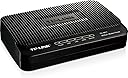
The TP-LINK TD-8817 is a high-performance ADSL2+ modem-router combo delivering up to 24Mbps downstream speeds. Featuring 1 RJ45 Ethernet port and 1 USB port, it supports bridge mode and NAT routing with built-in firewall protection. Designed for home and small business users, it offers easy plug-and-play setup, advanced QoS for smooth streaming, and robust security controls, all in a compact, cost-effective package.
| ASIN | B0037DAX9U |
| Best Sellers Rank | #263,733 in Electronics ( See Top 100 in Electronics ) #210 in Computer Networking Modems |
| Brand | TP-Link |
| Built-In Media | Adsl2+ Ethernet/Usb Modem Router, External Splitter, Power Adapter, Quick Installation Guide, Resource Cd, Rj-11 Telephone Cable, Rj-45 Ethernet Cable, Usb Cable |
| Color | Black |
| Compatible Devices | Personal Computer |
| Connectivity Technology | Ethernet |
| Customer Reviews | 3.8 out of 5 stars 241 Reviews |
| Data Transfer Rate | 24 Megabits Per Second |
| Global Trade Identification Number | 00845973060107, 06935364060107 |
| Internet Service Provider | DSL providers |
| Internet service provider | DSL providers |
| Item Weight | 1.27 Pounds |
| Manufacturer | TP-Link IP Cams |
| Maximum Downstream Data Transfer Rate | 24 Megabits Per Second |
| Maximum Upstream Data Transfer Rate | 3.5 Megabits Per Second |
| Mfr Part Number | TD-8817 |
| Model Number | TD-8817 |
| Modem Type | DSL |
| Number of Ethernet Ports | 2 |
| Number of Ports | 4 |
| UPC | 803982816535 778890697135 845973060107 |
| Unit Count | 1.0 Count |
| Warranty Description | 2-year warranty |
M**R
Totally automatic connection to AT&T, no setup needed for existing account
I bought this to replace a 3-year-old Actiontec that was losing connections and overheating. Remembering past experiences, I called their tech support and got my DSL login username and password in case they were needed. To connect new modems in the past I've had to enter setup info, connect, manually enter bridge mode, and only then connect the router. None of that here. I plugged everything together, started the modem (nice to have an on-off switch on the back, by the way), and it quickly recognized that a wireless router was connected. It automatically went into bridge mode, made the connections, and worked flawlessly. Pure plug-n-play goodness. (I've been on AT&T for years, so this was NOT setting up a new account, which does require several initial steps that can't be skipped.) I've only had this running for about an hour and a half, so time will tell whether this drops connections as badly as the old modem. Comments here and other places say that this modem does a better job of staying connected than most, and that was a major factor in my purchasing this modem rather than others. Some have posted that their upload and download speeds have increased; mine have stayed the same (6mbps service). As I'm only using this in bridge mode, I can't comment on the router functions of this unit. I may disconnect the wireless router later and play around with it just to see how good it is. By the way, there are a lot of misconceptions about what a router does. Routing allows multiple units to share a single internet connection. It is needed for BOTH wired and wireless devices that need to go the the internet. If this device is connected to a switch and other wired devices are hooked to the switch, this can handle routing for the wired devices without any need for a wireless router. Routing and wireless are NOT one and the same. Hooking a wireless router to this device disables the routing function and puts it into bridge mode. If your wireless router has access point mode, it can disable its own routing functions and can allow this router/modem to handle the routing, firewall, and so forth for your network. It will then only handle the wireless connections, not rout them. In this case, this modem/router will have to go through all the ISP connection setup steps that the wireless router had previously handled. If I have any criticism of the device, it is that the indicator lights are only on top, very small and dim, and hard to see. I think putting wrap-around LEDs on the front edge would improve visibility enormously. One more note: in bridge mode, the Internet indicator light does not light up on the modem since routing functions are disabled. It only functions if the unit is in router mode (with no other router connected). I also doubt that the USB port works in bridge mode, but I haven't tested it.
S**D
Set up issues, but customer service was great.
I bought this to replace a CenturyLink modem. This modem works perfectly fine with no issues. However, it did take a couple of hours to set up because the software that was used for set up from the included disk was not the most up-to-date version for the hardware version of the modem in the box. TP-Link's customer service was really good. The first gentlemen I talked with was incredibly helpful and we got the computer to finally acknowledge the new modem so we ended the call thinking it was all set. Not so much. There were still something wrong so I called customer support right back and this time was put on hold for about ten minutes and received a new customer service rep. She was really nice but she was an overseas operator and there were times I just didn't understand some of the words she was saying. That being said, she was knowledgeable and patient and we went through all the advanced settings item by item until we found the incompatible hardware version number in some obscure little setting that I'll probably never be able to find again if my life depended on it. Once we changed that number everything worked instantly. Unfortunately, it took about 45 minutes on the phone with the rep scouring files and settings and resetting the modem repeatedly to find that number, but at least it was found. I've had it over a month now and it's been flawless since set up. I would recommend this modem.
L**R
A Great Modem At A Great Price
I bought this to replace an older Windstream (Speedstream 4300) modem. It works great with Windstream (change the default 8/35 VPI/VCI to 0/35 for Windstream). It seems to be slightly faster but is a lot more stable and I've never seen a modem link up as fast as this one does in the 13 years I've used DSL on 2 different providers. My old modem had started dropping out a lot but this one has not dropped out once in the 3+ weeks I've owned it. Setup was no problem but I am experienced and just set the unit up from the browser. Windstream had given me a Sagemcom 1704 gateway but I didn't want to use any of their equipment. I bridged my TD-8817 and use it with an ASUS RT-N16 Wireless Router that I have owned for a few years and it makes a great package. I am very pleased with the TD-8817 and I recommend it. I would buy another if I needed another modem.
J**O
Not Plug-N-Play for most CenturyLink Subscribers
Definatly not a plug and play device for Centurylink Denver subscribers! I do not recommend unless you are more than just computer savvy. Networking experience a huge plus! The installation disc included does work for CenturyLink as long as you will not be installing a router behind the modem, and I don't know many households that will be hooking just one device to their home computer network via ethernet cable. After hours of Google research I was able to get the modem and wireless router working perfectly and at much faster speeds than the modem/router combo that CenturyLink provides for purchase or lease with service... Well at least for a day. After a whole day with zero connection drops, and blazing fast wireless speeds, the modem kept dropping the DSL link on a regular basis. With 6 family members dependent on being connected 24/7, checking the error logs in the modem and router was a challenge since my frustrated family members only 'fix' was to reset the router and modem, effectively erasing any error messages stored in the log. After I convinced my family that the only way I could find out why we kept loosing Internet was to let the modem automatically reconnect and view the error logs, I noticed the loss of sync was occurring every 15 minutes, give or take a few seconds. A call to CenturyLinq tech support yielded no results as this modem isn't currently a CenturyLink 'Approved' modem, thus no tech support is available. I will be resetting both the modem and router back to factory default and will try again, but for now, back to the old CenturyLink slow slow slow modem/router. 1 Star for now, will add a couple if I can get a stable internet connection for more than just a day.
O**B
Hated CenturyLink provided routers - this was my solution
My home network is seriously loaded, I have the following devices: 1. Nest Controllers (Thermostats) Nest Learning Thermostat - 2nd Generation T200577 2. Samsung Smart TV's Samsung UN40EH5300 40-Inch 1080p 60Hz LED HDTV, Black 3. Western Digital TV's WD TV Live Streaming Media Player Wi-Fi 1080p 4. 16TB NAS Storage System Synology DS1812 Disk Station 8-bay High Performance Server for SMB Users Netwoking Attached Storage 5. Security system that controls 4 cameras 6. DropCams for monitoring other parts of the house Dropcam HD Wi-Fi Wireless Video Monitoring Camera 7. 8 home computers and laptops, at least 6 phones 8. 6 SONOS music controller systems SONOS BRIDGE Instant Set-up Solution for SONOS Wireless Network (BR100) 9. 3 Securifi Almond WIFI Extenders (these things are awesome btw) Securifi Almond - (3 Minute Setup) Touchscreen Wireless Router / Range Extender and finally an ASUS RT-AC66U Dual-Band Wireless-AC1750 Gigabit Router ASUS RT-AC66U Dual-Band Wireless-AC1750 Gigabit Router CenturyLink provided modem / router was choking, my Sonos player was cutting in and out and overall network performance was dismal. I assume it was packet collisions and just overall crumby router performance. I confirmed this was the case when I setup their router as a Transparent Bridge, I had it working for a week and then decided I needed to do some port forwarding. Once I changed some settings, it never worked again on that router. I just wanted a modem to make the connection and allow me to use whatever router I wanted (I knew the Asus was far better). Thankfully the reviewe Long Time Boater gave me confidence that it would work, and it did. What I found out was my connection was not PPOE, but actually DHCP connection. I didn't need a login and password to make the router connect. Once I setup using the wizard as DHCP, and then choose the 1 of 4 connection options, it immediately connected. If you have a loaded network, do yourself a favor and get rid of the stock provided CenturyLink modem/router and get a better one. Just use this modem to make a bridge connection.
A**R
... bought this one mostly because it was a really good deal and had some additional functionality which was nice ...
I bought this one mostly because it was a really good deal and had some additional functionality which was nice to have, but not really necessary. I already have a VERY good wireless router, so all I wanted from this device was a modem bridged to my router. It is relatively simple to configure and works as a bridge, but I had too many reliability issues. I bought this to replace an Actiontec that had failed completely but this modem lost connection a couple of times per day. It always reconnected on its own after a few minutes, but it happened too often to continue to use. I ended up replacing it with the Netis DL4201 ADSL2+ Modem Router which has been running for weeks without a single connection issue.
S**2
So far so good
Works on CenturyLink with a little effort. I run Macs at home and neither of them like the little tiny setup "CD" they send for set up. So I was left with the set up wizard. The wizard is a bit confusing and for some reason I couldn't get it to work at first. So I called up Centurylink tech support and got a not so helpful guy named Scott. It's crazy to me that people can call themselves IT when they don't even know that DHCP loosely translates to Dynamic IP. I knew in my area Centurylink uses Dynamic IP addresses and the modems you get from them are plug and play. But after having four of their "approved" modems over the past two years I felt it was time for a change. I'm hoping this one holds out a little longer but I won't hold my breathe at least it's over half the price of the other ones! So anyway Scott read me his script and was intrigued enough to google some spec on my TP-Link TP-8817 and ran through the same spec sheet I had already looked at. In the end proved no help and offered to transfer me to a better "specialist" which of course was a dial tone. Thumbs down Scott! So I figured I would give TP-Link tech support a call. David was just about as much help as Google and in the end sent me to the same specialist line that Scott did...another thumbs down! I did end up getting the modem to work and I came to give a quick run down for others who might give up on this cheap little jewel and send it back. Again this is for Centurylink I am not sure if these steps work with other providers. 1: Plug all cords in (Phone line, power, ethernet) plug the other end of the ethernet to computer or laptop 2: type 192.168.1.1 into address bar and enter admin to both user name and password 3: click on quick start - click run wizard next- input your time zone next - click Dynamic IP next- 1483 Bridged IP LLC VPI 8 VCI 35 next to finish. 4: unplug ethernet from back of computer if you are going to use a router and plug it in there Pretty simple right? After two failed tech calls and a LOT of false information from Scott at Centurylink ("I don't know what VPI/VCI is sir" "it's definitely not a bridged connection sir it's DHCP" to name a couple) i ended up trying hundreds of different worded searches to Google and figured out the right combo. I hope this helps someone as almost every google search for this modem brought me right back to Amazon where I bought it from.
O**G
Works with CANTV (Venezuela), use Bridge mode for pairing with a WiFi router
At first I was not loving it. I bought this modem to work in Venezuela with CANTV, no luck out of the box. I saw a video on how to configure it and it did the trick. (https://www.youtube.com/watch?v=9WDfk4yK5Bg make sure to wait a bit and/or do a ipconfig /release ipconfig /renew afterwards) However, I also intent to use it with a Cisco Linksys E900 router and at start I didn't have any luck, tried a lot of things and settings but nothing, wasted a whole night and I came back to my old modem. I'm self aware that I'm not a savvy on networking, but I figured this was going to work out of the box or with minimal tweaking, after a lot of testing and no results, I was not loving it. Afterwards, I figured it was a conflict because basically I was using two routers and I set up the WiFi one to Bridge mode following instructions on the provider's page and it worked like a charm. Great internet signal and speed, I haven't had any problems or complaints after that, updgraded my review to 4 stars, and considering 5. Instructions for Bridge mode http://kb.linksys.com/Linksys/ukp.aspx?pid=80&vw=1&articleid=24583 (this is for the Cisco Linksys E900, but I guess it's the same principle for every router, or you can look up the procedure for your model)
T**R
ToP Notch!
I bought this to use withe Canadian ISP TekSavvy. It does require some ADSL settings to be entered before it will work, but it has worked perfectly since then. For TekSavvy - the auto settings did not work for me. Love this thing, it's small, cheap and effective. Better than anything Shaw or Telus will give you for their Internet. Note this thing is tiny, you might lose it in the wires that will inevitably cover it.
V**A
Three Stars
Easy to install and use
N**N
Good modem
It works great. The issue was the internet provider said to set it up as PPoE however if you are using a router, you have to set it up as a bridge a put the PPoE account information in the router. Couldn't find that in the manual, so it took me some time to find out.
G**H
Efficient
I used it to replace my Tekksavvy modem that died. Up until now, It works just fine. It was inexpensive enough and didn't cause me any trouble until now. Knock on wood.
A**7
One Star
wasnt working
Trustpilot
2 days ago
2 weeks ago