Buy anything from 5,000+ international stores. One checkout price. No surprise fees. Join 2M+ shoppers on Desertcart.
Desertcart purchases this item on your behalf and handles shipping, customs, and support to UK.
🖱️ Elevate your workspace with precision and comfort — don’t get left behind!
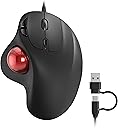
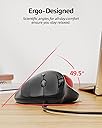
The Nulea M509 is a wired ergonomic trackball mouse featuring a natural thumb-controlled design that minimizes wrist and arm fatigue. Equipped with 6 buttons and adjustable DPI, it offers precise, smooth tracking ideal for small spaces. Its dual USB Type A and C connectivity ensures broad compatibility with Windows, Mac, PCs, and laptops. Plug-and-play convenience and a durable 5.9ft cable make it a reliable choice for professionals seeking comfort and efficiency.


| ASIN | B0CN8XQZRT |
| Additional Features | Ergonomic Design |
| Antenna Location | Indoor |
| Are Batteries Included | No |
| Are Batteries Required | No |
| Best Sellers Rank | #216 in Computer Mice |
| Brand | Nulea |
| Button Quantity | 6 |
| Color | A-Red |
| Compatible Devices | Laptop, Personal Computer |
| Connectivity Technology | Wired |
| Customer Reviews | 4.3 out of 5 stars 1,167 Reviews |
| Enclosure Material | Metal Or Premium Plastic |
| Hand Orientation | Right |
| Manufacturer | Nulea |
| Model Number | M509 |
| Movement Detection | Trackball |
| Movement Detection Technology | Trackball |
| Number of Buttons | 6 |
| Operating System | Windows, macOS |
| Power Source | Corded Electric |
| Range | 5.0 meters |
| Special Feature | Ergonomic Design |
| Style Name | Modern |
| Unit Count | 1.0 Count |
| Warranty Description | 1 Year Manufacturer |
A**R
Nice simple wired ergonomic trackball
I would purchase again if needed, and recommend. I am new to trackballs. This is my second trackball. The first one I bought was a logitech M575. I got it to go with a laptop because sometimes you find yourself in situations where a mouse is harder to use / no good surface to move it on. It takes just a little bit to get used to moving your thumb instead of a mouse. I enjoyed the experience and wanted a wired trackball for my desktop. This device in comparable in size and layout to the logitech M575. Like a larger mouse, it more comfortably fills a medium to large adult hand. The ball is the same size and weight as the M575. The narrower right click button is actually nice for me, as I can move my middle finger off of it so I don't accidentally click it. Both mouse buttons feel (not measured) about twice as stiff as the logitech, so I don't have to focus on holding my fingers completely off of the mouse buttons to avoid accidental clicking. (This can become a thing as we age and the tendons get just a little tighter, remember to stretch your finger tendons from time to time.) The top of the body of the device has a soft rubber / silicone coating. There are rubber feet to keep it from sliding around on the desk. The cord is plenty long enough for most situations, and has a soft rubber / silicone insulation. It is not quite as flexible as really soft silicone stranded wire, but it is much nicer than the bog standard vinyl / plastic wire and a very nice surprise. The usb c to a adapter seems good quality, but it has just a tiny bit more give than I would like to see. I don't think it will be a problem, but I would recommend a little care not jerking the cable around and when plugging / unplugging. i run linux, and everything is working great. lsusb shows the device as Holtek Semiconductor, Inc.
R**H
A little over-sized, but not totally terrible. Left mouse button only works for the half.
I bought this mouse because it was wired, and closest in shape and size I could find to the Logitech M575. (The M575 mouse is ergonomically perfect in my hand.) Having a wired mouse meant not having to worry about batteries, not connecting to the dongle, or loosing the dongle. The mouse is a little large, but I can deal with it. It was completely usable, just always a bit uncomfortable. Then after 3 months, the left mouse button started acting up. It was not bad at first, now it is a total nuisance, and I am tired of it. Double and triple clicking to achieve what should have been a single click. I expected to have better than 3 months use without issues. I am going to look for another wired mouse, but most likely something different. Had this Nulea mouse been more ergonomically comfortable, I might have just ordered another one and hoped not to have the same button issue. If not, I will go back to my Logitech M575. *** UPDATE *** It was only recently that I wrote and posted my review. Nulea contacted me not too long after seeing my review. They were very apologetic for the failure of my trackball mouse and offered a full refund of the purchase price. I thanked them for the generous offer, and that I would just as soon prefer having another trackball mouse sent as a replacement. I ask if they would consider doing this opposed to a refund. They agreed and sent a replacement which I received in a few short days. The new trackball mouse works great. I am hopeful this one will outlast the original. But even if it does not, I am quite pleased that Nulea took the time to contact me regarding the button issue I had with my original trackball. So the next time I am looking for a trackball, wired or wireless, I will give Nulea a first look. Thank-you Nulea for actively delivering such wonderful customer service.
T**N
The Competition Should Be Afraid...
The feel, the way my hand "fits" the mouse is important, and this one fits well. I do have slightly large hands, but I think this will fit nicely even for a small hand. I'm at the computer, on average, 12 hours daily. I'm a Web developer, so I do all sorts of things that require "everything" to function as designed or I throw it away. The mouse performs very well. I can't really tell the difference between this mouse the the "L" guys wireless mouse...who refuse to hear that their mouse has a serious problem with the bluetooth signal and won't respond. No more purchases from those..."people". It was because of "L" that I reverted back to a wired mouse. There is just 1 part of the nulea mouse that drives me crazy - the "Back" button. Usually I have to press it 2 or 3 times, pressing harder each time, before it goes back a page. It's pretty low, especially compared to the "forward" button. Unless you stop, prepare your index finger by lifting it. stiffening, and point down then push, it's not going to engage the button. That's not a deal-breaker. I don't depend on that button much. But I recommend the manufacturer raise the button so there is more to "push". Other than that, it's a nice mouse. I have only been using it a couple of months, but it seems like it will stand the tests that I put all my electronics through in a day. I'll update in a few months if there are any issues.
M**D
Solid workman's mouse for very good price
First off, I'm a huge fan of trackball mice. Coming from a history of four surgeries to address carpal tunnel, cubital tunnel and tenosynovitis...I take my touch-related computer accessories very seriously. That being said, let's get to the review. It has a smooth, matte surface and doesn't feel slippery or grainy beneath the fingers. The ball itself--while not being loose, per se--takes almost no effort whatever to shift and glide the cursor where you need it to go. Plug and play dynamic; so, within seconds of jacking into a USB port, I was ready to rock. Heh, the cursor zoomed away with rocket speed, BUT a quick press to the central button adjusted the DPI settings precisely where I needed it to make the speed my own. I loved that I didn't have to go into mouse settings to achieve this: just press the button to adjust. Also, the connecting cable is wonderfully long, and I had plenty left over after jacking into my desktop. It was a little much with my laptop, and for that I think I'd venture into the same brand for a wireless version, with the same expectation of quality. When you pick up the mouse, it has a small bit of weight to it, giving it an air of stability. This keeps it from shifting and sliding across a desk or mousepad, which is precisely what I bought it for: to stay put beneath my hand. However, when you pick it up, it does jiggle a bit--the ball shifting in its cradle--and I wouldn't put a lot of faith in avoiding damage if it were dropped. So, simple solution. Computer equipment isn't meant to be dropped. All in all, for the low price, I was expecting a throwaway temp to get me to a pricier, more solid model. I was wrong, so very wrong, and I'm thrilled because of it. This is a great mouse for a great value. If you've never tried trackballs, learn from the four-time surgery veteran: give them, specifically this one, a try.
B**N
Its exactly what I expected.
I plugged it in and it just works. Seems quiet, comfortable and responsive.
A**R
Ok product, but wheel stopped working.
Nice product, good ergonomics and a lot of functionality with many button options. However, the roller wheel used to scroll pages up and down stopped working well after a couple months.
W**E
Perfect Replacement for Logitech T-BB18 trackball Mouse No longer available.🎉 bdv
Pros: The nulea trackball mouse is plug and play replacement for my Logitech Trackball Mouse. One third the original cost of my Logitech Trackball Mouse. Zero learning curve almost as this only had a few extra buttons to learn the function of. Left click, Click, Right click and Track wheel so similar that you'd almost swear you are using the original Logitech mouse. Has Fwd and Rev buttons just to left of the left click button. I can see how this could help if you were jumping between screens. The button at the top of the mouse allows for fine tuning of the DPI movement of the mouse without having to mess with your software settings. It is like nulea took a Logitech mouse said let's copy it but make the edges more rounded and easier to manufacture. There are four antiskid pads on the bottom of this trackball mouse vice the three used on the Logitech it replaces. You can even use the ball from your old Logitech trackball with this nulea mouse. Cons: Will not be easy to dismantle for deep cleaning in the future. There appears to be only one screw holding this trackball together, although if I were to attempt to dismantle this mouse I'd first remove all four antis skid pads and probably the part of the bottom label that feels like it is covering a hidden screw too. The surface of this mouse is actually slippery and takes a little getting used to. Also before doing this review I noticed that there is no protective window between the sensor and the ball like there is on other mice I've had in the past, hopefully this will not be any problem in the future. Another case issue is it appears the same case is probably being used for both the BT mouse and corded variety as there is the outline of a battery compartment in the plastic, not a big issue, but something to make you think a little. Yes I'd buy this mouse again, actually have bought a second one, Also I'd recommend this to friends as well. Will change this review should anything change bdv
J**N
Great quality and Reasonable Price!
High quality product with reasonable price that I bought it twice! I have had the first one at least 6 months now and it is still working just as great as when I first used it. Now I have one for home use too. This time i didn't even know that the trackball was removable until I looked at the instructions lol It's very easy...when you turn it over, on the back, there is a button that you push and it pops right out so it is super easy and efficient to clean. I bought the one with the purple trackball and it's such a pretty color and I love the shine. The size is perfect for my hand and I have had no issues with cramping or carpal tunnel, etc. plus I love the button placements as it makes it easy to locate and also the mouse is lightweight but not flimsy at all. The cable is also a great length that I'm not having to rearrange PC tower placement, etc. oh and btw, it doesn't click loudly so it's not annoying like other mice. However I am not sure about the negative reviews about the trackball speed because you can easily change the mouse settings on your PC (I use PC). I have adjusted the speed on my Windows settings and fast or medium speed works great either way. The importance thing is that it IS super responsive and not laggy at all.
V**O
Tutto funzionante
Nessuna lamentela. Tutto perfetto
R**S
Not worth the money!!
The micro switch for the pointing finger is way to course you really have to PRESS to make contact. Which means you often have to press multiple times to get it to react! Not so great! After approx. 3 month use you need to pull the USB plug out and in the PC to get it working. Turns out to be a real real bad product !
L**5
Mouse trackball M509 cablato ergonomico
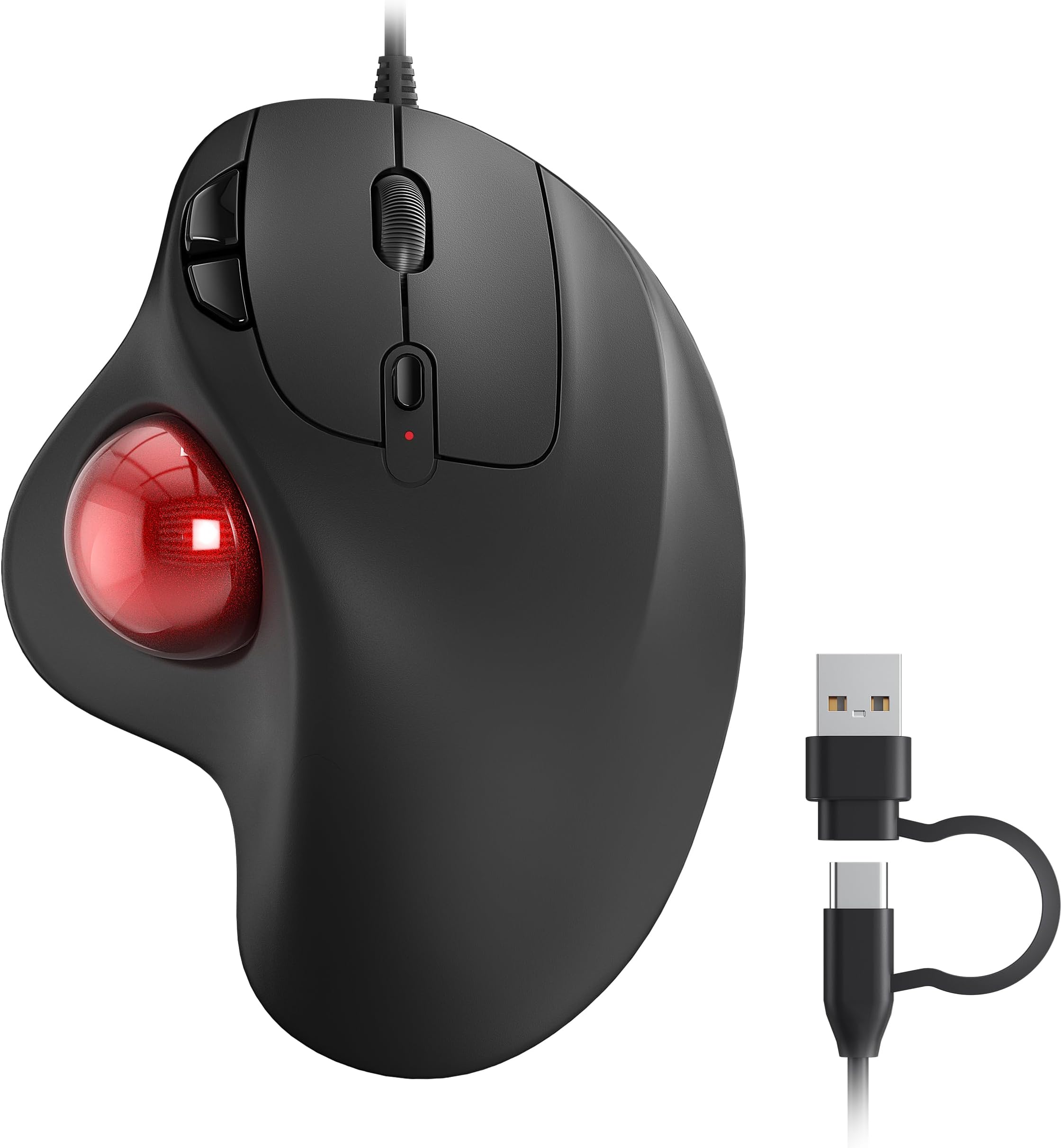
Trackball NULEA a basso prezzo con una qualità che sinceramente mi ha stupito. La trackball è completamente nera satinata e oltre ai classici tasti del mouse ha altri tre tasti, due per “avanti” e “indietro” e uno per regolare i DPI. Premetto che possiedo altre due trackball, una NULEA M508 e una Logitech ERGO M575. A livello di comodità è paragonabile alla Logitech e molto più comoda della M508 che in confronto a questa e alla Logitech è enorme. La mia mano sta molto meglio su Trackball di dimensioni non troppo grandi. Con le dimensioni generose della 508 sento la mano e il braccio stare in una posizione innaturale. La cosa che questa trackball non ha rispetto alle altre due è la connessione wireless, essendo dotata solo di connessione cablata. Il cavo è lungo circa un metro, è nero e termina con una connessione USB Type C convertibile con un piccolo adattatore (inseparabile dal cavo, c’è un piccolo cordino che tiene connesso l’adattatore) che la può convertire la connessione in USB Type A. Questa doppia connessione l’ho trovata molto comoda in quanto è possibile collegare a una platea più ampia di dispositivi alla trackball senza portarsi in giro adattatori o rischiare di dimenticarseli in giro. La mancanza della connessione wireless rende questa trackball molto economica rispetto alle altre (10 euro in meno della 508 e 25 meno della Logitech) Al netto di questa mancanza la qualità di questa trackball è paragonabile alla Logitech come materiali e costruzione con l’unico appunto per quanto riguarda i tasti aggiuntivi che si sentono al tatto molto più “plasticosi” della Logitech e hanno anche un feedback al click dei tasti destro e sinistro che è leggermente più duro e rumoroso delle altre due. Ho anche apprezzato la possibilità di regolare i DPI direttamente tramite il tasto (che con la Logitech va fatto dalle impostazioni del software ed è quindi molto più scomodo). La regolazione è in 5 step: • 100,200 e 400 DPI adatti a lavori di precisione • 800 DPI e 1600 DPI adatti alla maggior parte dei contesti che non richiedono precisione (al 99% del tempo la userete in questi due step) Tirando le somme, è una trackball che costa poco e va bene con materiali buoni in relazione al prezzo cui è proposta. Se amate le trackball e non vi interessa il wireless questa potrebbe fare al caso vostro.
J**I
Genial
lo que estaba buscando
K**N
Design très ergonomique, avec une adaptation plus facile que prévu
Étant musicien et dévelopeur, je voulais une souris plus ergonomique que les souris standards pour éviter les tendinites. La position de la main sur cette souris est vraiment naturelle, et la navigation via la boule est facile dès les premières minutes. Il m'a tout de même fallu deux jours pour complètement oublier que j'utilisais un nouveau type de souris, car au début je sentais avoir des difficultés à faire de grands déplacements avec la souris (pour aller par exemple d'un côté à l'autre de l'écran). Aucun soucis niveau précision, et pour les cas de précisions extrêmes la souris a un bouton au-dessus de la molette pour changer la sensibilité de la souris mais je m'en sers rarement. Maintenant ça me fait bizarre de revenir à une souris normale à cause de la position horizontale des souris standards. Et pas de fatigue au niveau du pouce ! L'utilisation d'un smartphone est probablement bien pire à ce niveau ;-)
Trustpilot
1 month ago
4 days ago