Buy anything from 5,000+ international stores. One checkout price. No surprise fees. Join 2M+ shoppers on Desertcart.
Desertcart purchases this item on your behalf and handles shipping, customs, and support to UK.
🚀 Print Big, Print Fast, Print Smart — Own the Future of 3D Creation!
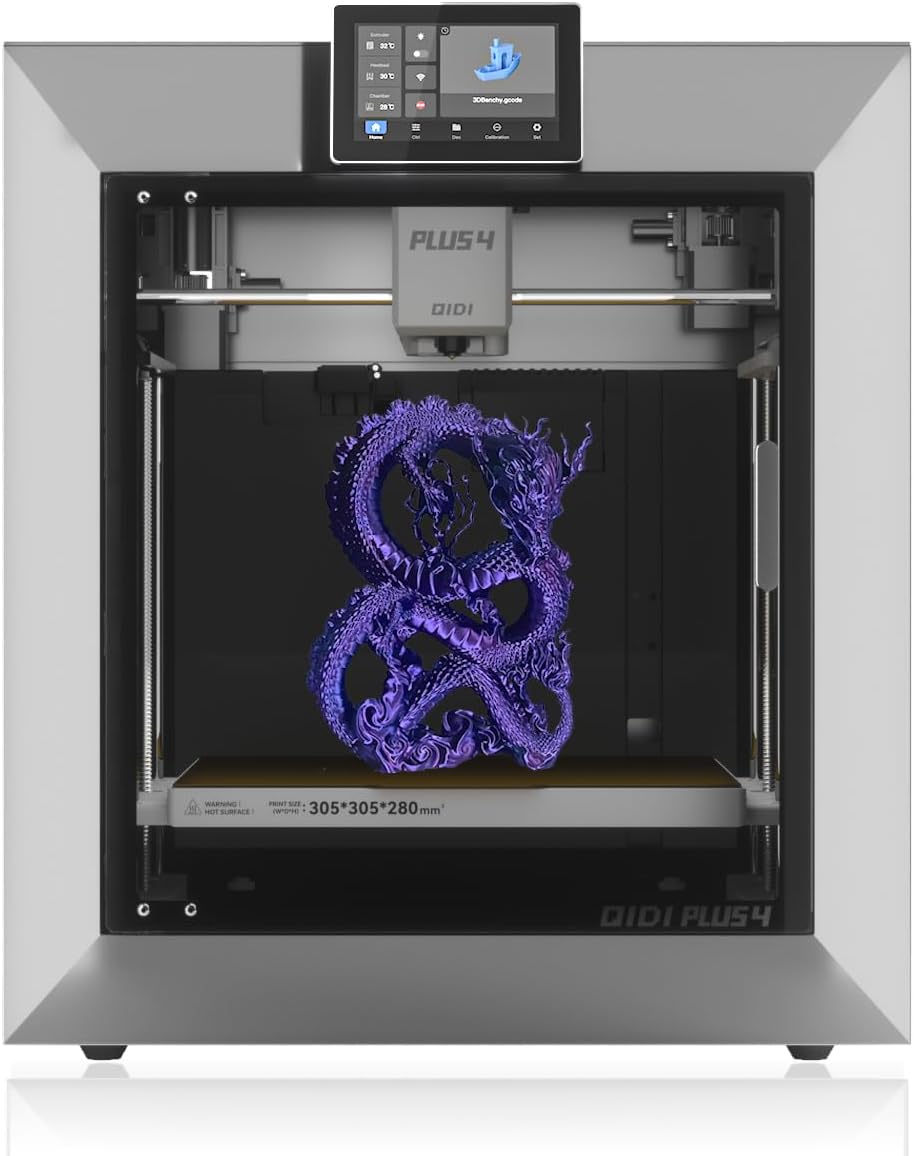
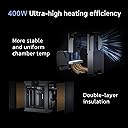
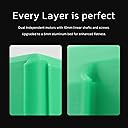
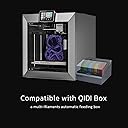
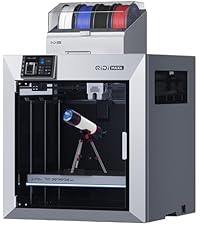
The QIDI PLUS4 3D Printer delivers professional-grade performance with a large 12"x12"x11" build volume, blazing speeds up to 600mm/s, and a high-temp 370°C extruder supporting advanced filaments like PPS-CF. Featuring a 65℃ heated chamber with dual-layer insulation and air circulation, it minimizes warping for superior print quality. Fully auto-leveling and equipped with remote monitoring and HD camera, it offers smart, convenient operation. Designed for durability with dual Z-axis motors and thickened aluminum bed, PLUS4 is future-proof with upcoming multi-filament color printing support.


| Best Sellers Rank | #52,660 in Industrial & Scientific ( See Top 100 in Industrial & Scientific ) #69 in 3D Printers |
| Brand | R QIDI TECHNOLOGY |
| Color | silver |
| Compatible Devices | Laptop, Personal Computer, Smartphone, Tablet |
| Customer Reviews | 4.1 out of 5 stars 421 Reviews |
| Item Weight | 27 Kilograms |
| Material | ABS and metal |
| Product Dimensions | 19.29"D x 20.07"W x 22.24"H |
T**K
FINAL Update: ...
Given the generally very positive reviews, I was expecting minor difficulties. As it is, I can't even make it to the input shaping and calibration step, since loading filament is impossible. It appears the hotend came factory-jammed, which is super. I'm getting ready to disassemble it, but it's sad that that's the first impression this device is giving. I'm sure it's all up from here, and I'll update this review when I have more information. At the moment, the printer is a paperweight, and an excellent one at that! FWIW, it's very pretty, well-lit, and quiet (especially in the "off" position, since it can't print). Update: I took the extruder apart, and there was something partially blocking the area above the gears. Weird, but no big deal. I learned a bit taking it apart, and while irritating, I feel like I can do more of my own maintenance at this point. Next problem: after running calibration and bed leveling, I tried updating the software. No dice. It recognizes the new software update, downloads some of it, then either fails or hangs. My Wifi is dicey, but still - it should work, and my other printers never had any problems. I guess I'll order an ethernet cable (they give one, but given where I have my printer, it's much, much too short). Third problem: even though the printer shows it's online, I can't detect it with Qidi Studio. Whereas prior printers would populate nicely and quickly, no luck here either. Again, my Wifi is terrible, but it still works well enough for cell phones and other devices to pull HD streams, etc. In any case, I think the physical cable will solve the problem. I'll report back for another update when I can! Next update: OK, turns out the Wifi had nothing to do with it. Even wired, the printer doesn't get past 33% installing the update and just hangs. I'll try an offline update, but yeesh. Even wired, the printer is undetectable in Qidi Studio. The link the printer provides via QR code doesn't do anything in the Qidi android app, just bounces back to the "add a device" screen. So apart from a passable and very quick bench, the experience so far has been pretty bad. I'll try plugging a gcode file in via usb and we'll see what happens. One problem at a time, right? Third (and final?) update: The "automatic" connection never really worked, but manually connecting to the machine's IP worked perfectly. Now that I know it's not just plug-and-play like other premium printers, we're good. I'm printing wirelessly, monitoring the print, etc. Print quality is near-Bambu so far. So for ease-of-use, I'm NOT going to recommend this to a new printing enthusiast - just get an A1 mini or A1 IMO. For someone willing and able to take bits apart just to get up and running, yeah, so far so good! In terms of value for the size and speed, it's pretty impressive. 4th Update: Almost a month in, and this printer has been a pain in my butt. I've had it jam and had to disassemble the hotend (good practice, but it NEVER happened on my Bambu). That's forgivable, but the firmware isn't. As-shipped, the printer can't perform OTA updates. In other words, you have to download the file, put it on a thumb-drive, and manually update it. No problem, right? Shouldn't be, but following the instructions on their Wiki doesn't work, and while the USB drive is detectable, no update files are detected (even when appropriately placed and renamed after downloading). This is pretty terrible, and a very, very bad user experience. Even if I get this working EVENTUALLY, I'm increasingly annoyed and displeased with this purchase. Why update the firmware? Oh, no reason, just without doing so, you can't resume a print that fails due to power outages, etc. I mean, the printer will offer to do so, but it'll demand re-homing before beginning, meaning that it'll crush the print and/or damage itself when it raises the bed to home it out. So... yeah. Basic functionality was missing when shipped, and that's not good, and the ability to patch away the problems... also doesn't exist, at least for me, and at least at the moment. I'll update if this changes. In addition, errors others have noted regarding how a bearing was glued in place and can come loose, and heating issues if you're trying to use the entire build volume, so putting everything together, I'm going to say that unless you're comfortable monkeying with a printer, don't get a Qidi Plus4 at the moment. Maybe a future production run will have updated firmware from the factory, better QC, etc. - but at the moment, I don't recommend this. Just wait for a bigger Bambu, IMO. Fifth update: I finally managed to sort out the update issue half by working with tech support and half by accident. It turns out one of the methods they suggest to use to update the device doesn't appear to work, at least for me but the other did. In the end, in theory now the +4 should be over the air updatable so I don't need to mess around with that again. And now we should have the ability to resume a failed print without destroying the remains of your failed print after a power outage. The main thing of note for this update is apparently the device doesn't have a filament runout sensor which is bizarre. If one is included, then it didn't work, at least for me, and I woke up to a half printed "Successful" print after my filament had run out. In general, the print quality is excellent. The speed and volume are excellent. The value is excellent. The quality control is ? And the features are all over the place. It wasn't TurnKey for me, but it's still a pretty good printer that I'm not sure I would recommend. 6-ish month update: I've been using this printer for Christmas decoration, parts to mount lights at home, and cosplay helmets, etc. All the results have been fantastic. Once this printer is up and running, it's been amazing - great quality, great speed, and honestly, the customer service has been really good - they've followed through to make sure everything was working, and that any replacement parts I needed (for a power board issue affecting 120v power users) were sent. I don't think there's a better value out there for quality and volume at the moment, and if I were in need of a large-format printer around 300mm^3, I'd get this again.
E**N
Solid and reliable printer
Far from new into 3d printing. I've had my Plus4 for about 6 months now, gone through probably 20-30 rolls of filament at this point printing everything from household items, car parts and accessories, to wargaming terrain and toys. I've primarily run PLA, but some ABS and some CF Nylon through it. Setup was fairly easy, as was updating firmware. I'm not new to Klipper either, and Qidi is running a much more recent version of Klipper than my previous XY machine from TwoTrees. I was very happy to see that. So far the only issues I have had was that my printer was one of the models affected by the older solid state relays for the chamber heater. I had not used the heater at that point and was advised by a friend to contact Qidi customer support. They sent me the upgrade kit quickly and with coherent and easy to follow instructions. I'm no stranger to working inside a printer, so it was a straight forward and easy swap to complete. I have since used the heated chamber, and other than taking a long time to heat up it works fine. I found the cooling fan for the mainboard to be a bit noisy and not as effective as I would like, so I swapped that out for a 120mm Noctua 24v industrial fan. I run that at 60% and it keeps my drivers and mainboard cool at a much lower volume. Otherwise I have had no major issues with this printer. My goal when purchasing this printer was to have the ease of use and speed of a bambulabs, with the open source and customizable nature of Klipper, and this printer has not disappointed. It has by far been the most reliable printer I have owned. It runs at the full rated speed without issue and the stock slicer profiles have all worked extremely well for me. I am anxiously awaiting the Qidi Box multi-filament upgrade. I would have liked it just a little bit better if it had a 320x320 like my SP5 turned Voron, and the Z height is slightly lacking, but this has not really been a limitation for me as of yet. Most print files out there are designed for a more "standard" 256x256 build platform, so the 305x305 has fit everything I've thrown at it. I've been extremely pleased with this printer so far, it's been a reliable tool which is what I was looking for. On final notes, the community, wiki, and github for this printer is quite active and helpful, and Qidi employees are active commentors and posters in those communities. Generally seen to be actively helping people problem solve, which I love to see. Excellent printer if you want speed and reliability without being locked into proprietary BS firmware and slicer software. It's reliable enough to be a solid and useful tool out of the box, but still gives you the freedom to modify and make it your own.
W**.
BUYERS BEWARE !!!!!!!
Why did you pick this product vs others?: Hi everyone I am writing this review because I don’t want anyone to go through what I have with this company so far. I got the printer towards the end of April and when I buy something I put my all into learning about it. From what all these professionals on YouTube were saying this was the machine to buy. Plus it was coming out with the Qidi box soon after my purchase. All those pros are getting tons of free stuff to say these things. It’s hard to find reliable reviews so I’m here to tell you to avoid this company all together. They may seem like they got it together they don’t. All kinds of issues arrived before I bought it but again all the pros claimed Qidi was on top of it and fixed everything but that was before my purchase so I’m not going into detail on that. When I bought this printer it was my first 3d printer. However I was used to working with an Axiom Cnc machine so that was a huge leap in learning. I still read the entire manuel and watched tons of videos before I turned it on. During my studying I found out that it is very highly recommended to mod this printer in several ways for it to efficiently print. I mean this guy even is recommended to have a bigger fan to cool correctly from the get go. Anyway I turn the thing on and start to print. I print the stock bench with Qidi filament and it looked like crap. I figure I need to learn more about the settings and oh boy do I. I spend day after day trying to get a good print but nothing ever come out looking real good. I even buy 2 more heat plates and ordered that bigger fan all though I didn’t think I should have to tear apart a brand new printer. So I finally email Qidi because I notice that when I try to level the bed it that the tool head is on the left edge of the plate probing while on the right side it stops at 3 inches from the bed. Not only that but when doing screw tilt calculate( a bed leveling move) it comes up with a different number each time even if I don’t turn a screw. Qidi told me the front right area was to activate the filament cutter and that it was a common setup like bamboo labs. In other words they treated me like I didn’t spend over 100 hours investigating this printer before I emailed them. So I order that bamboo printer too. I needed to have something to compare to. By the way during this time I’ve already replace the nozzle 3 times and changed the hot end on my on. When I setup and run the bamboo labs p1s I am blown the freak away. I didn’t know that you could get that kind of quality at home plug and play as Qidi claimed. I knew right away that my Plus4 was never in the right working order. The bamboo gave me the best stock benchy I’ve ever made. My stomach was in knots now though because I now knew that I gave Qidi over a grand altogether with supplies for a huge paper weight. That’s a lot of money for my family because I’m disabled. This was my shot for making money for my family and I totally put it on the wrong horse. I got a reply that suggested I clean out my hotend and that had nothing to do with anything I was discussing. I made a video so hopefully someone else from Qidi would get my email and help me. Also it started not wanting to load filament during this event so I had to email about that too. Plus since day 1 my x and y drivers were running at 126degrees Celsius and they told me that they can withstand up to 150 so your ok basically about that. Really?!!! Also we’re going to send a new filament run out sensor and here’s a video of how to fix our bad. Then about the bed they said We’ll in that case here we will send u new bed leveling sensors, all 4 and here’s a video of how to fix our mess, again. Oh and by the way I will send you the main module for you to replace and again here’s a video for you to follow along with. All of this in just a couple months. I’m now waiting for the first part to arrive. They don’t tell u that in order to buy a printer from them you should now how to put it together. They sell as a plug and play and it’s the furthest from my experience. I wrote an email last night doing my best to be professional and friendly. My subject on this email was To make it right. Their reply to this was jaw dropping so I copied and am pasting it now, You can remove the print head front cover and hot end silicone sock to see if the nozzle is installed correctly. It is my belief that chat gpt is now replying to our emails from QIDI. I will try them again but I’m not holding my breath. I doubt they will do anything to make this right. I wish I would have went with the other printer to start with at this time. I will follow up this review as more info is to come I’m sure. The plus 4 was a terrible experience for me and I hope this review will help you make the better choice
C**D
Incredibly capable printer in a beautiful frame
Update: It's still going strong after passing 4 thousand hours of print time. This has become one of my favorite printers to use, and after comparing results a bit more, I think this Plus 4 outshines my Bambu lab printers in print quality. It's a PET/Nylon/PPS powerhouse. I've had zero issues with zero maintenance other than swapping the hot end after jumping from PETG to PPS on the same hot end (it seems some leftover PETG oozed out of the top and caused a clog at the higher heat, a simple hot end swap fixed it in no time). PET-CF in particular comes out looking perfect and has become my go-to for functional parts. This printer was incredibly well packaged and free of damage or loose parts. It comes in a large and heavy (a bit over 70 pounds) box; having an extra set of hands isn't required, but it will be helpful when getting this printer into place. Checking the back, I noticed that my printer had the upgraded SSR board to fix the issues the original board would have for 110V areas. The setup was straightforward, with most steps displayed on the screen during the first bootup. It may not be quite as simple as getting Bambu printers up and running, but you won't be scratching your head wondering what went wrong. You can connect to your network via LAN or Wi-Fi; using this printer with OrcaSlicer is easy. Plus, the Fluidd UI is a step up for monitoring and adjusting prints compared to Bambu Studio's device tab, aside from some simple speed adjustment presets Bambu offers. At first, I had created a Fluidd account, but I found it caused some odd connection issues, so I just use it without any accounts, and I haven't had the same connection/moonraker issues. The print quality I've experienced is fantastic and rivals my P1S. With its increased hot-end range and heated chamber, this printer feels like a significant upgrade if you plan on printing engineering-grade materials. I've steered clear of Qidi printers in the past due to concerns over QA, and to be frank, I just thought they looked bulky and ugly. This new frame is gorgeous and really makes the printer look much more modern and sophisticated. I had planned on purchasing this printer a few months ago but was put off due to the news of the SSR issue, which now seems resolved. Other than the SSR, it seems this printer was well-designed and produced. The fact that the board was swapped out made me more confident in this printer's longevity and Qidi as a company. The build quality is very nice, maybe not quite as lovely as my Bambu machine, but the printer feels sturdy, doesn't make any rattling sound, and the outer panels sit flush with the machine. I found the door to be very sturdy and has a bit of resistance when opening or closing it. When printing low-temperature materials, this keeps the opened door from swinging about too much or slamming closed. Keeping the top lid and door slightly agape keeps internal temps around 33c. It will go lower if you fully open the door and remove the lid, but that wasn't necessary in my experience. For higher-temperature materials, closing the lid and door helps muffle the already quiet printer during use. I could go on; this really is a quality machine. If you're looking at a P1S or X1C, this could be a capable and more open-source alternative unless you need multi-material printing. There's supposedly a Qidi AMS clone on the horizon, but it seems pretty unknown at the moment. With Klipper under the hood, you may even be able to get an open-source MMU like the Enraged Rabbit Carrot Feeder to play with the Qidi Plus 4 (although no one has tried this yet, to my knowledge). I was mainly focused on printing more challenging materials, and my P1S already has an AMS, so this wasn't a concern for me.
J**E
Fast, reliable, and fantastic print quality!
This is my first experience with Qidi. After doing a lot of research on numerous different machines I decided to try the Qidi Plus 4. I have now had the printer for months and have used it nearly every day. Everything from short easy prints to very long detailed prints, and a wide range of materials including PETG, ABS, TPU, and others. This printer is a beast. It's fast, very reliable, and the print quality is fantastic. I did get an early model of this printer, and there were some known issues with the unit. Mainly the SSR and the nozzle had a clogging issue. Upon my initial setup I got the serial number, emailed support and asked them to check to see if I needed any updated parts. I did need replacement parts and they sent them immediately. I ran in to one other issue when my nozzle crashed in to my build plate. As it turned out this was my fault, I adjusted the Z-offset in fluid and on the wiki there are clear instruction to not do this. I was able to fix the issue myself and it has never happened again. However, I did contact support on this to let them know that it happened and how I fixed it just in case other customers might have needed this information. The responded that they were going to add it to the wiki and replaced my build plate at no cost. Customer service really has been great. The only actual complaint I have is the quality of the wifi dongle. It's terrible, truly. However, I found a cheap replacement and it is a night and day difference. I went from having disconnects and 1-2 FPS on the camera to a solid connection at all times and a constant 25 FPS on the video feed. Considering that the other wifi adapter did actually work, it was just poor quality, I am not even willing to take away a star for this. If you don't care about the video feed FPS and can handle a momentary disconnect every now and then, which does not affect your print, then it's not even worth switching out. Other than those small issues, I literally just maintain the printer using the Qidi instructions. Doing that this printer has been flawless. It will print any material, it will print it fast, and it will print it well. Not only do I have one of these, but my sister also purchased one that already had all the updates and it's the same story. No issues with hers either. I can not recommend this printer enough, it has been the best one I have ever owned, and I have owned quite a few at this point.
J**C
I haven't touched my Prusa since I got it
I've been very happy with the Plus4. It set up quickly and easily and printed well right out of the box. It's large, but it prints large volume prints. Overall, I'd recommend it, and I cancelled my Core One order after I used the Plus4 for a few months. With that said, there are a few things to know: 1. I did replace the Qidi solid state relay with my own relay and heat sink that I trusted more. At the temperatures we are using these at, and because they run unattended, they need to be trustworthy. 2. The startup sequence takes FOREVER. When I print ABS, it takes more than 8 minutes to start a print. It should be possible to modify the GCODE startup routine, but I haven't gotten it to work yet. 3. There are bugs in places. For example, it's great that the printer has a camera that will do time lapses, but if you tell it to park the head for each photo, the head crashes into the stops and you will have a huge layer shift. Qidi seems to know about this, and when you ask they just tell you to park it at a different location. 4. The printer firmware is laggy, and it makes using the touchscreen a bit of a pain. So, it's not perfect. But it's also a great printer that prints high temps at high speed for not much money.
T**J
Qidi Plus4 beats BBL in every category. Klipper, Size, Quality, High-temp, Security/Privacy
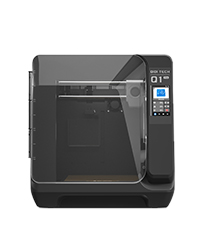
Qidi Plus4 is the best printer in its price range! Wow - guided and easy 5 min set up (excluding updates and calibration). Ok, it probably took me 15 min or a little longer from opening the box to starting the print, but I had to spend a few minutes on finding one of the screws that I have dropped :) Seriously, the printer is great even when compared to my old X1C, actually better than X1C, whether it is printing or because of all the drama with BBL firmware updates. Many people have stated that they will leave BBL as a result, and Plus4 is a very good printer to get instead of BBL. X1C comparison: Finish and Looks - different but it holds on its own. Although it is plastic around the front, in my room lighting I could not tell the difference. I do not fuss about minor stuff, like why "this" is "here" and not "there" or why did they do "this" instead of "that." Often, this is just personal/design preference rather than a work stoppage. I can find minor stuff in every printer. Build - feels strong, Z-axis has two drive screws and 4 columns to stabilize the bed - so this makes it stronger than BBL. Thick bed is very flat, but it does feel that it takes a little longer to warm up or cool down. Qidi belts undoubtedly make a big difference. Plus4 is obviously larger than X1C with significant expansion of the printable area, while the size of the printer overall does not feel overwhelming. Ease of use - I find it very intuitive and very easy to use. Since it has Klipper, you can monitor and adjust pretty much everything, while with BBL you can only do what you are allowed, which is almost nothing. Even X1Plus cannot open the printer to the same extent as Klipper on Qidi. Please note that X1Plus is only available for the X1C and not for P1/A1 printers. BBL did not mention that they are going to block X1Plus installations, but new printer models, will probably not be compatible anyway. Moreover, from what we know today, even Orca slicer may not work (or users may have to take extra steps) with BBL printers in the future. Networking - Both WiFi and wired Ethernet are provided. Although switching between the two is not automatic, but it was very easy as and intuitive. Security/Privacy - BBL has little to no security/privacy at the moment, and requires all data to go through their cloud, with LAN-only mode is being crippled or difficult to use now and certainly in the future. I cannot say anything about Qidi cloud security, but Plus4 has excellent support for the LAN mode and other ways to secure communications with the printer. Print quality/capabilities - Qidi seems to have an edge over X1C print quality with no visible VFA. Besides Benchy, I have printed Poop chute using Orca, which also came out flawless. Unfortunately, no multicolor capabilities, but hopefully we will have it soon. On the other hand, if possible, I try to avoid multicolor prints anyway because of time and filament waste. IDEX or something like that would be ideal for multicolor printing. Print speed is comparable, some settings in Qidi profiles looked very conservative, but I did not have time to look into it. One great thing going for Qidi is high-temp/heated chamber capabilities. It is possible to insulate X1C and install chamber heater, but it is not possible to increase the nozzle temp on X1C, and aftermarket chamber heater will not be integrated into print settings, not easily anyway. Qidi routine before printing seems to be slightly more optimized than X1C. I would also say Qidi is somewhat quieter, but this is subjective, I have not done any tests. Issues - When you watch older Qidi reviews, they find some issues with Plus4, but it seems that new updates have addressed those issues (I have not checked the SSR issue yet, but I believe it was taken care of). My printer came with 1.4.x firmware, with an easy OTA upgrade to 1.6.0. That said, BBL printers also had some issues at launch, which later have been addressed. Even if BBL comes out with IDEX, or anything else, I will not be going back to BBL because of their disrespect of others, issues with security/privacy, and other policies, which limit my use of my printer. This is also a word of caution for all manufacturers, please be nice to your customers and to 3D printing legacy. Thank you Qidi. Just get the Plus4, and you will not be disappointed. I am not sponsored by Qidi or received anything from them.
C**7
Great Durable Printer with Outstanding Support – Minor UI Annoyances
TLDR: Great printer with great customer service Pro's Built like a tank Great customer service Prints tons of materials smooth and fast Doesn't need much maintenance Con's Screen is laggy No UI button to delete prior prints Good luck adjusting Z-offset while printing I ran this printer for 3-4 months without doing much upkeep. Finally I had a clog of TPU because I forgot to change the temp settings. When I was fixing it I remembered I wanted to delete some prior prints. Well the onboard screen doesn't have an option delete it. I contacted customer support and they told me to delete it from the computer side. I guess I screwed that up and deleted the firmware. They ran me through several firmware reset/replacement steps with files. None of them ended up working so they sent me a free replacement motherboard with instructions. Whole thing took 30 minutes to set up and it fixed the issue. Overall it's a nice reliable unit, though I do have some qualms. I should be able to delete print history from the actual printer in case I want to sell it. The Z-offset on screen doesn't actually register your adjustments unless the print is actively printing, and it often delays. This causes problems when your z is 0.1 too close and the only way to correct it is to let the printer grind the nozzle against the metal plate for a few seconds while it registers. This also causes overcorrections. Say you are at 0.1 and go to adjust it by 0.1. It doesn't register, so you click it a few more times, well don't worry, it will all at once apply those corrections so now it jumps by 0.5. The screen is needlessly laggy when going through prior prints. It loads the thumbnail which for some reason takes 6 seconds per screen of 6 prints. Though you can disable thumbnails and reduce this to 2 seconds per page it should have the CPU to just be faster. These are minor issues once you get dialed in and printing. This beast will print for months with minimal upkeep. Special thanks to Evelyn at customer service for helping me out with the replacement motherboard and patience.
G**D
This is plug and play
I read all of the reviews I could find on this 3D printer. Most of the issues I saw were people who think a 3D printer is like other equipment. I have owned only two 3D printers. This one and an original generation 3D printer. The good old Anet A8. I would have to say that this printer is plug and play. Coming from the Anet which required printing mods to make it work better. This printer is plug and play. You follow the instructions and it sets itself up. I am amazed at how easy it is to use. Very sturdy and accurate. I have not had any feeding issues like I have seen people say online. Just feed the filament in and the QIDI just takes it. I never had to take the head apart to align the filament with the unit. I have never had the nozzel drive it's self into the bed. Don't update anything, just turn it on and use it. It works great. No screws loose, no issues at all. The video attached is the first print straight out of the box just following the instructions. The only issue I have is my table I put the 3D printer on is not up for the G-forces this thing puts out. So I need a better table to put it on. Other than that this is such a fantastic printer. I have only used PLA but if it does a good with the other filaments as it did with PLA, then why would you buy anything else.
J**E
Muy satisfecho con el artículo
Gran impresora excelente calidad de impresión a alta velocidad ningun problema imprimiendo con ABS Un especial agradecimiento a Andy de soporte técnico de QIDI por la excelente atención
T**N
Quick service
While there was a problem, thanks to Andy at Qidi, the problem was resolved quickly and all is now working well. Thank you Qidi and Andy.
R**Y
Not even half finished product.
Absolute lemon of a product. Bed leveling doesn't work. MCU over heats. Start gcode breaks the nozzle. PTFE tube rubbing and breaking away. Tool head board overheats. Klipper version is dirty. I wish I returned this before trying to fix anything because now I've just spent money on this hot garbage
G**E
Great product for 3D printing
Very happy with this purchase works very well
Trustpilot
5 days ago
2 weeks ago