Buy anything from 5,000+ international stores. One checkout price. No surprise fees. Join 2M+ shoppers on Desertcart.
Desertcart purchases this item on your behalf and handles shipping, customs, and support to UK.
🎮 Own the game, anywhere — power, speed, and style in your palm!
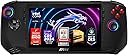
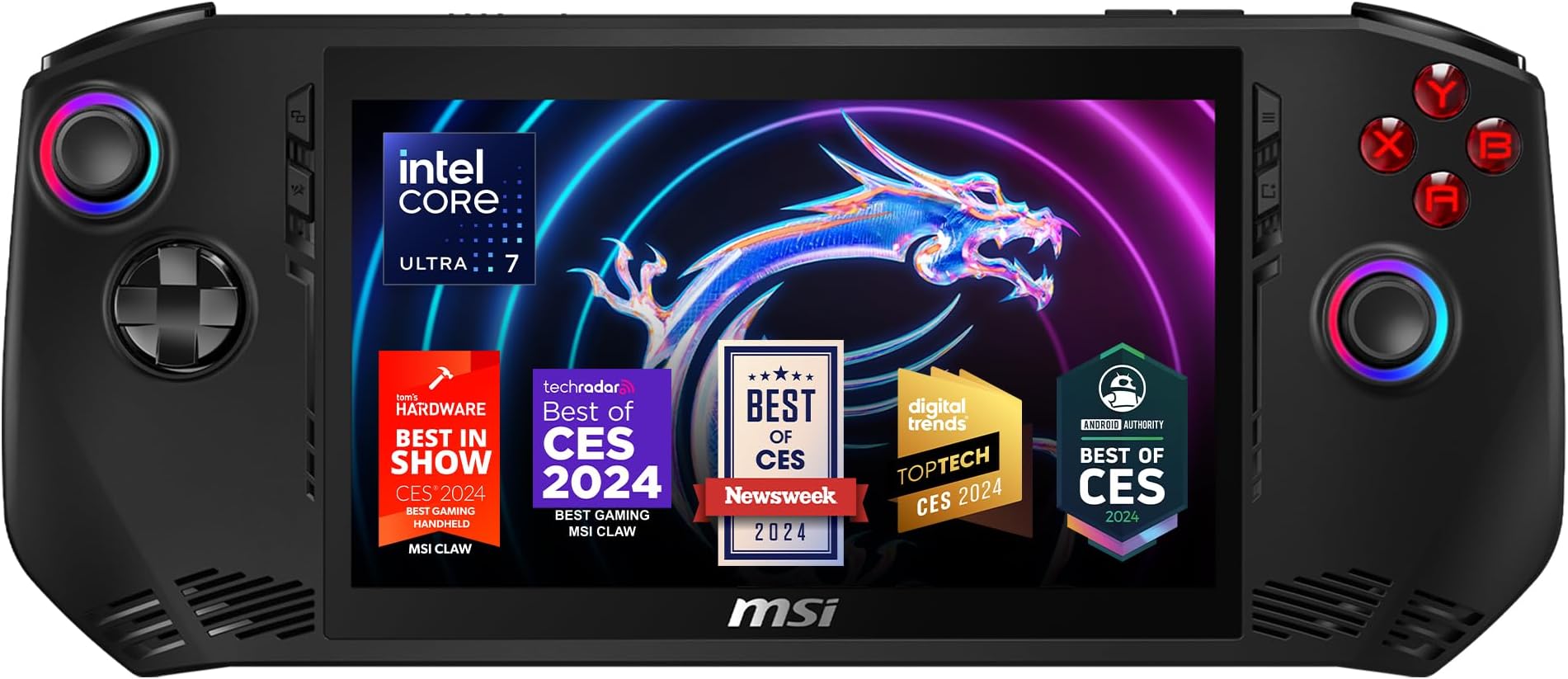
The MSI Claw PC Gaming Handheld packs a punch with its Intel Ultra 7-155H processor, 16GB LPDDR5 RAM, and 512GB NVMe SSD, all displayed on a crisp 7-inch FHD 120Hz screen. Designed for gamers and professionals on the move, it balances ergonomic comfort with robust battery life and advanced connectivity options like Thunderbolt 4. Perfect for those who demand desktop-level performance in a portable, stylish package.


| ASIN | B0CXGBRF4N |
| Best Sellers Rank | #52,939 in Computers ( See Top 100 in Computers ) #238 in 2 in 1 Laptops |
| Brand | MSI |
| Brand Name | MSI |
| Color | Black |
| Colour | Black |
| Compatible Flash Memory Type | microSD |
| Connectivity Technology | Bluetooth, Wi-Fi |
| Connectivity technology | Bluetooth, Wi-Fi |
| Customer Reviews | 4.1 out of 5 stars 62 Reviews |
| Included Components | Handheld, Charger |
| Input Device | Gamepad |
| Input device | Gamepad |
| Item Weight | 676 g |
| Manufacturer | MSI |
| Manufacturer Part Number | CLAWA1052 |
| Memory Storage Capacity | 512 GB |
| Model Name | Claw A1M-052US |
| Model Number | CLAWA1052 |
| Model name | Claw A1M-052US |
| Platform | Windows |
| Resolution | 1080p |
| UPC | 824142357170 |
| Wireless Communication Technology | Bluetooth |
S**O
Really good gaming handheld at a reasonable price. Very lightweight but powerful. Runs well.
I have no complaints about this system except that from time to time when restarting the device your back lighting maybe off and it'll take some time for it to get back on. It's incredibly lightweight and very powerful. It works really well as a reasonably priced PC gaming handheld. It's light enough that if you have joint issues with your wrists or arms you can use it very easily. It's got enough power to play high-end games given that you make sure you're using the right settings.
E**Z
So far so good
Only gave it 4 starts cause the battery isn’t 54 hours more like 5 or 6 lmao but it’s ok it does everything from sims 2 to paladins and that’s all I need my favorite games I’ll keep you updated A little update it’s been about four or five days and the console has not failed me, but maybe that’s because I put graphics and stuff to medium or low cause I don’t wanna put too much power on the console. I wanted to actually last me before I buy a new one lol but everything works perfect I’m glad I made this purchase. I’ve been playing Marvel rivals on this thing and it’s been beautiful This thing is literally my new console idc to get an Xbox or ps5 this thing will run every game that comes out with them. I’ve been such a huge fan of marvel rivals and not a lot of first gen Xbox users can play it. Why I love being a pc gamer, I’ve noticed this thing doesn’t get too hot even after playing a couple of hours it kept its cool. I’m not taking this thing on the go really too expensive 😂 Update: so far my msi claw has been going good i unfortunately became a huge fan of marvel rivals and it was a bit much for the claw the game had a lot of glitches and crashes. Intel arc released a new update and so did marvel rivals and now it’s working perfect like if I never had any issues praying I don’t jinx myself but if this update fixed my marvel rivals issues then this pc is a beast
A**D
Great performance, almost excellent
In terms of performance, it's great with Intel Ultra 7. Thunderbolt port allows easy expansion, fast data transfer. Overall if you use it as it came from factory, it's quite good. Only complaint is the buttons on the left and right feel a little stiff. Otherwise it works well. For ordinary folks, who might need more space, buy the 1TB model or be happy with the 512gb version. For geeks or those thinking of buying it and THEN upgrading storage, DIYers - it takes a bit of effort and time to replace SSD. You have to remove a bunch of screws, heat-sink and then replace the 2230 sized SSD. Wait, that's not all. IF you're doing a clean installation of Windows, you have to disable the super annoying Intel VMD/RST controller. You will need to use some USB-C hub, connect other USB mouse + keyboard and press this combo: Entering BIOS (press F2 key while booting), go to "Advanced " tab, enter the secret menu by pressing CTRL (right) + Shift (right) + Alt (left) + F2. Then go to System Agent Configuration > VMD > Configuration VMD and disable the controller. Now if you go back to Windows installation, it will recognize the new SSD. If you choose to CLONE the original drive that came with it, then you don't have to worry about this bios stuffs. Just use any tool to clone the original. A bit disappointed why MSI made SSD upgrade a little difficult but again, unlike Apple, yes we can!
B**Y
After some updates I'm impressed!
I unboxed the claw and immediately did a GeekBench 6 score. It got 1560 single-core and 8339 mult-core. This was well below the competition like the ROG Ally and the Legion Go (which I also own). The ROG Ally got 2430 single-core and 10686 multi-core out of the box. I still have further benching to do after updates for both the Ally and Go. Anyway I updated everything on the MSI Claw including the Bios and many Arc graphics drivers. I ran Geekbench 6 again and got 2316 single-core and an Ally beating 11529 mult-score. I will have to test all of them with the OneXGpu I just bought now. As far as gaming I haven't really used the Claw yet as I just got it and have been busy, so don't take my advice as far as if it can game or not. I also changed out the SSD inside from 512 to 1TB. One note on that if you do it. Make sure you go to MSI's website and download the Intel Rapid Storage F6 driver and have it on a fresh windows 11 install usb and load it when you get to the drive section. I forgot to clone the drive before I took the old one out, and that was a mistake. But if you load that F6 driver and do a clean install that will work too otherwise Windows won't recognize the new drive even though the BIOS does. I'm up and running again and happy with my CLAW!!!
B**B
Update a lot ,graphics, bios ect.
Works well once you get all the updates installed
Trustpilot
1 week ago
3 weeks ago