Buy anything from 5,000+ international stores. One checkout price. No surprise fees. Join 2M+ shoppers on Desertcart.
Desertcart purchases this item on your behalf and handles shipping, customs, and support to UK.
🚀 Elevate your clean game—because your home deserves a smarter, stronger Roomba.
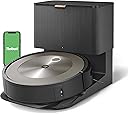
The iRobot Roomba J9+ redefines robotic vacuuming with 100% stronger suction, advanced obstacle avoidance that even sidesteps pet waste, and a self-emptying bin that lasts 60 days. Featuring voice control compatibility with Alexa, Siri, and Google Assistant, plus adaptive cleaning powered by iRobot OS, it delivers a hands-free, pet-friendly cleaning experience designed for busy professionals who demand spotless floors without lifting a finger.


| ASIN | B0C415NHBM |
| Batteries are Included | Yes |
| Battery Life | 180 minutes |
| Battery Type | Lithium Ion |
| Best Sellers Rank | 2,388,508 in Home & Kitchen ( See Top 100 in Home & Kitchen ) 999 in Robotic Vacuums |
| Brand | iRobot |
| Brand Name | iRobot |
| Capacity | 60 days |
| Colour | Grey/Silver |
| Compatible Devices | Amazon Echo, Google Home |
| Control Method | Voice |
| Controller Type | Voice Control |
| Customer Reviews | 3.6 out of 5 stars 1,141 Reviews |
| Filter Type | HEPA |
| Form Factor | Robotic |
| Global Trade Identification Number | 00853816000418 |
| Included Components | Side Brush |
| Indoor Outdoor Usage | Indoor |
| Item Dimensions L x W x H | 33.9L x 33.8W x 8.7H centimetres |
| Item Type Name | full size floor cleaning devices |
| Item Weight | 3.4 kg |
| Manufacturer | iRobot |
| Model Name | Roomba J9+ |
| Model Number | J955020 |
| Model name | Roomba J9+ |
| Number of Items | 1 |
| Number of Power Levels | 2 |
| Number of Speeds | 2 |
| Number of Wheels | 2 |
| Other Special Features of the Product | Automatic emptying, Obstacle Avo, Smart |
| Portable | No |
| Power Source | Battery Powered |
| Product dimensions | 33.9L x 33.8W x 8.7H centimetres |
| Recommended Uses For Product | Homes with pets, hard floors, and carpeted areas |
| Special feature | Automatic emptying, Obstacle Avo, Smart |
| Surface Recommendation | Carpet |
| Surface recommendation | Carpet |
| UPC | 853816000418 |
C**E
Avoid
I have had three roombas - loved the first two, five stars without question. This version is absolute garbage. Avoid like the plague.
K**E
It really sucks!
Truly, this thing sucks. In terms of vacuums, that’s what you want. It has good variable suction and picks up a surprising amount. It’s great at avoiding tangles and things you forget on the floor and its picture review helps define those items. Yes, the app has its bugs but overall, once automated, the bot goes on its happy little way. The noise level isn’t bad and it works out its paths fairly quickly. The base, that’s where it REALLY sucks. The vac inside of the self emptying bin is incredibly powerful. Does it empty every single thing? Not every time but it gets the bin emptied for the next job. In doing so though, a jet engine takes off. Would suggest programming it to run more daytime when not home. Now I’m looking forward to a Braava mop to compliment the vac.
P**T
Poor performance and faulty self emptying Dustin
My unit is faulty and the dustbin does not self-empty. This is a hardware problem. The battery does not last anymore. I missed the return window by 2 days. The support team is not able to support. I am so disappointed and do not recommend
P**X
My Little R2D2
I bought the j9+ based on all the reviews I was able to find and also that the previous s9 model was no longer available. The setup was super easy as long as one is comfortable using your phone's app to handle all the tasks. The initial mapping was very cool to watch. If you're a tech nerd, you'll love trying to figure out how the algorithms are working to navigate the furniture, walls, entry ways, etc. In about 40 minutes R2D2 mapped out my first floor very accurately and was able to work it's way around the jungle of chair legs at the dining room table. It took a while, but it managed! After the initial mapping run, it went right back to it's base and started charging automatically. Next was the actual vacuum run, but before that we decided to put a "no fly zone" around the Christmas tree and blanket around it. The app easily let me set up a 5x4 square which I placed in the map of the house - which was very cool, and pressed the "Vacuum Everything" button on my app. It was remarkable how R2D2 started in the room with the most dog hair and then proceeded to follow it's map throughout the house. The suction on the wood floors was excellent, and I was impressed when it rolled over the few throw rungs we have, I could hear it kick into a higher gear because it recognized the carpet. Our black lab leaves plenty of hair around on our light colored floors which made it easier to see that R2D2 was doing a great job. During the first mapping, I kept all the bedroom doors closed off the main hall. While it did the first vacuum I forgot the master bedroom door was open. It noticed the new opening, but did not enter the room. I took this as a new mapping run I would need to perform, but I was amazed when it completed the entire house, paused in the living room for about 10 seconds, and then proceeded back to the new opening it discovered previously. It recalled it found a new opening but did not disrupts it's current task - it finished and then returned back. We've only run it two times, but already we discovered that it remembered the master badroom, added it to the routine and completed the room before returning back to base. It also updated the map in the app and asked me about the new room and what to name it. I was also able to place the new boundaries for the entrance to the bedroom and master bath (which it also found while exploring). The app also shows pictures of obstacles R2D2 came in contact with during it's journey. A wire under the curio cabinet was captured in a crystal clear picture taken by R2D2 and sent to the app for me to decide whether this should be considered a permanent obstacle, or something which I could remove and it could continue working in this space next time. I simply moved the wire closer to the wall, let the app know it was taken care of, and we'll see how R2 does with it next time. I love this robot... I am super impressed by the effectiveness of the vacuum, the ease of the app, and how simple it was to set up. I have seen other reviews about noise, and speed, but it's no where near as loud as our Shark standup (which is a beast) and regarding the time, I set and forget. So far I have not had to come to it's rescue, but we also don't have a lot of things laying around on the floor which I guess would complicate things. For about 500 sq feet, the app tells me it's taking 90 minutes. No where close to fast, but I am writing this review while R2 is taking care of the floors! Very happy and I'll come back in a few months with an update....
A**.
Voltage required incorrect for use in UAE
Will not work in UAE at 220V. It needs 110V AC. No mention of voltage required anywhere in the listing. Finally had to contact iRobot in the US who asked me to return the item.
A**A
Don’t think your buying experience will be any different
One star is being overly generous. I don’t write reviews, one way or the other, but this was too large of an expense not to. If it helps just one person, it will be worth my time. I purchased this unit in Dec. ‘23. I used it maybe 10 times within the first year because I found that moving all the obstacles before vacuuming was a bit of a hassle, and also it just didn’t compare to my push vacuum in performance. I did like the fact that it was able to get in difficult spots, such as under the beds. A couple weeks shy of its one year warranty date it lost its suction. After some degree of difficulty in reaching customer service, a lengthy amount of time on the phone, and photos sent via email, diagnostics were run remotely and they determined that there was an issue with the base. A new base was sent in a timely manner and they offered to extend my warranty by three months. After setting up the new base I ran a quick run of one bedroom. The robot would not seal adequately enough to the new base to provide enough suction to empty the bin and I got an error message. Again, I went through the same lengthy process with customer service and it was determined that the entire unit needed to be replaced. My warranty on the original robot was now within a couple days of expiring so I asked if they would still honor the three month extension. After checking with supervision they informed me that since they were replacing the entire unit they would not be able to honor any further warranty on the new unit. Ok. New unit. It should last a while, right? The new robot arrived, again, in a timely manner. It set up easily and I mapped the house and vacuumed without difficulty. A month later I went to vacuum and I got a message that the unit was unavailable because the software was being upgraded but would be available shortly. Three days later it was still displaying the same message. I rebooted several times. Nothing. I finally resorted to a factory reset and now I can’t connect to the robot at all. I’ve since done some online research and there is a definite trend here with issues occurring during software upgrades. Folks are being run through hoops via customer service only to be told that there is no fix, but…get this…they are offering 50 whole dollars toward a new unit. No joke. Check Reddit. I call b.s. Save yourself the aggravation, time and expense and vacuum the old fashion way. This thing has not been worth it, IMHO.
Trustpilot
2 weeks ago
1 week ago