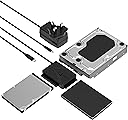
![USB Type-C to SSD/SATA/IDE 2.5/3.5/5.25-INCH Hard Drive Converter with UL Power Supply & LED Activity Lights [10TB Support] (USB-DS12)](https://m.media-amazon.com/images/I/71UEZFHuj4L._AC_SL3840_.jpg)


Desertcart purchases this item on your behalf and handles shipping, customs, and support to UK.
💼 Unlock your legacy data vault with power and speed!
The SABRENT USB-DS12 is a versatile USB-C to SATA/IDE adapter that supports 2.5", 3.5", and 5.25" HDDs, SSDs, and optical drives. Featuring USB 3.2 Gen 1x1 speeds up to 5Gbps, it includes a 12V power supply and Molex connector for powering larger drives. Plug-and-play with LED indicators, it works across Windows, macOS, and Linux, supporting drives up to 10TB for seamless data access and transfer.


| ASIN | B0758RP5V8 |
| Best Sellers Rank | 18,785 in Computers & Accessories ( See Top 100 in Computers & Accessories ) 93 in SATA Cables |
| Box Contents | • Power Adapter, • Power Cord, • USB 3.2 to SATA/IDE adapter, • User Manual |
| Brand | SABRENT |
| Brand Name | SABRENT |
| Colour | Black |
| Compatible Devices | Devices with SATA and IDE (HDD) interfaces in 2.5", 3.5", 5.2" formats, as well SSD CD/DVD-RW drives the same formats. |
| Compatible devices | Devices with SATA and IDE (HDD) interfaces in 2.5", 3.5", 5.2" formats, as well SSD CD/DVD-RW drives the same formats. Compatible devices Devices with SATA and IDE (HDD) interfaces in 2.5", 3.5", 5.2" formats, as well SSD CD/DVD-RW drives the same formats. See more |
| Connector Type | SATA, USB 3.0 |
| Connector type | SATA , USB 3.0 |
| Country of Origin | China |
| Customer Reviews | 4.3 out of 5 stars 4,485 Reviews |
| Global Trade Identification Number | 00819921013521 |
| Input Voltage | 12 Volts (DC) |
| Item Dimensions | 7.9 x 6 x 1.5 centimetres |
| Item Weight | 3 Ounces |
| Item dimensions L x W x H | 7.9 x 6 x 1.5 centimetres |
| Manufacturer | SABRENT |
| Manufacturer Part Number | USB-DS12 |
| Model Number | USB-DS12 |
| Number of Items | 1 |
| Number of Ports | 1 |
| Package Quantity | 1 |
| Power Plug Type | No Plug |
| Product Warranty | 1 Year Limited Warranty, 2 Year Warranty after free Product Registration |
| Specific Uses For Product | Storage Devices (HDDs, SSDs, Optical Drives) |
| Specific uses for product | Storage Devices (HDDs, SSDs, Optical Drives) |
| UPC | 819921013521 |
| Unit Count | 1.0 count |
J**S
Super and lasted ages
Had for years! And still works flawlessly, connects super easily and is very durable. Used it many times, only thing is to remember to not use the power supply if you are connecting it to an SSD as it won't work with it plugged in
C**Z
A life saving piece of kit for any old PC head if you need to transfer data from an old HDD
This has got to be one of my best buys - EVER! It has probably saved me £100's in data recovery as I have been able to do it myself. I have successfully accessed and transferred some of the most invaluable data from an antiquated 3.5" HDD that had been sitting in a dead PC base unit since 2006! - the machine had no sides on it and the dust and debris must have killed the motherboard so I was unable to fire up the PC in the usual way. Enter this piece of kit and BINGO! Plug and play at its finest - all the data I needed to access is now sitting on a laptop and being enjoyed. Happy days! I also have many other PC and laptop drives which I will now be able to accesses (providing they fire up and are themselves still working), so this converter is worth it's weight in gold for sure. It came safely and adequately packaged with a little booklet of instructions, which was very helpful. Hardware seems well made and sturdy with no loose bits or spurs, and the 3-in-1 adapter options are just great. I am ecstatic about this converter and would definitely recommend it.
M**M
Small, looks good, cheap, not compatible with a power disable feature SATA revision 3.3
I already had an older one of these made by a different company but bought this one as I was having trouble accessing an 8TB HGST drive I'd bought from Ebay. Unfortunately, this could not access it either but this is due to the hard drive having a power management feature introduced in SATA revision 3.3 (introduced in 2016). While this couldn't access the drive, I tried it with a mechanical hard drive I knew would work and it worked perfectly and gave me the same speed via USB3 as it did when installed inside my pc. This is also notably smaller than my previous converter and looks a lot smarter. I'm marking one star off overall due to it not working with the drive I want and it feeling a little flimsy but tbh you can't expect the build quality to be much better at this price.
R**D
Reliable HDD connector / adapter
This Hard Drive adapter was well packed and came with a small format instruction booklet. My task was to read the data from eight 3.5" internal HDD of which five were SATA and three were PATA (IDE). As all the drives were from Windows XP PCs it seemed sensible to connect to a Windows 10 PC. The status of each drive was not known, although two 2TB drives were believed to be good. These were seen by the PC and displayed with an appropriate drive letter ("E" is this case) - initially, the Windows 10 PC was hesitant in reading the drives. The PATA (IDE) drives were connected and could be read, with the exception of one that had corrupt data (drive had failed). The adaptor was then connected to a MacBook Air. The result was good with the drives connecting much faster than with the PC. All files could be read and transferred. The fact that these drives had Windows XP loaded on them may explain why the PC had a certainly initial sluggishness in reading the files. The adapter was also used on a Windows XP PC to transfer data from an PATA HDD. The MacBook Air was used with the adapter to transfer files from both SATA and PATA HDDs to iCloud and OneDrive. I have not used the adapter on either 2.5" drives or SSD drives, although I do not foresee an issue. A little care is necessary when connecting to drives. When inserting the PATA connector it is possible to mismatch the pins horizontally by one pitch. It is best to visually check the alignment of the pins before pushing the connector into the drive. I had no issues with the power supply or the connectors. The price is a little high for the adapter's build standard, but it meets my needs as a hobbyist and with a little care, will give long service.
A**N
Easy to use
Item as described. Works well. Very pleased. .
M**K
Fast data transfers + Perfect for cloning your old HDD to a new SSD
This is my go-to cable for connecting external SATA disks to a computer. Either for transferring data (using like an external drive) or cloning HDDs from old laptops/desktops into new SSDs - this adapter performed precisely as promised. I used this adapter to clone the internal disk of an ASUS laptop - which was cloned to a Samsung EVO 860 SSD, and the second time on an old 2010 MacBook Pro which was cloned to a Crucial BX500 SSD. Worked great - with no issues. · The device is Plug and Play - it was recognised natively by Windows and every cloning software that I have used. · USB transfer speeds on 3.0 ports are super-fast, even if the device is an HDD. I've not specially measured the speed, but it does transfer data quite quickly, particularly if you are connecting it with an SSD. 👉 I've had it for almost 2 months and haven't had problems with it yet. ✔ Pros: + High performance – Fast data transfer + Wide-compatibility + Can be used for reading disks, data transfer, as well as cloning. + Affordable ✖ Cons: - None (I will update this post if any quality issues arise) It’s convenient to have one of these on hand as you can run your internal hard drive externally by plugging into USB. Btw, this adapter is a must-have for people in the IT field who are constantly working on laptops and desktops for file recovery and OS migrations. Definitely recommended!
J**X
My adaptor would not spin up my haerd drive
I used this adaptor for my Maxtor 3200 which worked for my Mac and windows XP but not for later versions of windows. The Maxtor uses an ethernet connection which later windows does not allow. I have only given it 3 stars because I ordered it with a 12v power supply to drive the Maxtor hard drive. This did not work until I bypassed it and used the original power supply to spin up the hard drive. The adaptor then worked very well as I was able to retrieve all my data and managed to write to the hard drive as well. If the 12v set up had worked properly it would have been a perfect purchase to do the job
M**R
Great Product.
Great Product.
F**O
Ottimo
Ottimo, lavora bene anche con i dischi IDE più vecchi. Un po’ contorto il passaggio dei cavi di alimentazione ma lo spazio disponibile non è molto
G**Y
This thing will blow your mind especially for the price!
I wasn't sure about this purchase. I thought the price was just click bate but it had a good rating. However it turned out to be amazing. All the doubts I had were quickly put to rest when I plugged everything in. I use a mac mini now which I love but I have several terabyte drives left over from my last Windows pc that has been sitting around collecting dust.I also have a Western Digital NAS box with 4 terabyte drives as well. Now all of these drives are gagging with info i've collected as the years go by. I have 10 terabytes of external SSD's and I've always wished I could transfer some of the most useful and wanted data over to my mac. I wasn't sure about how to do it until I saw a Youtube video on this topic recently. So I went on over to Amazon to look for an adapter and couldn't believe how many types of adapters were available. I don't always look at the price too much. I mostly look at the ratings and comments, and this Sabrent device had good ratings and besides it was very affordable and was on sale. I will say this, that the features that were explained on Amazon's page were somewhat confusing and when I got the unit and looked through the booklet I was even more confused. So I ignored the booklet and just had a good look at the adapter and it was very obvious what should be plugged into what and where. So I went ahead and just hooked every thing up and turned on the power. I heard the hard drive start up and I opened Finder on the mac and the SATA serial 5.25" drive showed up on the screen. It had been so long since I was made aware of all the stuff I had stashed away. I had to pick my jaw up off the floor. I was going to have a lot of work sorting out what I had and what I wanted to transfer to my mac. I had been dragging about 30 some years of stuff around. That's why I bought the NAS box to save stuff just in case. You know there are two kinds of people that use computers. The first kind are people who haven't lost data and the second kind are people who haven't lost data YET! Anyway it was so simple. I just started dragging a dropping folders onto my SSD's in Finder and it was like magic because I wasn't sure if my SSD's which are formatted APFS for Apple and the hard drive was formatted NTFS for Windows, but it worked flawlessly. The files transferred and work perfectly. If your transferring a ton of data you'll need a very large drive in your computer. If you don't you'll have to buy a very large external drive. Now your computer will have to have USB-C ports for this to work. Because i'm lucky enough to have a mac with thunderbolt C ports l get a decent transfer rate. Personally IMHO if you don't have USB-C ports to work with and only USB-A ports you'll be extremely frustrated at the rate of transfer. You will not be a happy camper. If you use a USB-A plug for your computer the transfer will just crawl along for a long time which is ok if your a very very very patient person. I'm sorry this was so long winded. I just wanted to try and explain as best I could the things I found out about using this adapter.
D**4
Buen producto.
Cumple lo que describe, fácil de usar. Solo conectas y queda listo.
M**K
Då la talla
Funciona, q no es poco
D**K
Prima
Snel geleverd, werkt erg goed, precies wat ik ervan verwachtte
Trustpilot
3 weeks ago
1 week ago