Desertcart purchases this item on your behalf and handles shipping, customs, and support to UK.
โก Elevate your workstation with power, speed, and style โ donโt get left behind!
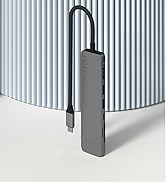
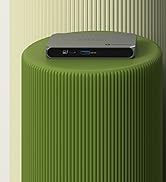
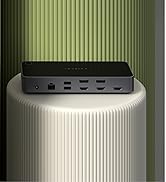
The Satechi Thunderbolt 4 Slim Hub Pro is a premium docking station designed for professionals who demand high-speed data transfer (up to 40Gbps), robust 100W USB-C charging, and support for dual 4K or single 8K displays. Its slim aluminum build offers efficient passive cooling, while compatibility spans the latest MacBook Air/Pro models and Windows laptops. With three Thunderbolt 4 ports, USB 3.2 Gen2, and included premium accessories, it streamlines your workspace with future-ready connectivity and effortless plug-and-play setup.


| Asin | B0CRZXQ9D3 |
| Best Sellers Rank | #201 in USB Hubs |
| Brand | Satechi |
| Color | Space Gray |
| Compatible Devices | MacBook Pro 14/16-inch (2026 M5/M4/M3/M2/M1), MacBook Air 13/15-inch (2026 M5/M4/M3/M2/M1), iPad Pro 11/13-inch (2025 M5/M4/M3/M2/M1), iPad Air 11/13-inch (2026 M4/M3/M2/M1), iPad Mini (A17 Pro/6), iPad (A16/10th Gen), iPad Pro 12.9-inch (6th/5th/4th/3rd/2nd/1st gen), Mac Mini (2024 M4/M2/M1), iMac (2024 M4/M3/M1), Mac Studio (2025 M4/M3/M2/M1), Lenovo ThinkPad, Microsoft Surface. IMPORTANT: Intel-based Macs and certain M1โM3 MacBook models do not support refresh rates above 4Kat60Hz over HDMI. This is a limitation of the host device, not the cable, hub, or adapter. |
| Customer Reviews | 4.5 4.5 out of 5 stars (95) 4.5 out of 5 stars |
| Hardware Interface | Thunderbolt 4, USB 3.2 Gen 2, USB Docking Station |
| Item Dimensions L X W X H | 5.31"L x 0.67"W x 2.91"H |
| Item Weight | 8.75 ounces |
| Manufacturer | Satechi |
| Mfr Part Number | ST-HT4SHM-US |
| Model Number | ST-HT4SHM-US |
| Number Of Items | 4 |
| Number Of Ports | 5 |
| Total Usb Ports | 1 |
| Upc | 810086360406 |
| Warranty Description | 2-year limited warranty |
| Wattage | 96 watts |
User
Perfect 96w tb4 hub
It works right out of the box and charges at 96w. As a bonus there is no subpar DAC/audioport or subpar ethernet port which keeps the design small and clean. Those are typically of such low quality that they are quickly replaced by a separate dongle by demanding users. I wanted sufficient ports for 2x 4k HDR displays with VRR, a keyboard, a mouse and sufficient power to charge my demanding laptops. There are no extra ports that I donโt need, there are no drivers needed, there is no displaylink with its downsides, just a simple dock that can charge my laptops all in one cable. As long as it will pass the test of time, this is the perfect dock for my use case. Would recommend.Update Feb 2027: after 2 years of daily use I still have no issues with the dock. I replaced the thunderbolt cable connecting to my laptops once due to wear.
User
Great Thunderbolt 4 hub
Using this alongside an M3 chip MacBook Pro to provide power, video output (using separate Thunderbolt 4 to DisplayPort cable) and other peripherals with a small footprint on my desk and only a single cable to my laptop.Keep in mind the few available ports (only 3 Thunderbolt 4 and 1 type-A USB 3.2 port for input) that you may need additional hubs daisy-chained if you have a lot of USB peripherals.For those on the fence based on lack of included Ethernet, my choice to purchase this was due to not wanting to replace a pricey dock if my network requirements change in the future.That said, even though this device is a bit pricey, it has excellent build quality and works well for its intended purpose.
User
Daisy chained - fast & reliable
I use 2 of these daisy chained with a MacBook Pro M2 Max to drive an Insta camera, Rode mic, Stream deck, BlackMagic speed editor, 59" curved LG OLED, and 27" Samsung vertical... all simultaneously and have absolutely ZERO issues. TB4 is fast and these units maintain the protocol while providing ample power to those devices requiring it. I highly recommend these.
User
Powers two apple studio displays
Great thunderbolt hub. I've managed to get the following going:- Macbook Air, 2020, Intel chip: two Apple Studio Displays. The laptop itself can only handle a single.- Dynabook Portege X30-G: two Apple Studio Displays. Although the laptop has two thunderbolt ports, it could only handle one display.
User
Wish it had built in Ethernet
This works great for my M1 MacBook. I didnโt realize you could do 2 native monitors, thank goodness. I just wish it had built in Ethernet. For now Iโm going USB C to my old dock, which gives me some USB A as well.
User
Nice USB Hub
Compact and easy to hide. It has plenty of USB C ports for expansion, wish it came with a network port but beggars canโt be choosers I guess. Supplies 96W of charge for USB C devices so itโs great for pretty much anything.
User
Best dock
The best dock station that I could getTotally worth it
User
Great Dock for MacBooks
Great docking station/hub for MacBooks. I use it with my M4 Pro and my older Intel Mac, and it's never had an issue, especially when using two external monitors. It's very compact, so it fits on my desk very easily.
User
ๅฎๅฟ
็ถๆณใซๅใใใฆ้ฝๅบฆใ้ฃ็ตกใใ ใใใใจใฆใๅฎๅฟใงใใใๅๅผใงใใใๅ ่ฃ ใใใฃใใใใฆใใฆๅฌใใใฃใใงใใๅๅใๅ้กใใใพใใใงใใใ
User
Happy with unit wish it had a couple more ports
Only think I wish was one more thunderbolt C but itโs runs great
User
Funcional
Funciona para lo que es
User
No lagging, full throttle through put
As described. Works well and delivers full capacity through put. I am running 5 external drives through a USB Hub with a USB A connector and 2 monitors, all into one input on my iPad. No lagging, speed is great. This for me is a good buy.
User
Worked as expected.
Worked as expected, all ports were working/functional. Used this a power input to my Lenovo E16, and simultaneously used all of its usb ports (wavelink dual HDMI to usb-c, acer 5-in-1 usb-c hub, acer 9-in-1 usb-c hub, etc.)
Trustpilot
1 month ago
1 week ago