Buy anything from 5,000+ international stores. One checkout price. No surprise fees. Join 2M+ shoppers on Desertcart.
Desertcart purchases this item on your behalf and handles shipping, customs, and support to UK.
🎥 Capture the Game, Own the Stream!
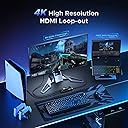
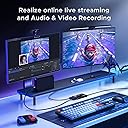
The XIIXMASK Video Capture Card is a high-performance device designed for gamers and content creators, offering 4K HDMI loop-out and 1080P 60FPS capture capabilities. With ultra-low latency, wide compatibility across various operating systems and devices, and the ability to add audio commentary, this capture card is perfect for streaming and recording high-quality video content.


| ASIN | B0CP659ZSV |
| AV Output | JPEG, YUV |
| Antenna Location | Video Recording |
| Best Sellers Rank | #22,304 in Electronics ( See Top 100 in Electronics ) #16 in External TV Tuners |
| Box Contents | AV Adapter, TF Card Reader |
| Brand | XIIXMASK |
| Brand Name | XIIXMASK |
| Compatible Devices | Laptop, Tablet, PS4, PS5, Switch, Camera, TV Box |
| Customer Reviews | 4.1 out of 5 stars 1,251 Reviews |
| Hardware Interface | USB 3.0 |
| Item Weight | 0.15 Kilograms |
| Manufacturer | XIIXMASK |
| Manufacturer Part Number | NXA055_55L |
| Minimum System Requirements | Requires a Windows operating system |
| Model Name | XIIXMASK-U3.0-HDMI-4K-LOOP |
| Model Number | NXA055_55L |
| Operating System | Windows8.1/10/11, macOS, Linux, Android 5.0 or above |
| Other Special Features of the Product | Lightweight, Portable |
| Platform | Windows |
| Recommended Uses For Product | Video Recording |
| Special Feature | Lightweight, Portable |
| UPC | 757611381720 |
| Video Capture Resolution | 1080p |
B**U
Super Super device video super value for money quality
Super device video super value for money quality
A**H
Works as expected
I used it to capture the HDMI and pass it to Raspberry Pi 3b for HyperHDR / Hyperion LED implementation. Works on both PS5 and Airtel Xtreme box. However auto wake using one remote (HDMI Arc) is not supported. It was working previously in my TV, now through this, its not.
A**L
Nice
Nice product good quality go for it
N**Y
Good product
Video quality good. Smooth performance
U**A
Worst Product for Streaming
Worst product and worst purchase ever. The audio of game is not captured it only captures video. Once you connect it on OBS it will not stream the game audio specifically on PS5, you can put the earphones in jack given and you will hear game audio but it does not stream on YT nothing can be heard. Waste of money and I don’t get why these companies make such cheap useless thing!
R**A
Nice
Exilent product
A**I
Average
Average
A**N
Failed as a captured card
Very awfully product doesn’t work properly
A**R
Mid
Frame Drop و بيسخن جامد
D**X
Preisleistung TOP
Habe die Acpturecard für meine Aufnahmen für YouTube und TikTok geholt Funktioniert einwandfrei Preis Leistung ist top
A**U
Video Capturadora Funciona Para Todo
Bastante buena, lo probe en mi PlayStation 5, para poder Stremear y valio la pena! Me encantó el producto, en buenas condiciones,buen envase, y bien entregado.
M**E
User Error, Updated review
Update: problem was entirely user (me) error. I learned that my computer was limiting the access to it and had to go into my camera settings to allow it to be accessed. After numerous YouTube videos and trial and error, my caption card is working great! Keeping my original bellow in case of someone else runs into a similar problem - I’ll also include what I did to fix it. 1. I use 1 monitor to game and stream, so make sure you can switch between HDMIs. The USB that comes with the system should be plugged into the PC station and your console (Nintendo Switch for me). Then, you’re going to plug an HDMI cord into your monitor and the devices’ OUTPUT. The INPUT will be plugged to your console (ie Nintendo). You should have two green lights show up. 2. On my computer settings, I went to “Camera privacy”, and then “camera device settings”. I think hit “USB3 Video”, “Advanced camera options”, and ensured the media type was 1920x1080 and “allow multiple apps to use camera at once” 3. This solved the issue of poor image quality and accessing the image itself in OBS! Previous: Purchased because I wanted to stream my Nintendo games on OBS. Program didn’t recognize the device and when I finally got it to work after watching a bunch of videos, the resolution was trash with no option to bring it up :( very sad results. Will be returning
C**N
Perfect.
This has been working great for me with an iPad. Can’t complain.
Trustpilot
2 weeks ago
3 weeks ago