Buy anything from 5,000+ international stores. One checkout price. No surprise fees. Join 2M+ shoppers on Desertcart.
Desertcart purchases this item on your behalf and handles shipping, customs, and support to UK.
⌨️ Fold, connect, conquer: The keyboard that travels as fast as you do!
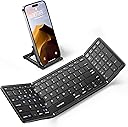
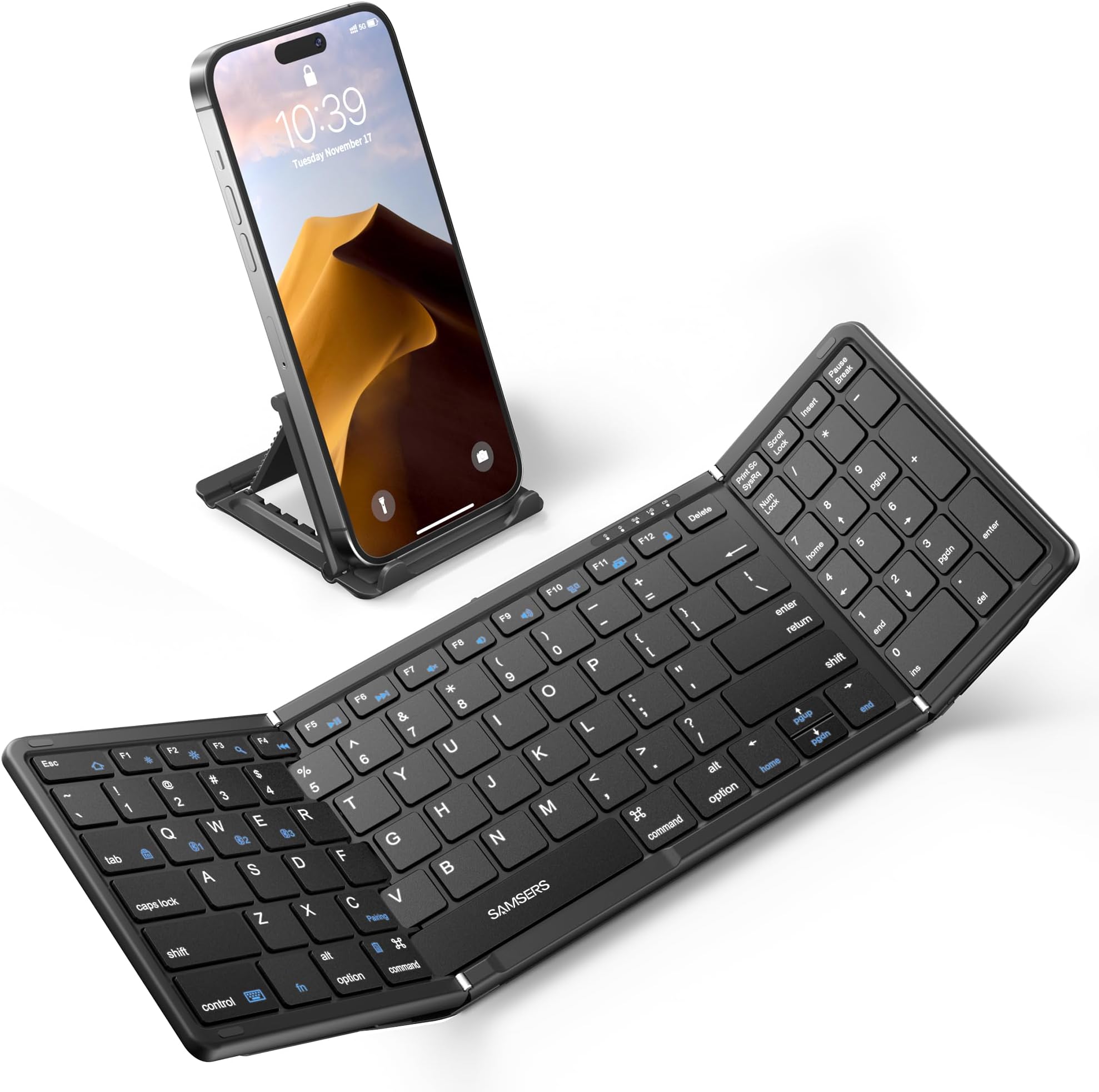
The Samsers Foldable Bluetooth Keyboard is a full-size, wireless folding keyboard featuring a numeric keypad and triple Bluetooth 5.1 device support. Designed with quiet scissor-switch keys and a premium PU leather finish, it offers a sleek, portable typing solution compatible with iOS, Android, Windows, and Mac OS. Lightweight and travel-ready, it includes a magnetic fold, phone stand, and velvet pouch, delivering up to 90 hours of battery life on a single charge—ideal for professionals who demand productivity on the move.


| ASIN | B0C1VRMP29 |
| Batteries | 1 Lithium Ion batteries required. (included) |
| Best Sellers Rank | #178 in Computer Keyboards |
| Customer Reviews | 4.4 4.4 out of 5 stars (642) |
| Date First Available | April 8, 2023 |
| Item Weight | 9.2 ounces |
| Item model number | Full-Size-Foldable-Bluetooth-Keyboard |
| Manufacturer | Samsers |
| Product Dimensions | 13.5 x 4.5 x 0.4 inches |
D**A
Excellent but be sure you prefer the version with the number pad
I really loved this keyboard right out of the box. The leatherette shell feels very nice and covers the hinges, an improvement from the previous and less expensive versions still available. The stand works well with both my phone and iPad mini and has 5 angles. The addition of the pouch was a nice touch. The fabric is thick and i put my iPad mini, the stand and the keyboard in it together. With all these great features I was excited to put it to use for what I purchased it for: to do my Duolingo lessons in several languages. Pairing was easy. Typing went well and I was surprised that it was much quieter than the videos shown in the product reviews. But then I encountered two problems. First, I found I had to manually touch my iPad screen in the text fields before I could type in my answers. Second, I was not able to create certain letters with the option key like on my MacBook. (Å, Ø,Æ, Ñ), so I contacted customer support. I received an answer within hours and the answer was so helpful I will copy it here in case there are other people who need to type into text boxes more than they need a numbers pad: Thank you very much for contacting us! Since our B099 keyboard does not come with a trackpad, it may not be possible to move the cursor around the keyboard. We actually have a keyboard that has a similar look to the B099, but also comes with a large trackpad. It is able to move the cursor on the keyboard. Please check the link below: https://www.amazon.com/Samsers-Foldable-Bluetooth-Keyboard-Full-Size/dp/B0C1VSRZ59/ref Regarding the inability to type Norwegian characters (å,ø,æ), it requires you to add Norwegian to your typing language first, and then press a key combination to switch the typing language. The procedure is as follows: The steps to add a language vary by system: · For iOS devices only: Settings > General > Keyboard > Keyboards > Add new keyboard > Select desired language · For Samsung Android devices only: Settings > Controls > Language and input > Samsung Keyboard > Select input languages > Select desired language · For Android devices only: Settings > Language & input > Physical Keyboard > Set up keyboard layouts > Select desired language · For Windows devices only: Control Panel > Clock, Language and Region > Select desired language And please try the following key combinations to switch the typing language: Android system: "shift + space" / "ctrl + space" / other ios system: ctrl + space Windows system: command + space I hope this solves your problem! If more questions please feel free to contact us! Thank you for choosing us! Sincerely. Samsers Even though I had done a search for Samser keyboards, that model had not popped up. I decided to return this one and ordered the one with the track pad. Return was fast and easy. I will do another review soon on the track pad version. Great customer support. UPDATE: I think you can get the cursor into a text box without a touch pad. Although I ordered the version with a touch pad, I accidentally discovered that if I hit the return key the cursor will appear in the text box. I find that much faster than using the cursor pad to the right of the keyboard.
Z**O
Great Portable Keyboard
Great little keyboard. But you will want to put a nonskid pad or dots under it
D**N
Easy to setup and use
Connection with computer(s) is super easy. Even a caveman could do it. They had two models, one with 10-key number pad and one without. I purchased the one with the keypad since I am accountant and constantly using numbers. Keys are super responsive and the whole keyboard really feels like a full size model. I would certainly recommend this to those who type a lot of notes on their phone or even on a small tablet. This keyboard on my laptop does not have a number pad so when I have room to spread it out I can use it instead. As far as value it certainly worth the extra bucks for the number pad over the regular. This would make a great gift for some of my coworkers who primarily use their tablets or phone to handle office communications. With regards compatibility I have it connected to phone, tablet, and laptop and there are no issues with connection or speed. Uses a standard USB-S connection for charging which is conveniently the same as my other devices.
R**2
Use iPad in tablet mode with Laptop Stand
UPDATE: After further use, I found that the numeric keyboard only works as numbers in all Apple devices. This means the keyboard does not have Home, End, PgUp, PdDn, Ins or Del buttons, which I want when using Excel on my iPad. However, I suspect this is an Apple limitation rather than a keyboard issue. I dropped a star to warn buyers of this (Apple) shortcoming. I just replaced my iPad Pro after almost 7 years of use. The new iPad did not come with a keyboard, which is available separately for $250. Even though both iPads have virtually the same dimensions, neither my old iPad keyboard nor my third party keyboard (with an aluminum case) would work with the new iPad. I like the compactness, light weight and automatic charging from the iPad of my old Apple keyboard, but the cost is substantial. I like the better protection, keyboard and cost of the third party case, but it’s much heavier. I couldn’t decide which way to go for my new keyboard. Then I realized that I use my iPad in tablet mode on a laptop stand at home 90+% of the time. The stand keeps the screen much higher so I’m not bending down to look at it. And when I want to use a real keyboard rather than the iPad’s on-screen keyboard, I need to take the iPad off the stand, get the keyboard in place, then type. Then the screen is much lower, too. So, I decided to get a very inexpensive iPad cover for lightweight protection while in transit and this folding keyboard for extensive typing. Unfolding this keyboard takes just as long as unfolding either type of iPad keyboard case and allows me to keep using the laptop stand. As for this specific folding keyboard, here’s what I like: 1. Has a dedicated numeric keyboard for when I’m using Excel. (There are folding keyboards that have trackpads, but I often inadvertently drag my thumbs across trackpads, which sends the cursor off somewhere — so I didn’t consider those.) 2. Has both delete and backspace keys that are always present in Windows keyboards. I don’t know why Apple keyboards only have a “Delete” key, which acts like Windows “backspace” key. 3. Has an “Esc” key, which is critical when using Excel. Supports Function keys, too, though I don’t use them as often. 4. Has full sized Enter and Shift keys. (Some small folding keyboards shrink these keys, which makes it harder to touch type with.) 5. Easily connects between 3 different Bluetooth devices, so I can easily pair with my iPad or my iPhone. For the sake of completeness, here’s my caveat. I am using my iPad in tablet mode on a stand. I don’t envision being able to use my iPad in true “laptop” mode because there’s noting to support the iPad on my lap since the keyboard is not connected to the iPad. As for the lack of automatic charging of the keyboard from the iPad itself, the 90 hour run time of this keyboard means you only need to charge every 1 or 2 months. A red light comes one to warn you when the battery runs low. And you can use the keyboard while charging (as I’m doing right now). So this “loss” is truly minor.
C**L
Best Bang for the buck
The keyboard is portable, collapses with ease and holds with magnets. The battery life is good and it charges fairly fast. Easy to connect to two devices and switch between the two. They key response is accurate and the keys are bigger than your any phone quarky keyboard, but smaller than a standard keyboard. The mousepad is smooth and responsive. There's no noise other than a subtle key click when typing. I use the keyboard all of the time, for three years & it's still like new.
R**A
Why did you pick this product vs others?: Easy to carry and good battery life
A**O
Not bad, not amazing. It gets the job done if ur looking for something portable n easy to carry. The keys work fine n it feels like a standard keyboard when typing. Num pad is a bonus. The downside? hinge doesn’t feel very strong, n the build seems more aesthetic than protective. I wouldn’t be rough with it. If you need something ultra durable, this might not be it. But for light use n convenience, it delivers well.
Trustpilot
4 days ago
2 months ago