Buy anything from 5,000+ international stores. One checkout price. No surprise fees. Join 2M+ shoppers on Desertcart.
Desertcart purchases this item on your behalf and handles shipping, customs, and support to UK.
๐ Unlock your dataโs full potential with speed, space, and seamless swapping!
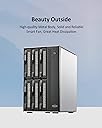
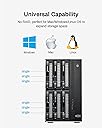
The TERRAMASTER D6-320 is a high-performance external hard drive enclosure featuring USB 3.2 Gen2 connectivity for blazing 10Gbps transfer speeds. It supports up to six 3.5" or 2.5" SATA drives, delivering a massive combined storage capacity of up to 132TB. Designed for professionals, it offers hot-swappable drive bays, broad OS compatibility (Windows, Mac, Linux), and intelligent cooling to maintain optimal drive temperaturesโall in a sleek, plug-and-play metal enclosure.


| ASIN | B0BZHSK29B |
| Best Sellers Rank | #9 in Enclosures #612 in Data Storage |
| Brand | TERRAMASTER |
| Built-In Media | Hard Drive Enclosure |
| Compatible Devices | Windows, Mac, Linux |
| Connectivity Technology | SATA, Thunderbolt, USB |
| Customer Reviews | 4.1 out of 5 stars 535 Reviews |
| Data Transfer Rate | 10 Gigabits Per Second |
| Enclosure Material | Metal |
| Hard Disk Form Factor | 3.5 Inches |
| Hardware Interface | USB 3.2 Gen 2 |
| Hardware Platform | Windows, Mac, Linux |
| Item Dimensions L x W x H | 8.58"L x 5.12"W x 8.9"H |
| Item Weight | 4.1 Kilograms |
| Manufacturer | TERRAMASTER |
| Material | Metal |
| Mfr Part Number | D6-320 |
| Model Number | D6-320 |
| Product Dimensions | 8.58"L x 5.12"W x 8.9"H |
| Supported Devices Quantity | 1 |
| Warranty Description | 2 Years |
Z**S
Great 4-disk enclosure
The self-noise is very quiet although there isnโt much dampening for hard drive noise so the actual drives may be very audible. The fans work great and keep my drives consistently below 40C. The case feels a bit cheap because of all the plastic but I kind of prefer this since itโs so light weight. Despite the plastic case, it feels really solid. The case should hold up for years. The lights on the front are really helpful to confirm disk activity. I only have two complaints: how the drives show up in windows and the quality of the USB-C connector. Each drive shows up individually which is great for software RAID, but ejecting the drives means each one has to be removed from windows separately. I wish there was a way to eject them all as one device before I disconnect the enclosure. The USB-C connector also could be stronger. If something accidentally bumps into the cable while itโs in, it can disconnect from the host even if the cable looks like it should still be connected. Despite these concerns, Iโm very happy with this enclosure.
K**N
Fantastic DAS - But Throw Away the Stock Cable Immediately (1.5-Year Review)
I have been running the TerraMaster D4-320 for a year and a half now, and it has performed flawlessly. My setup consists of four 22TB Western Digital Ultrastar DC HC570 enterprise drives configured in a software RAID10 array on a Linux NAS. It has been so reliable and stable that I just ordered the 2-bay version, the D2-320, to expand my storage even further. However, looking at the negative reviews complaining about random drive disconnects, frozen transfers, and data corruption, I am confident that a huge percentage of these bad experiences come down to one single, easily avoided issue: the factory USB cable included in the box. These 320-series enclosures operate on a high-speed 10 Gbps (USB 3.2 Gen 2) interface. When you are multiplexing data from up to four separate hard drives down a single USB line, the connection is incredibly sensitive to signal degradation. The stock 1-meter cable included with the unit is simply too thin and too long for this specific high-bandwidth hardware specification. Under heavy or sustained write loads, the signal degrades over that distance, causing the data packets to drop. The host operating system loses track of the connection, panics, and resets the drive link - which looks to the user like a random disconnect or a corrupted array. The Fix is Simple: Do not use the factory cable. Instead, replace it immediately with a short, thick, heavily shielded USB cable rated explicitly for 10 Gbps or USB 3.2 Gen 2. I personally use a high-quality 0.5-meter (1.6 feet) heavily shielded cable (the kind typically bundled with external NVMe SSD enclosures). Keeping the cable short and thick does two vital things: 1. Eliminates Signal Loss: Shorter distances mean the high-frequency data signals arrive clean and error-free without the enclosure needing to constantly re-transmit corrupted data. 2. Reduces Electrical Resistance: Thicker copper wires ensure that when the enclosure spikes in power usage during heavy metadata operations, the voltage remains completely stable across the connection. If you treat the stock cable as temporary packaging and swap it out for a heavy-duty, short 0.5m cable from day one, this enclosure is an absolute tank. Highly recommended, just budget an extra ten dollars for a proper data cable!
J**H
Fatal Flaw to what could be the solution for photographers
Update 3/26/2026 Sorry for the false alarm below. The issue was with the power supply, not with the device. The power supply had the same brand name and appeared virtually identical, so I just plugged the new one into the same power supply, but then out of abundance of caution I glanced at the fine print on the old power supply and realized it says 72 watts (W) of output, and then I glanced at the new one, but it said 120 W of output. A huge difference, clearly. After carefully untangling the cables needed to take out the old power supply from my double-layered set of Bluetti and CyberPower battery backups, and put in the new power supply, the 6-bay model does work flawlessly, and has enough power to spin up all four drives at once. Just a note of caution, since 72 W of power is NOT enough for four drives, this means each drive probably needs at least 20 W apiece to spin up (for Exos enterprise drives). Thus, six drives would likely need at least 120 W total, meaning that the new power supply may or may not be enough power to actually spin of six drives. When I do ever sometime install six drives at once, I might run into the same issue of not having enough power to spin all the bays up that the machine is rated for, just like I experienced with the 4-bay version not having enough power to spin up all of its bays. But for now, when I am only using my four drives in this 6-bay unit, and with its correct PSU included in the box, rather than the prior one, it does have enough power to spin up the four drives with two of the bays empty. It's kind of an extreme cost cutting measure that the PSU included saves like 15 cents of cost by only putting out 72 W for one model and only 120 W for another model, but I respect the right of a company to just include the bare minimum to make its product work. Although the prior 4-bay model did NOT work with 4 drives loaded in it, and it still awaits to be seen whether the 6-bay model will work with a full load of 6 drives in it as well. Other than this power issue, this unit has worked flawlessly and perfectly for over a year on my MacBook Pro M4 Max, and hopefully it will keep doing the same on my new MacBook Pro M5 Max. Update 3/26/2026 For the past year, I have been stuck with hot swapping the 4th drive after powering up this model just so that it can boot, as it powers off from a voltage deficiency over and over in an infinite loop when 4 drives are loaded. So today, in the spring sale, my package arrived with the new 6-bay version. Obviously, with 6 bays, it should have more voltage to be able to spin up just by 4 existing drives, right? Wrong. I am attaching a video showing the infinite loop STILL happening of trying to spin up just four drives, then failing, which happens on the 6-bay model, just the same as on the 4-bay model. DO NOT BUY THIS PRODUCT. IT CANNOT LOAD MORE THAN 3 PHYSICAL HARD DRIVES AT A TIME, EVEN THOUGH IT CLAIMS TO SUPPORT SIX. The package has been opened and all the screws taken out, but hopefully I can still do a return and go back to my 4-bay model, and keep on living with this terrible situation of loading in the 4th drive after waiting for the first 3 to spin up. I live in daily terror that at some point my timing will be off, and my computer will see the missing drive as a corrupted software RAID array, instead of getting the timing just right so that my computer thinks there is just a small delay in loading up the fourth drive from the enclosure, instead of seeing it as a missing drive/corrupted RAID. Original Update: when used with 4 seagate 28 TB drives, it cannot spin up because inadequate voltage. One drive has to be slid out partway when turning on, then slid back in after the first 3 spinup. Otherwise, still works great. Only this drive so far can't spin up with 4 drives inside. Other drives don't need so much voltage, apparently. -- I generate over 20 TB of media a year as a photographer, and I now use software raid only after way too many unrecoverable hardware raid failures. And I also use backups on additional DAS devices, never trusting just raid alone for safety. But I have always been frustrated that good enclosures are close to $300 or even $1000, just to provide a decent 1000 MB/sec of combined speed from multiple drives. Lots of DAS devices are available, but until this one, it was always close to $300 or far more just to get true drive speed like 250 MB/sec for one drive times four = 1000 MB/sec total. Why should I pay the price of an entire new PC just to provide a SATA connection and power cable to my drives that doesn't bottleneck my speed when accessing more than one drive at once with RAID? Finally this one is available for half the cost, and it really works. I've bought four and will buy more.
F**C
Works not quite as I hoped and despite irrelevant reviews
First of all, the reviews are conflating many different devices. The devices reviewed have notably different firmware and are designed and built differently. So the overall review is not really relevant. You'll have to wade though all reviews to find the ones applicable to the product you're considering. I'm just updating my review. I have been fighting for a few months to get it to work right. Thing is, no mater what, if you happen to transfer big files, or try simultaneous transfers, it will just fail to work properly and the USB control will be reset. The reset takes some time, so forget about any kind of throughput. The kernel messages seem to indicate errors in the processing of NCQ. Trying to disable it or limiting the queue depth is not allowed. I guess the firmware doesn't implement correctly those features. Another update. I have been writing firmware for devices for years. I would be embarrassed and ashamed to unleash a product that poorly done. It is missing key features that would make the product easy and reliable to use. For example, you don't seem to be able to get each disk unique identifier, the WNN. I could go further, but at that point you figured that the device is only half baked. Sure, it will work with a basic workflow and LOTS of hand holding. The heat is not extravagant, but substantial. Al in all a device where they cut so many corners to lower the price, that it is missing its usage target. I would NOT recommend it as a D.A.S.. Or anything else for that matter.
R**.
intrinsically works but with issues
D2-320 arrived and looked good. solid construction high quality cables, parts fit well together. Installation is intuitive. So simple, in fact, I had it installed with 2 SSDs, THEN looked at the installation instructions. Transfer speeds are pretty good. USB 3.2 is a speedy boy, even with both drives hammering large (700G) transfers at the same tiime. Now, the issues. It has an EXTREMELY small supported product list. Trust me if your device isnt on the compatiibility list, its probably not going to work well. Support, while available pretty much 24 x 7, are extremely slow to respond in live chat...and in fact one of them went for an hour meeting while in chat with me without saying so. Support attitude is poor, at best. In regards to knowledge, they didnt tell me anything of value other than obvious things like "change what bays the drive is in"... well duh...rocket science. They even said that "Sharing" a drive via standard windows file sharing required a NAS rather than a DAS. sorry...wrong... Despite their fumbling support and extremely restrictive compatibiility list, I AM still using the product, and its functioning pretty much as good as it looks (which is pretty boring, but thats a good thing with computer hardware. boring means its working). I managed to sort out the issues myself, which werent really attributable directly to the product other than it not supporting faster, newer SSDs, and very few of the older generation drives. Would I recommend it? Probably not. Spend a little more. Update - New Samsung 870 EVO 1Tb drives arrives. Inserted into the DAS which proceeded to not see them. Windows Disk Manager did, however see them both and proceeded with addiing them and letting me format them. The DAS automatically detected the drives once they were partitioned and formatted. Setup Windows shares and they work perfectly across the network to another Win 11 machine and a Win 10 machine. Care must be taken on shares if you are hot swapping disks since it seems to be the slot in the DAS uniit that gets the share name and permissions rather than the actual disk. This is NOT the fault of the D2-320 but a windows thiing. Rating increased from 2 to 4 stars.
S**Y
Did Everything We Needed & Fantastic Quality
We are so very very happy with our TERRAMASTER D4-320 External Hard Drive Enclosure. This enclosure allowed us to put some of our older drivers on our server, something that wasn't easy with the limited number of bays in the older case. It had all the functionality we were hoping for, we had no issue with compatibility, making it a major plus, especially when we are constantly moving drives between machines (my husband is constantly playing and experimenting with a variety of servers, some being our personal household servers and others being his test machines for testing out hardware/new software). The instructions were pretty self-explanatory, and we had no issues with overall connectivity. It also had the power to do everything we wanted. He also loved that he was able to test drive in this bay, finding out what we had on some of our older drivers who were just waiting for testing. I also loved that protection it has, allowing me to breathe easy that our drives are protected from drops, but just as important, keeping everything we need in one place that we may possibly need to work on my in-laws' computers (as well as doing emergency backups since parents seem to always do the most interesting things to computers). Overall, I don't think we could be happier. There are reasons my husband and I both trust TERRAMASTER.
Z**H
Just what I needed
I upgraded my computer and went with a smaller case that couldn't accomodate all of my drives so I went looking for a DAS (didn't want a NAS because my network is only 1gbit and didn't want to be limited to those speeds). This was exactly what I was looking for. I have 3 Samsung 870 Evo SSD's as well as a Seagate EXOS 24TB hard drive in this and they all work as if they were plugged directly into the motherboard. I didn't use any extra software or do any type of RAID or anything so I can't comment on anything other than just plugging drives in and using them as all individual drives. Due to my placement of this DAS I had to buy a separate 10ft USB C cable which gave me the same exact speeds as the included cable (if you go this route just double check that you're getting the correct cable), that's also the same speeds I was getting when they were plugged in via SATA. I originally thought I was going to need some kind of 2.5" to 3.5" adapter to be able to use the SSD's but then I noticed the sleds in this have screw holes to be able to screw in 2.5" drives and it has screws included so nothing extra was needed. The sleds have these plastic pieces on each side (I think they're used for holding the 3.5" drives but I didn't pay enough attention), which needed to be removed to be able to screw in the 2.5" drives. Overall installation was extremely simple and I think anyone who knows that they need something like this can probably figure out how to put the drives in (I don't recall seeing any kind of visual instructions but I also didn't look very hard). You put the drive in the sled, and then slide it in. It's that simple. And the overall build quality is totally fine. Nothing crazy but it's nice and firm plastic, perfectly acceptible and what I was expecting. The DAS itself is quiet, but the sound of my hard drive reading/writing is a lot more noticable in this than it was when I had it in my old PC case which I found odd since the old case was a lot closer to me than this DAS is. This isn't really that big of a deal to me but could be for other people. The fan is so quiet that even if I put my ear right up next to it I can't hear it over the ambient noise in my house. Not sure what else I can say as I've only had it for a day now and it's done exactly what I needed it to do. If something bad happens I'll update this review, but as of now it's perfect.
J**T
This would have solved several problem if it would only work.
I gave this 2 stars because the build quality of the case, power brick and other parts seem well made. I've had the device for about two months and honestly, this just does not work in any consistent manner. Problems started with very low transfer rates (2mb/s) and then added constant drive disconnects to the mix. Having been in the hardware RAID business for many years I made the assumption that it was probably something simple, like a bad cable. So I went about troubleshooting it. After trying multiple cables (including cables that were way over the spec needed) and getting the same results I moved on to troubleshooting hard drives. Trying drives from Seagate, Toshiba and WD all resulted in the same issues. Tried 2 drives in the device, 1 drive, 4 drives, same issues. The hard drives I have on hand do not have any issues directly connected to a PC so I though it might be an incompatibility with my Synology RAID where the device is connected. I tried 2 Windows machines and a MacBook Pro. Same issues. The transfer rate was better with larger drives (8tb) vs the smallest drives I had which were 2tb. The unit behaves like a bad hard drive in a PC, it takes forever for it to time out and fail, it does tend to hang the computers it connects to when moving a large amount of files (200gb+) and forget trying to move a TB or 2. When i say hang I don't mean slow down, I mean it starts moving files as normal and then just stops. When i stops the computer keeps trying to complete the file transfer until it has to be rebooted. I reached out to their technical support, there is a large yellow sticker on the device that says "they provide quick response in 24 hours" but it doesn't tell you how to contact them, (irony). I've waited at least 4 days and have heard nothing, so at this point the options seem to be buy a boat (since I have the anchor) or hope they get back to me.
H**R
Justo lo que necesitaba a precio adecuado
En la mayorรญa de artรญculos este podrรญa decir que se ajusta a muchas de mis necesidades, un adecuado precio y me sirviรณ como extensiรณn de mi NAS, creando mรกs habรญas para acoplar mas discos NAS y no tener que cambiar todo mi equipo. Con la conexiรณn USB C logra buenas velocidades y al ser RAID da la posibilidad de acoplar de la mejor manera los discos. Creando un RAID para tenerlos como discos separados o discos unidos y visualizar una sola unidad (aunque con dicha configuraciรณn se pierden TB de almacenaje) Lo que me llamo la atenciรณn es que hace juego con mi NAS negro en lugar de desentonar el color con los clรกsicos blancos o grises
A**R
A perfect storange solution for desktop with powerful mini PC or home lab!
It is exactly as described in the description of product. No second thoughts on buying. Using it as partial RAID and simple storage for homelab. For mounting SSDs, screws are provided, this information is missed out in the product package contents. R/W Speeds match the described information.
C**N
Terramaster
Muy buen producto, agregando discos duros podemos tener bastante almacenamiento
J**J
So Far its been great
Installed this with two large 14 TB storage drives. So far its works flawlessly backing up all my media. My hobby photography had huge amounts of photos and video. Very quick file transfer speed. Set up wasn't difficult but its best to read the instructions and learn to verify your approach on the internet first. It is much easier to set up up exactly right from the start then to change it. You have several options to suit your personal needs. I chose to mirror my back up disk.
J**A
Nice Product
Easy to use. Fan is less noisy.
Trustpilot
2 weeks ago
1 day ago