Desertcart purchases this item on your behalf and handles shipping, customs, and support to UK.
โก Power up your home networkโfast, reliable, and effortlessly wired!
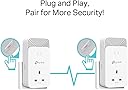
The TP-Link PG2400PKIT leverages next-gen G.hn 2x2 MIMO technology to deliver up to 2400 Mbps over your homeโs electrical wiring, covering distances up to 300 meters. Featuring 2+2 Gigabit Ethernet ports per adapter, it supports multiple high-speed wired connections ideal for 8K streaming and gaming. With plug-and-play setup and an integrated power socket, it ensures no outlet is wasted. Energy-saving mode cuts power use by up to 85%, making it a smart, eco-conscious upgrade for professional-grade home networking.


| ASIN | B0BNQV47WD |
| Best Sellers Rank | 999 in Computers & Accessories ( See Top 100 in Computers & Accessories ) 5 in Powerline Network Adapters |
| Box Contents | 2 ร Ethernet Cable, 2 ร G. |
| Brand | TP-Link |
| Brand Name | TP-Link |
| Color | white |
| Colour | white |
| Compatible Devices | Desktop |
| Compatible devices | Desktop |
| Customer Reviews | 3.9 out of 5 stars 299 Reviews |
| Data Link Protocol | Ethernet, Gigabit Ethernet |
| Data Transfer Rate | 2400 Megabits Per Second |
| Data link protocol | Ethernet , Gigabit Ethernet |
| Hardware Interface | Ethernet |
| Hardware interface | Ethernet |
| Item Dimensions L x W x H | 6.8L x 4.2W x 13.8H centimetres |
| Item Weight | 784 Grams |
| Manufacturer | TP-Link |
| Manufacturer Part Number | PG2400P KIT |
| Model Number | PG2400P KIT |
| Product Warranty | 3 Years |
| Product dimensions | 6.8L x 4.2W x 13.8H centimetres |
| Unit Count | 1.0 count |
J**G
Next Generation Powerline network! (UPDATE March 2023)
** UPDATE ** My latest update after a month of use didn't alter my rating, but I have seen some other buyers experienced sudden drop out signals and I did indeed experience that too myself. Upon some researches, I found out that you need to check and update the firmware of the units. This can only be done via the utility software that you need to download from TP LINK website. This is frustrating as the packaging did nothing to mention this nor has an instruction to show how to update firmware. Yes, it's plug and play but I knew that these day an age, all 'connected' device would have the ability to enhance and repair any software faults. This is totally the case. My unit came with the original firmware 1.0 and the latest is 1.0.2 (two version up since its launch late 2022). Apparently they have fixed some problems and to be frank, I've in day three after updating, and there's no drop outs. So far, it's very consistent and the speed is as fast as before. So, before returning the units, check this first. ** At time of writing this review (Feb 2023), this is TP-Link's one and only G.hn Powerline network adapter. There are other brands out there but since I owned and used the previous and older generation TP-Lnk HomePlug AV 1000, I thought I should stick with the brand as it never gave me problem in terms of reliability. For those who haven't had much experience or knowledge about power line network adapter, it's pretty cool if you want to reach to dead spots around your house that even the latest Wifi network can't penetrate (i.e. thick brick walls or even out house or garage), as it's using the power line as if they are network cables. The problem I had with the original AV1000 was speed. While it worked, the speed is at best under 30mbs, and I have a 500mbs fibre broadband (and I do get 480 in the house wired). So that's less than 10% of the speed. I won't expect full speed anyway as my own MESH network can't reach near that inside the house. But having read about the newer standard G.hn (that also replaces HomePlug AV technologies, which they also declare that the old standards will be obsolete and won't be updated as of last year!), so I took the plunge and went with the new PG2400 model instead of the other faster TP-Link HomePlug AV2, since it's reaching the end of life by the sound of it. To my surprise, the speed is almost triple (see speed test in my pictures). Now, I can run livestreams in my office outside of my house, even though it's only 80mbs up and down, but it's more than sufficient for any high quality streams and remote work, as there's only one computer and one smartphone in my small office, unlike my main house, where there are more wireless devices connected at any one time. So this is awesome and well worth upgrade. Despite TP-Link didn't mentioned anything, I believe this is Wave 2 and not the original Wave 1 that has a speed limit of 1200mbs, this has a max theoretical 1500mbs (Wave 2 can go unto 2500!). Anyway, this is an awesome product and save me time to lay network cables (may be faster but a lot of work needed to route the cable from my router, around the house and to my office, on top of all the networking needs to be done in the office!). This is a plug and play solution and that extra power outlet allows me to plug other things on top too! Great stuff.
M**W
Truly plug and play
These have worked well for me from first install. Successfully updated firmware from v1.03 to v1.1 on both units with no issues. Adapter 1 is plugged into a first floor socket at the hub end and Adapter 2 is plugged into a ground floor socket at the user end. First floor and Ground floor sockets are separately fused at the consumer unit on the same RCD. Resulting speeds are good but fluctuate (as expected) - generally between 200 Mbps and 300 Mbps on the same end points (320 Mbps is my current record). This is on a line 'rate' of 1000 Mbps with a cap of 500 Mbps by contract. The web interface holds a decent amount of information with a handy 'night mode' option to turn off the LEDs on the units for further savings on the energy bill. The only request/suggestion: some indication of the reduced power feature enabling (when no device is in use) by perhaps toggling the LEDs off/on accordingly - as an additional alternative to 'night mode'. But initial meter readings give every indication that these units are very energy efficient. Overall they're proving to be stable; reliable; flexible and useful. Genuinely pleased with the purchase so far.
S**T
Works but is so slow a connection it makes it pointless!
Came ok, and was really easy to install - but it just does not work! I have plugged it into the wall and the other module into a plug about 5 meters way. It drops down from 300 mbps being received to 40 mbps. Not great. When I move it to the other end of the house where it was intended it drops even further to 10 mbps. A smoke signal would be quicker. I went on the TP forums to see if i could make it better - after updating the firmware via a needlessly complex process. For it to improve to 12 mbps.... in short doesn't work as well as they claim. Not worth the money at all.
J**N
Works almost perfectly
I've been using this power line adapter for almost a month now and it has worked perfectly most of the time. It has eliminated lag from playing online games and my ping is greatly reduced. They were easy to set up just plugged then in and they synced up right away. If you're more technical you can also access the devices seperate control pages using their IP and configure them more if you want to change any settings. But the default should be perfect for most people. The only issue I had, which only ever occured once was the connection stopped work and a red light was flashing on the devices. However unplugging and replugging them in fixed this issue and it has not happened again since. Overall a very good product would highly recommend to anyone looking to get a more stable internet connection if they're far from their router.
I**L
It's not Gigabit, but not bad for up to 500Mbps broadband
This review is for a pair of PG2400P devices (no wifi), with alleged max speed of "up to 1428 Mbps". TLDR; Not an alternative to cat 5e/6 cabling, but actually, not bad. The TP-Link PowerLine Utility app for Windows isn't great, and uses WinPCap, which is vulnerable to dll hijacking, and hasn't been updated since 2013. So best not to use that imho. But these devices do expose a fully featured web-interface, far better than the app, allowing firmware update, reboot, rename, pairing etc. Just find your powerline devices' IP addresses from your router (they're named "pg2400pv1" by default) and pop that IP address into your web browser's address bar. IMPORTANT: Whatever else you do, do make sure you log into the web interface and SET A PASSWORD on each device. My UK 200 year old flat has fairly modern (30 years?) copper 2.5mm twin and earth ring mains, and brick walls internally. Testing real world speeds, using Ookla to measure how much of my FF500 broadband is available via this powerline pair. (Updated devices to firmware 1.1.0, all speeds are download only, in Mbits per second, not bytes). 1) Plugged directly into 25m ethernet, no PowerLine, ie theoretical max baseline: 517Mbps. 2) Via PowerLine pair both in same 2-gang socket: 497Mbps Then dragging that 25m cable and a PG2400P around the flat: 3) Via PowerLine pair one room apart, same ring main: 320Mbps 4) Via PowerLine pair different one room apart, same ring main: 460Mbps 5) Via PowerLine pair two rooms apart, same ring main: 160Mbps 6) Via PowerLine pair different two rooms apart, same ring main: 282bps 7) Via PowerLine pair three rooms apart, *separate ring main*: 76Mbps So I'm reasonably imppressed, for up to 500Mbps broadband anyway. Clearly it depends a lot on individual mains cabling. And it's not a substitute for good wifi or cat 6 cabling, but it's really not bad if you're out of other options.
R**B
Provides a wired connection to my garden office
Easy to set up. I needed a way to get an internet connection to my garden office. WIFI was not strong enough based on the location of the router and the long ethernet cables I ran through the garden was continually getting damaged. This system works well. Admittedly, the electric circuit being extended to the garage through a fuse board and the 30m of armoured cables running to the office have decreased the speed compared to the speeds achieved inside the house. I was concerned that the fuse board in the garage might stop the system working, but in my case it just halved the speed. The 190mbs in the office (from a 500mbs) at the router is more than enough. I have matched it with a travel router (already owned) to give wifi in the office. I was achieving 400mbs on the internal house circuit using the system. So this would make a good solution for a house where wifi is not consistent. Just consider impact if running through extended circuits.
P**E
Hugely disappointing
I've had a pair of TP-Link AV1000 powerline adapters for a number of years and have been pleased with them. A couple of weeks ago we upgraded our Internet connection at home to fibre and our speed shot up to 900mbps. The powerline adapter speed however was about 70mbps so I thought I'd upgrade, and went for these. For background, our house is a 3 bedroom semi detached house, built in about 1930. The router is located in a first floor room at the front of the house, and the computer I ran the speed tests at was located on the ground floor at the rear of the house. Both adapters were plugged into wall sockets. No devices were on in the house which had motors (washing machines etc) nor were any appliances such as microwaves. The new adapters were a little bigger than the old ones and are powerline only, so don't work as wireless extenders. Setup is simple - plug one in close to your router, connect it to a spare port with the supplied cable (cat 5E), and wait for the lights to settle down. To secure the connection, hold the button on the plug in for one second until the lights flash, then within two minutes plug the second adapter in and press its button. Each adapter has two ethernet ports on the top so you can plug two devices in at the receiving end if required, and one other device at the hub end. No apps are required, but the TP-Link website has one which can be used to monitor the network. It's horribly unfriendly and clunky to use. So how was the performance? Remember that my old adapters gave me about 70mbps on a 900mbps connection. The new ones increased this to around 80mbps. This is pretty woeful really. According to the app the two adapters were connected at about 250mbps but two different speed test websites gave results around 80mbps. I know a lot depends on the wiring in the house but this performance is hugely disappointing. Needless to say, I've returned them.
D**N
Fastest Generation G.hn Powerline adapter, bad design
I bought these items with one regret, the awful design. Why oh why have they gone from bottom entry Ethernet cable to top entry and a power through socket as the only option. It makes for a very clumsy top heavy unit that just can't wait to move out of the mains socket. The supposed rational being that most? people are using this behind a desk just does not make any sense to me. How difficult is it to loop a cable to floor and the up to the unit? I have a PC, router, and Printer on a desk, the ethernet cables go down to the floor then up to the router, how difficult is that. Now I have 2x PG2400P with Ethernet cables going up the wall to a cable tie stuck to the wall then down to the floor. Ridiculous badly though out design, it would be excusable is there was an alternative version. I do not have a shortage of power sockets, adding an extra plug to an already top heavy device makes no sense. Unfortunately this is the only option if you want the fastest Powerline adapter. The fastest with bottom entry and no power pass through is AV1000. I've knocked off 1x * for this. So having no alternative I bought them with reservations. The units are very ease to pair, there is a button on the left side, press for 1 second, then repeat on the other unit within 2 minutes. I like this time window, other units I've had gave a much shorter window, I can easily get up to the remote unit in 2x minutes. From my downstairs study to the upstairs computer room I get just over 200mbps which I wasn't overjoyed with but.. That is twice as fast as my broadband connection and the upstairs machines can all pull the full speed. In the upstairs room I have a wireless access point with a 100mbps 5 port switch (soon to be replaced). The Wi-F fills in a blank spot in the house and is for TV in another bedroom, laptops and mobile phone. I also have a wired connection to my shed where another laptop lives. In anticipation of these PG2400Ps I have a 4 port gigabit switch to which I connected 2x PCs and the outside cable. I connected the WiFi AP to the 2nd of the PG2400P's ports The downloadable TP-link app shows the actual through put of the 2x devices. When I checked it showed that I was getting 100mbps and it was operating at 100BASE-T!!! The only device at 100Base-T was the AP so I removed it and plugged it in to the Gigabyte switch. I then got about 212mbps and it was showing as operating at 1000base-T Why my inexpensive 4 port switch can cope with a mix of base-ts and the PG2400P can't isn't impressive. Unless you can put a gigabyte switch in the way, any 100base-t device will pull the whole Powerline link down to 100mbps!!! That plus the units get very warm knocks off another star. I wasn't overjoyed with 212mbps but it isn't the units, I placed the receiver unit in the next room presumably on the same cable run and it indicated an impressive 750mbps. So 3* may seem a bit harsh but I really don't like these PG2400Ps and if there had been a bottom entry without pass through option I would have bought them instead. I did consider returning these PG2400Ps and getting AV1000 but the price difference between them isn't that big and in the right setting they were able to operate at 750mbps. So far, just a few days, they have performed very well.
A**N
No good
Does not work as
Trustpilot
2 months ago
1 week ago