Buy anything from 5,000+ international stores. One checkout price. No surprise fees. Join 2M+ shoppers on Desertcart.
Desertcart purchases this item on your behalf and handles shipping, customs, and support to UK.
🎨 Elevate your edits—control creativity like never before!
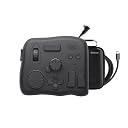
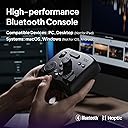
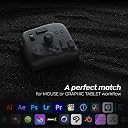
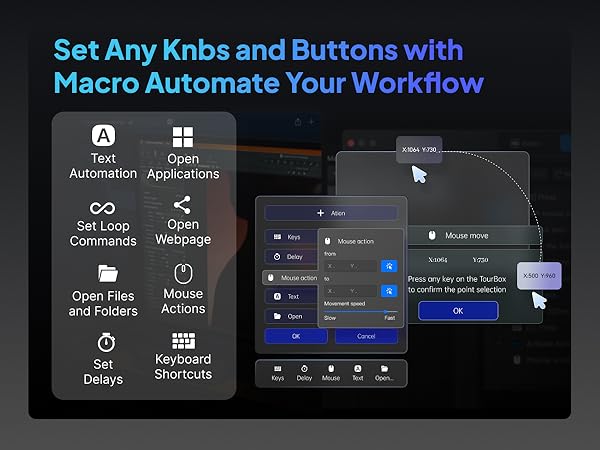
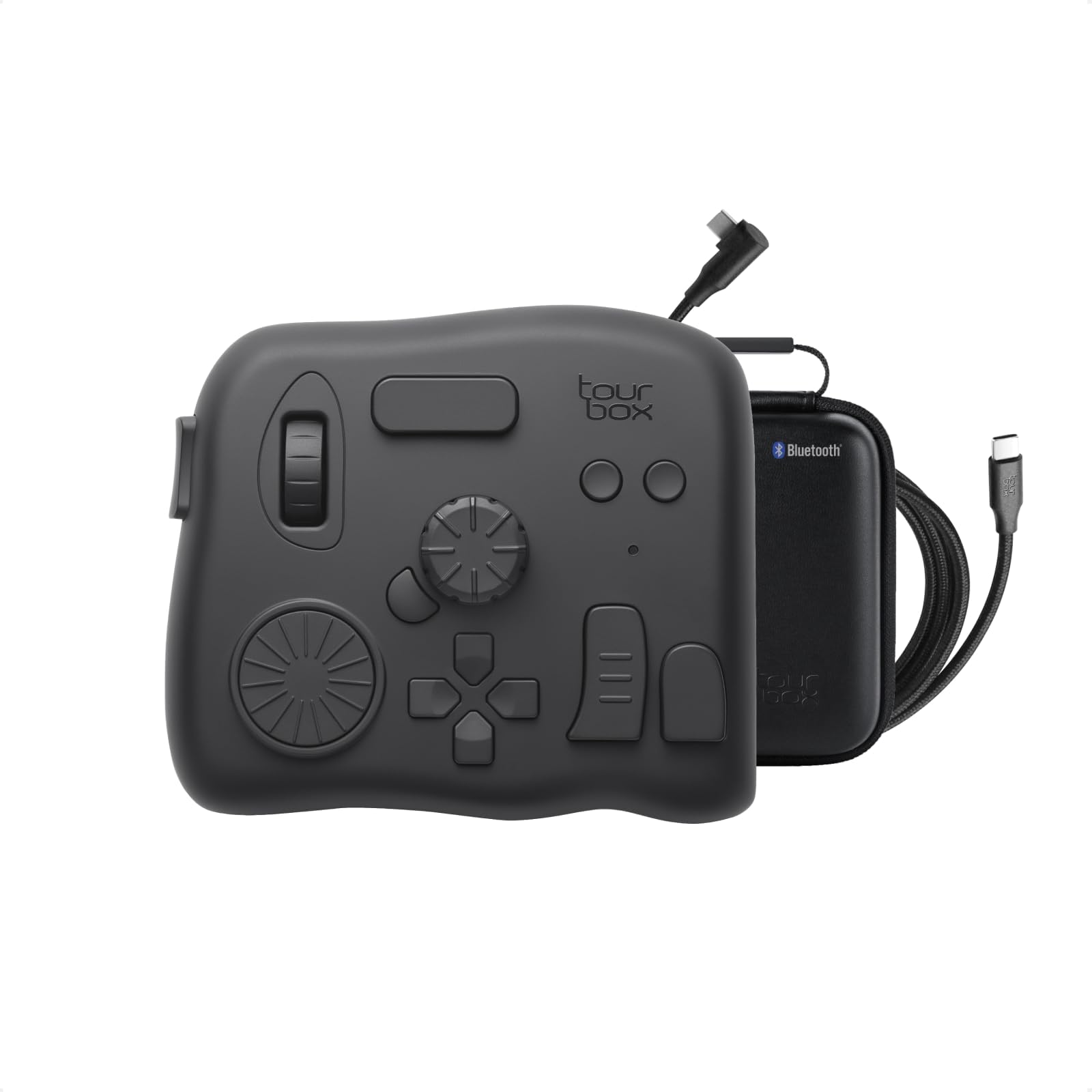
The TourBox Elite is a professional-grade video editing and color grading controller featuring dual Bluetooth and USB-C connectivity, extensive software compatibility, and a fully customizable interface. Designed for Mac and PC, it offers tactile, one-handed control over complex editing tasks with upgraded materials and advanced haptic feedback, making it an essential tool for digital creators seeking speed, precision, and seamless workflow integration.


| ASIN | B0B5XD8JM1 |
| Best Sellers Rank | #2,643 in Computer Keyboards |
| Brand | TOUR BOX |
| Brand Name | TOUR BOX |
| Color | Translucent |
| Customer Reviews | 4.4 out of 5 stars 187 Reviews |
| Display Type | LED |
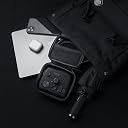
| Included Components | Device, Cable, Travel Bag, Quick Start Guide |
| Item Weight | 0.94 Kilograms |
| Manufacturer | TourBox Tech Inc. |
| Material | Plastic |
| Material Type | Plastic |
| Model | TourBox Elite AMTBECA |
| Operating Temperature | 10 Degrees Celsius |
| Part Number | TBECA |
| Smart Home Compatibility | Not Smart Home Compatible |
| UPC | 850040209167 |
| Unit Count | 1.0 Count |
| Voltage | 3 Volts (DC) |
| Warranty Description | 1 Year Manufacturer |
D**A
Best tool I didn't know I needed!
I use a Wacom pad for editing photos and creating digital art, and I have loved the customizable one-touch features mine has on it, so when I saw what the TourBox Elite could do, I knew instantly I was going to love it. It arrived...and it sat in the box for a week. I admired the heaviness and quality of it. I enjoyed playing with the little wheels and knobs, but I felt a little mental barrier to getting it set to start using. Maybe two weeks went by before I forced myself to figure it out. Loading the software was a tad clunky, and until I got an update installed, it behaved that way too. But once everything was set up and I'd made a few custom modifications to the presets, I realized it truly was everything I hoped it would be. I had to draw a little post-it map for reference while I learned what each thingy did, but as I'm a quick learner (or I'd like to think I am) within a few sessions, I was using the TourBox as though I've been using it for years. I have not eliminated my keyboard, but there is no doubt when working in Adobe and Corel programs, it is remarkably easier to zoom, move, switch tools, etc than using keyboard commands. Between the mouse/Wacom pen in my right hand and the TourBox in my left, I'm working faster and smoother, keeping my eyes on the screen without interruption. I LOVE it and I'm glad I got it! BTW, I'm a right-hander. If it's not already available in reverse for Lefties, that should be remedied.
G**N
Must have for mass image and video editing
Have a huge media library and find editing a slow and laborous process? I did, so I went for this option. I will be honest, it is a little intimidating at first, but using the presets, tips, and building a little memory muscle I was rapidly editing in post. Works exceptionally well for LRC and PSP, and I'll soon try it for video. There are a library of presets you can add, and the functions are customizable. The semi-transparent on-screen help was very useful at first. The unit is solid, heavy and allows you to use both hands and skip keyboards and short cut pretzel finger combinations. It has been a game changer.
W**N
Do it, buy it, apologize to your partner later.
Expect a sharp learning curve... or it just might be my age. I've had this Tourbox for almost a month now and love it. The presets that come with this are more or less just hands-on tutorials. The first thing I did was to design my own presets which were based on editing images just using the mouse and keyboard. I made note of the most used keyboard shortcuts while processing an image from start to finish. Then I set up the Tourbox's controls based on what I used most. I kept refining the controls based on sequence, comfort and editing steps until I'm at a point that I have greatly increase overall editing speed. The first couple of editing sessions I had to force myself not to reach for the keyboard and it took a while to edit all the images, but I was learning Tourbox. When I reached for the keyboard, I would stop, look for, and test different presets to see how they fit into my Tourbox workflow. I swapped out the button and dial presets quite a few times, so don't expect to become fluent with Tourbox overnight. I use a combination of Bridge, Photoshop, and Lightroom when editing. Each one of these apps have their own set of presets on Tourbox. As you change apps, Tourbox switches to the presets for that app flawlessly. Learning and mentally retaining the different button combinations takes a little while to become efficient, but I can now flow smoothly between apps and presets. The only area that I've not tackled yet is setting up macros. The reason for the four-star review is that the response time can be slow when jumping around the controls, whether it be connected by Bluetooth or cable. The next issue I had was trying to use it with Microsoft Excel. I just had some basic presets added but I could not convert an Excel sheet into a PDF, even though the conversion was not setup up on the Tourbox. Apparently some apps can mess with others that use macros, from what I found on Google. But like I said at the beginning, I love it! The price is very affordable, and the quality is solid. Now when I sit down to the desk to open a browser window or app, the first thing I notice is that my hand is reaching for the Tourbox even though they are not linked. Do yourself a favor and get a Tourbox, you can thank me later.
N**O
This thing is amazing! Increased productivity by double or triple!
The moment I felt this tourbox I knew it was high quality. It's not cheap plastic and lightweight where it would slide around the desk while being used. It is packed full of great buttons and dials that can be 100% customized to your liking, but even better is that there are dozens of different templates already created for you to select from to save time in setting up and to start using it to save time. Editing has never been as enjoyable as it is now never touching my keyboard again, a hand on my mouse and a hand on the tourbox and I'm set!
S**I
Unique Productivity tool..highly recommend
Sharing this review after 2 yrs usage, primarily for Final Cut pro X editing. With small footprint it fits in left palm comfortably without taking-up too much space on table. Giving each key a unique feel is what sets this apart; I barely look at keyboard while editing. Better, lighter and portable than Davinci Resolve Speed editor for edit. Only con is its scroll button which became faulty after an year's usage. Still worth it and highly recommend. Hope they continue to stay in business and come-up with more innovative products.
S**N
10/10 Highly recommend for wedding photographer
I was debating between this and the Loupedeck CT, and I decided to go with this because it's wireless, while the Loupedeck is wired. I hate having too many cables around my desk; I prefer a clean workstation. :) I spent 20-30 hours in the last few days editing with the Tourbox, and I can tell you it's perfect. It's the perfect size for one hand, and I absolutely love the haptic feedback. The Bluetooth connection is amazing, connecting in seconds. Their application is good as well – not as good as Loupedeck's, as I couldn't find a way to assign presets, but still, it's a 9/10. I went through 1,000+ wedding photos and sent the gallery out in a day. Selecting with Photo Mechanic is great, and Photoshop works well with no problems. So far, I'm having a great experience with this device. I would highly recommend it to someone who does a lot of editing very quickly.
E**Z
Customer Support Comes to Rescue
After three months of relative light use, the center dial cracked in half. I could not find any service info until I followed to their Twitter site and Dm'd my situation. After providing unit Sn and Amazon info, my contact notified service. A few days later a brand new replacement unit arrived. Product has a one year warranty which they fully support. BTW, unit has been an excellent tool saving time and improving workflow. I initially purchased unit to work with my photography applications, but soon learned that it can support my email and browser apps as well.
C**N
Works reasonably well on PS and Vegas Pro
It has a good weight to it, so it stays put on the table. Easy customization, although there is a known software bug that has not been addressed yet. This bug was documented in forums early on which relates to double click function assignment of buttons - it will also trigger the single click function no matter how fast you double click the button. The only way to get around this is to assign a non-modifiable function to the single click function such as a Ctrl, Alt, Shift. If not for this bug, I would've given it a 5 star.
Y**.
デスクトップPC&液タブ派
高額な商品なので買うまでに悩みに悩んで購入したのに、すぐにiPad対応のものが出てショックを受けましたが、 自分の作業環境にiPadで描画作業はないので結局問題なしでした。 機能としてはまだまだ使いこなせてないけど究極液タブ内の作業ツールを削除して画面いっぱいで作業するのが目標です。 TourBoxを使用する前にも左手デバイスを複数所持していますがこれが一番イラスト向きかも知れません。 直感的に操作が可能と言われていますが、本当にその通りだなって感触です。 画面を回転させる、ペンサイズを変える、等の操作をノブ、スクロール、ダイヤルで出来るのは分かりやすい。 TourBox以外だと大体テンキーみたいなのに操作を割り振ってタイピングして使うみたいなのが殆どでした。 結局は「慣れ」の部分が大きいと思いますので私はこれをイラストソフト専用のデバイスツールとして活用する事にしました。 左手デバイスとして割と重要なのが「例え壊れても同じのが購入出来る」なのも強み。 有名メーカーでも製造終了の憂き目に合います。 片手の相棒と突然のお別れをしてしまうと最悪描けなくなることもあるので、 TourBoxならなくなることもなさそうだな。と言う安心感があります。
P**T
Material de buena calidad pero una interfaz muy torpe y poco intuitiva !
Cuando recibes el producto es como abrir un producto de apple , pero una vez que empiezas a usarlo se convierte en una pesadilla , la manera en que indican cómo se instala es nos 100% acertada , Almenos en lo Mac mini M1 así lo fue , cuando intentas configurar es ahí donde no es intuitivo y es torpe , solo comandos y no botones ! , cuando intento programar ciertas funciones no me deja , siempre es una batalla ,también la conexión a Bluetooth no es tan buena cuado lo haces por primera vez , una vez que agarra entonces ahora si ya no tienes problemas , siento que pierde su propósito el producto cuando te hace perder todo el día configurándolo , debería ser de uso rápido y amigable pero no lo es , no lo recomiendo por la experiencia que tuve , lo que quería es dejar de usar el teclado por eso lo compre ,pero solo le agregué un aparato más a mi flujo de edición 😕 , estoy pensando en comprar otro de otra marca y a un precio similar , Ya lo regrese !
M**U
En vaut la peine
Vraiment utile
G**V
Product good. Seller does not send storage box.
Even though it is mentioned that they sell (with storage box), they don’t send it. The product is good.
G**G
Buen complemento
Excelente!! Me es muy útil tenía mucho tiempo queriendo adquirirlo y me encanto
Trustpilot
1 week ago
4 days ago