


๐จ๏ธ Print smart, save time, and stay ahead of the pack!
The HP DeskJet 1010 is a compact, no-frills inkjet printer delivering sharp 4800x1200 dpi color prints with low 10W power consumption. Designed for home and small business use, it connects via USB 2.0 and supports various media types including labels and glossy photo paper. Affordable ink cartridges and easy setup make it a top choice for budget-conscious professionals seeking reliable, high-quality printing without unnecessary extras.
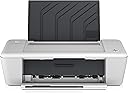
| ASIN | B00DG6EGKK |
| Additional Printer Functions | Scan |
| B&W Pages per Minute | 7 ppm |
| Brand | HP |
| Built-In Media | HP Deskjet 1010 Printer, HP 61 Black Ink Cartridge, HP 61 Tri-color Ink Cartridge, Setup Guide, power supply, power cord |
| Color | White/Black |
| Color Pages per Minute | 4 ppm |
| Compatible Cartridge | HP 61 Black Ink Cartridge, HP 61 Tri-color Ink Cartridge, HP 61XL Black Ink Cartridge, HP 61XL Tri-color Ink Cartridge |
| Compatible Devices | Laptops |
| Connectivity Technology | Wired |
| Control Method | Touch |
| Customer Reviews | 4.1 out of 5 stars 703 Reviews |
| Dual-sided printing | No |
| Duplex | Manual |
| Global Trade Identification Number | 00887758046425 |
| Hardware Interface | USB 2.0 |
| Initial Page Print Time | 24 seconds |
| Ink Color | Color |
| Item Weight | 6.85 Pounds |
| Manufacturer | HP Hardware |
| Maximum Copies Per Run | 200 |
| Maximum Copy Resolution Black and White | 600 x 600 optimized dpi |
| Maximum Copy Resolution Color | 4800 x 1200 optimized dpi color |
| Maximum Media Size | 8 inch x 10 inches |
| Maximum Print Resolution Black and White | 600 x 600 dpi |
| Maximum Sheet Capacity | 50 |
| Maximum print Resolution Color | 4800 x 1200 optimized dpi color |
| Model Name | FBA_CX015A |
| Model Number | CX015A |
| Model Series | DeskJet |
| Number of Drivers | 1 |
| Number of Ethernet Ports | 1 |
| Number of Trays | 1 |
| Other Special Features of the Product | Compact |
| Paper Size | 4 inch x 6 Inches, 5 inch x 7 Inches, 8 inch x 10 Inches |
| Power Consumption | 10 Watts |
| Print media | Card stock, Envelopes, Labels, Paper (plain) |
| Printer Connectivity Type | Wired |
| Printer Output Type | Color |
| Printer Type | Inkjet |
| Printing Technology | Inkjet |
| Processor Count | 1 |
| Resolution | 4800 x 1200 |
| Scanner Type | Photo |
| Special Feature | Compact |
| Specific Uses For Product | Home |
| Total Usb Ports | 1 |
| UPC | 887758046425 642125352307 823019605888 640206650557 071030581074 012303563120 804993455010 638084654460 |
| Unit Count | 1.0 Count |
| Warranty Type | limited warranty |
| Wattage | 10 watts |
C**L
Love it so much -- I ordered 3 of them.
I ordered 3 of these printers, 1 for a friend of mine and 2 for myself. I have a shipping room in my home and I sell items on eBay. I use one printer to print out the invoices and the other to print out my labels for the package. When I set up the printers, I named them INVOICE and the other LABELS. So this way, I knew which printer I was sending which item to. They work just like a charm. No biggie that you have to turn them on -- stand up and click on and you are in business. I put shelves on my wall and put both printers up there and fill them with what they need and I am off and running. I got a USB hub and a 12 plug surge protector and put them on the bottom of shelf and I print and do everything right from my lap top. What a breeze it is to get an item ready for shipment. The price of the cartridges are nominal and for the price of the printer, you can't go wrong. Less than $13 for black and less than $20 for color and you can get both for like $30 bucks. This is just a printer, NOT a scanner, copier, phone or anything else, just a printer. You will need a printer cord unless you have one from your previous printer. If you don't they are inexpensive enough to get. Great printer and you won't be sorry on this purchase.
C**P
Second version of this basic printer
Got the HP 1000 from Walmart on a closeout a few months back. My husband wanted one too so I was glad to see this model on special a few weeks ago..When we got the unit I took the new one and gave husband my old one, mainly because I print a lot more than he does. **READ THIS** Do NOT install the USB cord connecting the printer to the computer until you are done with everything else..follow the instructions and connect the USB cord LAST !! Also, you will save ink if you don't install any software that communicates with HP over the internet. As other posters mentioned, you need to buy a USB cord separately..the unit doesn't include the cord.. but that's OK.. The printer and the $5 cord add up to free shipping. Another thing I found different from the HP 1000 unit was the ink was harder to get into the machine. Just make sure you hear the "click" when you push the ink cartridge into the unit. The HP 1000 had a better graphic on a sticker showing how to do that.. I don't print color very often so I set the option on Black Ink Grayscale. You can change this when you want to print color but mostly I print text and when I purchase something off the internet. This is a good basic stand alone printer..it doesn't hold much paper but it's easy enough to refill the paper slot. My daughter ordered one too and we are all happy with it.
K**N
Wonderful, quiet little printer!
I really love this little printer! I have a small space so this fits the bill. The cost is amazing so couldn't pass it up. I read many reviews and most were very positive. The fact that it doesn't have individual color modules isn't an issue with me. I try to print BW as much as possible as using for basic printing. The only reason I didn't give it 5 stars is that I have to turn the printer on every time I need it. My other printers were just on. This may be a positive for some but my printer isn't on my desk or within easy reach. It is a very minor issue. Very satisfied!
M**E
Printer for this price?!?!? Why wouldn't you buy in!
I can't stand buying printers... For one simple reason.... INK! For this price you can just pitch the printer once it runs out of ink and buy another one! The wife has long time wanted a printer... Me I don't need one but she has started a coupon craze and I'm getting tired of printing the coupons out at work. So I looked long and hard didn't want to spend anything over $100 let along anything close to $50. Found this printer and I have to admit for the price you can't beat it. Works right out of the box with my iMac no issues. It's not the fastest printer on the street but hey it does it's job and that's all I wanted something that prints! 5/5 STARS!!
R**K
Doesn't work and is not robust
Received the product today and am in the process of installing it. The program prompted me to search for any updates to the software on the web and I did have to install .NETframework. The install process is taking a while because of this. I was surprised to see the package contained both a color and BW cartridge b/c I thought this was not included but perhaps I misread. I had the cord from my last HP and it fits. The unit itself is not robust. I would recommend it only for light printing such as a few pages at a time. I would not test it by printing that e-text you downloaded for free off the web. I have not used it yet but from the feel of the unit I would say it is good for home use. I will update after I actually print a few documents. 9/12: it took me several tries to load the software, about an hour's worth of time. Once I got it printing, it did print a nice copy. There is a delay in it's taking the command to print and it prints slowly. Let's see how long it lasts with moderate use. 11/8: a little tough on ink, adjust your settings accordingly. 1/6/2015: after several tries, I cannot install the recommended updates from HP. 1/11/2015: I am fed up with this printer. After a week of trying, I cannot install the required updates. I get an error message that the .exe files "have encountered an error". I have tried to to download and install from the HP website and manually. Nothing works. Now I just put in a new printer cartridge and I cannot get a page to print. The printer is receiving the message to print but I get these ghost like images on the paper. I have cleaned the cartridge three times. I have tried to align the printer and reinstall the software but the software won't proceed to the next step. I have no idea if it is the cartridge or the printer that is the problem but then that would be a quality control issue. This could have been a nice, affordable printer for light home use but it is too unstable. Don't buy this printer.
M**N
Best Basic Printer
I love this printer so much I bought one for my mom, and it's so easy to hook up, even she was able to do it herself. In the nursing home. This is the absolute perfect basic printer. I use it to print labels and my son uses it to print for school. My mom prints off pictures of the grandkids and the quality is always good. I ended up with this printer because it was cheaper than buying ink for my old printer. The ink for this is usually the cheapest on the shelf, but it doesn't even seem like I go through it that fast. Cheap, easy and dependable. What more could you ask for...?
S**R
OK printer, nightmare installation
This is not a bad little printer. The print quality is more than acceptable, it doesn't take up too much desk space, and though it is noisier than other printers the noise isn't objectionable. Also, the initial price is quite low (and the ink will not be a problem for me -- I don't intend to do heavy-duty printing on it). But the installation was very difficult. First I tried doing it according to the printed instructions that were included, involving a CD. That didn't work. One of the first screens showed a bar that moved about halfway across and then just hung there for a very long time. I tried again and the bar went further and hung again. So I went to the HP website, as the instructions suggested, and tried to download the driver. But the necessary page was broken -- it said "The requested URL /pub/softlib/software12/COL48419/dj-118729-2/DJ1010_1180.exe was not found on this server." Really, HP? I clicked on YOUR link! Then I decided to let Windows install the driver, as it seemed to want to do every time the printer was connected to the computer, but after a long search it came up with a red "X" and said, "No driver found." I tried this twice with the same results. I was ready to pack up the printer as best I could (I couldn't possibly put all the little tapes back in the right places) and get a refund from Amazon. But I tried one more thing. I googled "HP DJ1010 driver." It took me to an HP page that worked - "http://support.hp.com/us-en/product/HP-Deskjet-1010-Printer-series/5157543/model/5157545/drivers/". I clicked on "Software and Drivers" and then on a blue "Go" button. I downloaded the item called "HP Deskjet 1010 Printer series Full Feature Software and Drivers". That did it. If I were rating the printer alone, I'd give it 5 stars because it is a simple inexpensive machine that works. But the installation almost defeated me. It shouldn't be that hard.
J**N
Great functionality, but does spam your computer during first few prints
Pros: 1. Cheap - one of the cheapest printers in the market 2. Prints fast 3. Prints without erros 4. Compact 5. Gets what you need done. Cons: 1. During first few prints, I get a popup asking me if I want to redeem one of their "treats", which is essentially a way to cross-sell me another hp product. This is really annoying, and I couldn't find a way to remove them. Luckily, after a few prints, the popups disappeared.
V**A
Five Stars
love it, very compact, like how it folds together when not using
M**N
Basic printer. O.k.
Pretty much the starter printer. Ink, as always, costs as much as a brand new cheap printer.
Trustpilot
3 weeks ago
2 months ago