Desertcart purchases this item on your behalf and handles shipping, customs, and support to UK.
🚀 Upgrade Your Home Network to Future-Ready Wi-Fi 6 Power!
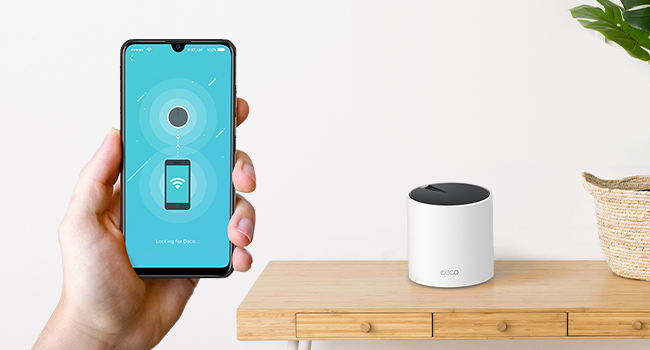
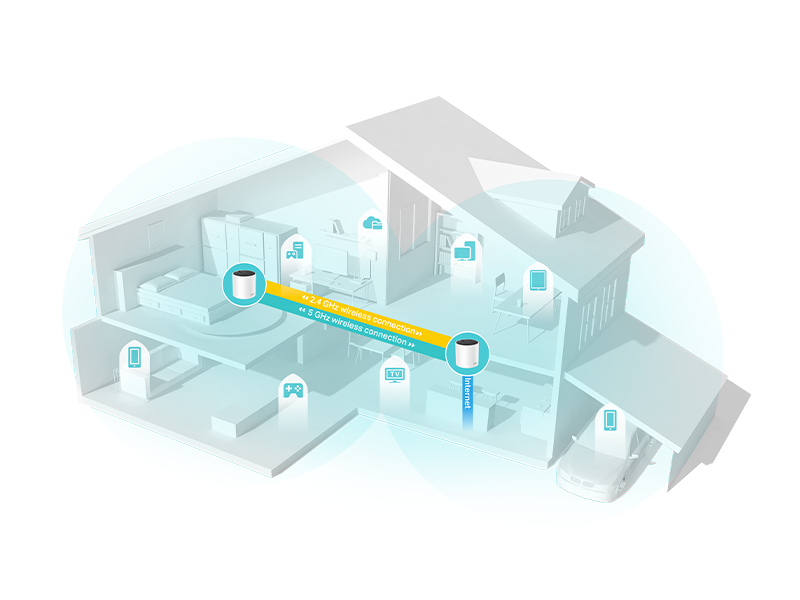
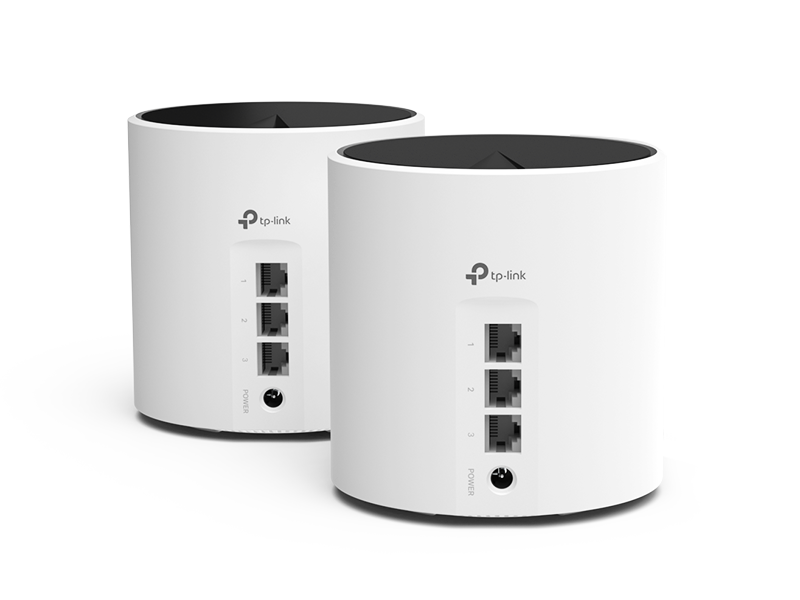
The TP-Link Deco X55 AX3000 Mesh System (2-pack) delivers next-generation Wi-Fi 6 speeds up to 2402 Mbps, covering up to 4500 sq.ft with seamless whole-home mesh connectivity. Designed to support up to 150 devices simultaneously, it features 3 Gigabit Ethernet ports per unit with wired backhaul support for enhanced performance. Equipped with advanced security protocols including WPA3 and TP-Link’s HomeShield, it ensures a safe and reliable network. Easy to set up and manage via the Deco app, this system is ideal for professionals and smart homes demanding fast, stable, and secure internet.


| ASIN | B09WTM34DF |
| Antenna Location | Home |
| Antenna Type | Internal |
| Best Sellers Rank | #4 in Computers & Accessories ( See Top 100 in Computers & Accessories ) #3 in Whole Home & Mesh Wi-Fi Systems |
| Brand | TP-Link |
| Built-In Media | 1 x Quick Installation Guide, 1 x RJ45 Ethernet cable, 2 x Deco X55 units, 2 x Power adapters |
| Color | white |
| Compatible Devices | Smartphone, Personal Computer, Gaming Console, Laptop, Smart Television, Security Camera, Printer, Tablet, Smart Thermostat Compatible Devices Smartphone, Personal Computer, Gaming Console, Laptop, Smart Television, Security Camera, Printer, Tablet, Smart Thermostat See more |
| Connectivity Protocol | Ethernet, Wi-Fi |
| Connectivity Range | 4500 square_feet |
| Connectivity Technology | Ethernet, Wi-Fi |
| Control Method | App, Voice |
| Controller Type | App Control |
| Coverage | up to 4500 square feet |
| Customer Reviews | 4.3 out of 5 stars 2,195 Reviews |
| Data Transfer Rate | 2402 megabits_per_second |
| Frequency | 5 |
| Frequency Band Class | Dual-Band |
| Item Dimensions L x W x H | 4.33"L x 4.33"W x 4.49"H |
| Item Highlight | Covers up to 4500 Sq.Ft, Replaces Wireless Router and Extender, 3 Gigabit Ports per Unit, Supports Ethernet Backhaul |
| Item Type Name | WiFi 6 Mesh |
| Item Weight | 0.4 kg |
| LAN Port Bandwidth | 10/100/1000 Mbps |
| Manufacturer | TP-Link |
| Maximum Upstream Data Transfer Rate | 4804 megabits_per_second |
| Mfr Part Number | Deco X55(2-pack) |
| Model Name | Deco X55(2-pack) |
| Model Number | Deco X55(2-pack) |
| Number of Items | 1 |
| Number of Packs | 2 |
| Number of Ports | 3 |
| Operating System | ZyNOS |
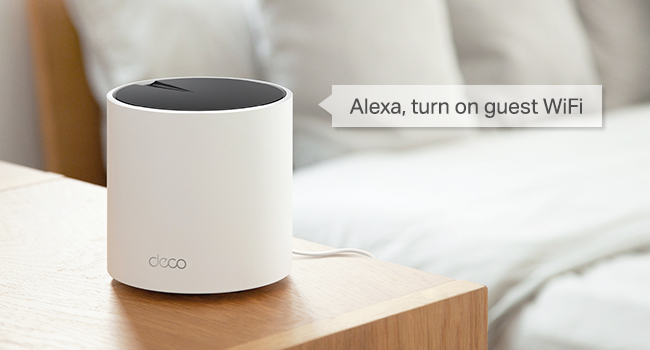
| Other Special Features of the Product | QoS, Internet Security, Parental Control, Alexa Compatible, WPS, Remote Access, LED Indicator, Guest Mode, Beamforming, Access Point Mode |
| Router Firewall Security Level | High |
| Router Network Type | Wireless |
| Security Protocol | WPA-Personal, WPA2-Personal, WPA3-Personal |
| Special Feature | QoS, Internet Security, Parental Control, Alexa Compatible, WPS, Remote Access, LED Indicator, Guest Mode, Beamforming, Access Point Mode Special Feature QoS, Internet Security, Parental Control, Alexa Compatible, WPS, Remote Access, LED Indicator, Guest Mode, Beamforming, Access Point Mode See more |
| UPC | 840030703003 |
| Unit Count | 1 Count |
| Voltage | 12 volts |
| Warranty Description | 2 year manufacturer |
| Wi-Fi Generation | Wi-Fi 6 |
| Wireless Communication Standard | 802.11ac, 802.11ax, 802.11b, 802.11g, 802.11n |
| Wireless Compability | 802.11ac, 802.11ax, 802.11b, 802.11g, 802.11n |
S**N
Works Great, Extremely easy to set up,
Overall I am very happy with this product. It is a replacement for Eero mesh routers owned by our internet provider that had been free but were going to be charged for going forward. Ordered this on Thursday, received it on Saturday, and set it up on Sunday morning. I started setup around 7:30 and by 8:00 it was connected and running as advertised. I reviewed several online videos and downloaded the Deco app beforehand. You do need to set up a TP account in the process which was no big deal for me. Set up is done through the app, not a website. The setup steps in the app are straightforward and clear. Easy to follow. What did I find? My download speeds remained about equal to the speed I had previously at about 950Mbps. The upload speed did drop off a bit but was at about 30Mbps versus 45-55 before. I used speedtest.net for the test. I purchased a replacement because we are switching from our current ISP provider to a fiber network our municipality is setting up. Based on setup, appearance, speed, 3 gigabyte ports on each unit, and customer support I would highly recommend this. Price wise it also was a no-brainer. Are there any things I did not like? While the app is installed easily from the Play Store and set up is easy to do through the app it feels like there are a few rough edges to it. For example, renaming the Deco units or connected devices should be easy but so far I cannot find it. On the other hand, tech support seems great. The 2nd unit seemed to be hung up in set-up mode. Since TP-Link provided a 24-hour 888 number. I called it Sunday morning, was barely on hold for a minute, and spoke with a rep who walked me through it with no problem. If I'm honest I probably could have found the process with some digging but phone support was fantastic. If you are looking for a mesh network I don't think you can go wrong with the Deco series or specifically the Deco X55.
M**.
Easy to set up, works great.
My husband spends a lot of time in the garage and recently mounted a smart tv on the wall. WiFi signal is dismal out there so the tv didn’t work most of the time. I did some research before deciding on a mesh system versus a less expensive plug in WiFi extender. Based on the performance in reviews, I believe the mesh system is worth spending a little extra for the better coverage. The hardware was fairly simple to set up, one deco is connected to the modem and the other is strategically placed in another part of the house. The app walks you through establishing the secure network. The streaming capability is improved in the rooms farther away from the router (1600 sq foot house) and into the garage and outbuilding behind the house. The garage tv works consistently with fantastic wifi signal now. I’m pleased with this system and would recommend it.
A**I
Great coverage and decent app
Great Product. Works like a charm. Thanks to AI I have set it up easily as well.
E**A
Great upgrade!
We hadn't upgraded our router in about 12 years. yup! The Deco was easy to set up and the connection is fast and reliable. We put one upstairs (connected to our son's PC via ethernet) and one downstairs. I was worried they'd be too far apart but haven't had any issues. I even get a great signal outside. Highly recommended!
K**A
Boosted Wifi signal to PTZ cameras
It did extend the range of my security cameras, one of which is 70' from the router connected to cable. The second of two Deco routers I networked with my Arris modem/router is inside the house about 15' from the farthest of 3 PTZ cameras. Pre-Deco it registered a "weak" connection; now the connection is always "strong" and the PTZ functions work great for all cameras. The only gripe I have is it has it's own Wifi network which interferes with my cell phone Wifi phone connection on the original network. Sometimes I have to switch between networks for optimum performance. Other than that it's a good buy and worth the price. I feel confident in adding a 4th camera later which will be about 30' from the nearest Deco going through 3 double walls.
C**L
The most difficult to hook up. App vague instruction
One if the most difficult to set up devices that I've experienced. The app gives steps but it's not close to what is actually occurring. At the end a large part was over if the 2 decided device being defective. Refused to connect as the main or the satellite unit. First I spent 3 hours trying to get the first one out of the box to connect with no luck so have up and tried the 2nd unit. It took awhile and would never connect with the instructions which was connecting to it through WiFi. It would not connect finally got it to connect with the scan option with the barcode on the device. It was a relief after 4 hours to see if finally say it found it then after hooking up the Ethernet from the modem it says successful and the next step of to put all the deco units where you would like them. I assume this meant the one hooked via ethernet could be unplugged and placed on the main floor, which is after all the purpose, to extend the Wi-Fi. It didn't state this on the app or in any instruction. So when this didn't work and I used Google it appears the one mesh unit has to remain wired too the gateway/modem. That was disappointing as I thought I would have 2 to place to extend signal but since one has to remain wired I could only place the one down 1 for to the main floor. This was the unit that with not connect the 3 hours of trying to start off. And again it wouldn't. The instructions simply say to place it where youd line and plug it in... Once the hard wired one was configured. This didn't work out would've connect it had a red light then a yellow then green then blue flashing. Even with blue flashing which was correct for set up it wouldn't connect. Then it would go back to a solid red light. I tried the reset option numerous times when it froze on the door red light mode. Lost track of the number of attempts, it would just not connect. So the one hard wired unit want sound me at good to extend my network being right next to the main device. I can't come to any other conclusion that one of the 2 was defective. Being returned. There was a chat option I assume to help with set up not it was not functioning. . I've set up many services similar and they all seemed relatively easy. This was not. Also at the starr or says the app will notify you to switch networks... To connect to the device. Mine didn't. I had to manually do this and when it didn't work the scan device option did the trick on the one but not the other.. I'm going to try a wire to a secondary router on the main floor..I wanted to avoid wires but looks to be the best option.. also confirmed with running speed tests, the wired was 3x the speed.
N**K
Reliable WiFi Coverage Throughout the House
Very happy with this mesh system. Setup was easy through the Deco app, and the two units provide strong, reliable WiFi coverage throughout the 2500 sq ft house. Devices transition between the units smoothly, speeds have been consistent, and the Ethernet ports are useful for wired devices or backhaul. A big improvement over relying on a single router.
J**.
it works
WOW. this is the first signal booster I have tried that actually works. I had a dead zone in my garage and beyond, but this item provided a good, reliable signal through 2 concrete and stucco walls. That is to say, 0 bars to 3 bars! The speed is reduced but still good.
G**N
Excelente productos
He venido empleando desde la pandemia productos de 2 y 4 antenas, los tipicos rompemuros de Steren y la verdad no tienen nada que ver con este producto en el sentido de instalación, estabilidad y cobertura. Debido a mis necesidades, confundí la cobertura con la velocidad de internet contratada, al ver que no llegaba a todos los rincones de la casa incremente la velocidad del contrato de internet y seguía el problema en las habitaciones mas alejadas del modem (mi casa es de 110 m2 de construcción y de dos plantas, el modem esta en la esquina de la planta baja). Teniendo una velocidad de 200 mbps pegado al modem, en la segunda planta en el otro extremo del modem medía 8 mbps y con oscilaciones. Adquirí el paquete de dos antenas de este producto, uno de ellos lo conecté con cable ethernet al modem y el otro lo puse en la segunda planta, en el centro de la casa, con lo que recibí 190-200 mbps en toda la casa. Y me di cuenta que para mis necesidades está sobrado por lo que solicite bajar la velocidad de contrato a 100 mbps que me resultan excelentes para mi contrato de 4k de Netflix y para las tabletas de los niños (juegos y videollamadas), para el internet de trabajo, etc. Solo puedo decir que ya ni me acuerdo de ese tema porque todo funciona a la perfección. Lo recomiendo mucho.
N**N
Easy to use
Mine arrived from the USA. They installed into my mesh network very quickly and first time. They do however run on different firmware to my other Decos, but there is no lack in performance.
M**K
Deco x55
Excellent product and not expensive. 5 star for the quality and price.
C**L
Impresionante poder
Ya tenía una versión anterior de menor valor, compré esta para agregar y mejorar la señal de wifi en el segundo piso. Convertí a estos como principal y agregué a los viejos para que repitan la señal en otros cuartos. Días después de que estuvo en línea la nueva red mesh, se me fue la luz, pero como el principal estaba con batería, no break dura prendida por horas si es necesario hasta que vuelva la luz. A mi sorpresa mía y de toda mi familia, la base principal les paso señal wifi a todos los teléfonos en todos los rincones de la casa sin problema. ¡Superrecomendado!!
S**Z
Excelente sistema Mesh.
Deco siempre confiable en cuanto a sistemas Mesh. Recomendado al 100%, únicamente sería tener una conexión bastante rápida para sacar buen provecho del Wi-fi 6 pero corrigió los problemas que tenía de zonas muertas en algunos lugares de mi hogar. Los puertos Gigabit también de igual manera se agradecen por si quieren conectar alguna consola de videojuegos o su televisión. Algo también que agregar es que su aplicación es muy sencilla de utilizar y bastante completa. En pocas palabras, lo tiene todo y por el precio es que me parece una muy buena inversión c
Trustpilot
5 days ago
2 months ago