Buy anything from 5,000+ international stores. One checkout price. No surprise fees. Join 2M+ shoppers on Desertcart.
Desertcart purchases this item on your behalf and handles shipping, customs, and support to UK.
⌨️ Upgrade your MacBook’s vibe—because your keyboard deserves a glow-up!
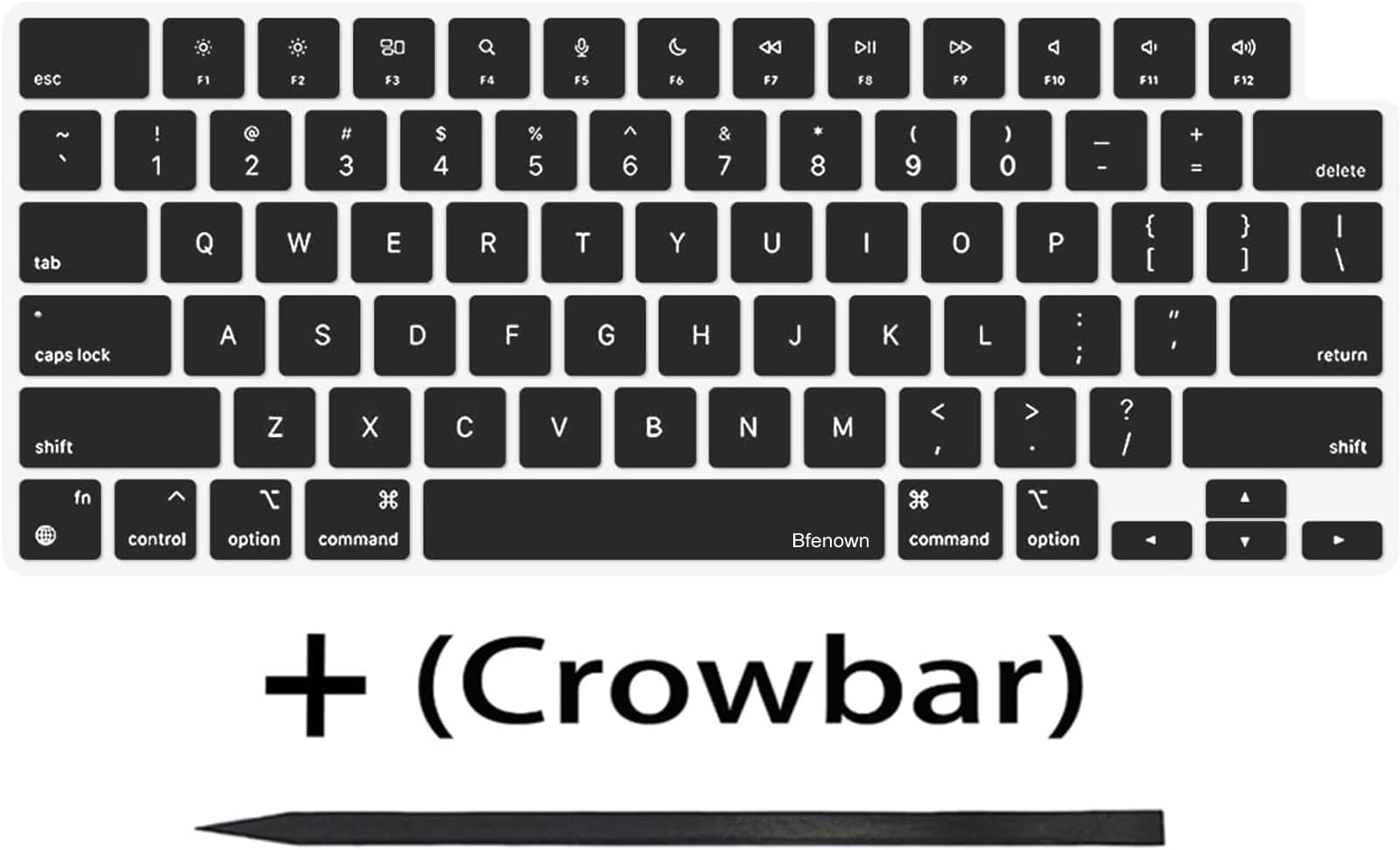
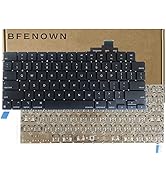
This Bfenown replacement keycap set offers a full 104-key US layout designed specifically for 2021-2022 MacBook Pro M1 Pro and Max 14" & 16" Retina models. Made from durable silicone with superior backlight transmission, it perfectly matches Apple’s original keys in color and feel. The package includes a crowbar tool for easy installation, helping you maintain your keyboard’s pristine performance and appearance without costly repairs.


| ASIN | B09NN6FC1F |
| Antenna Location | Personal |
| Best Sellers Rank | #17 in Laptop Computer Replacement Parts |
| Brand | Bfenown |
| Built-In Media | 1 Full Set US keycaps + 1pcs crowbar |
| Button Quantity | 104 |
| Color | BLACK |
| Compatible Devices | 2021 MacBook Pro 14-inch, 16-inch |
| Compatible Operating System Family | MacOS |
| Connectivity Technology | For Keycaps Replacement |
| Customer Reviews | 4.5 out of 5 stars 98 Reviews |
| Enclosure Material | Silicone |
| Hand Orientation | Ambidextrous |
| Is Electric | No |
| Item Dimensions L x W x H | 28"L x 11"W x 0.19"H |
| Keyboard Backlighting Color Support | Single Color |
| Keyboard Description | Flexible |
| Keyboard Layout | QWERTY |
| Manufacturer | Bfenown |
| Minimum Required Operating System Version | Mac OS 11 Big Sur |
| Model Number | 5be72dbe-cb84-418b-a0b0-ef54fd4416bb |
| Number of Keys | 1 |
| Number of Sections | 1 |
| Power Source | Wired |
| Processor Count | 1 |
| Recommended Uses For Product | Personal |
| Style Name | Contemporary |
| Switch Type | Mechanical |
| Unit Count | 1 Count |
| Warranty Description | 6 months |
| Water Resistance Level | Not Water Resistant |
C**B
Absolutely Fantastic! Much needed refresh to my 2021 MacBook Pro!
Absolutely Fantastic! My keys had developed a shine because of so much use. Drove me nuts because my computed looked old and tired. After replacing the keys, they are back to that premium mat look and feel. Couldn't be happier! FYI, I was nervous about popping the keys off my macbook pro. I watched the videos... And after your first couple of keys, you get the hang of it.
R**T
Great keys for the price!
Absolutely love these keycaps. I've got the emc 3651 model A2442 and fit perfectly. I watched a couple of YouTube videos just to make sure I knew how to do it. If you take your time and don't rush you'll do it just right. For those wondering around the larger keys they do have stabilizer bars. watch a YouTube video on how to reapply the keys it's very simple, but do take your time. Great value for the money, in my opinion the keys feel better than apples oem. I can only hope I won't have to replace them again if they get shiny like apples have done. great price for a new feeling keyboard. just a tip: after the key is cap is off, hold the switch down with your finger and get a q-tip and clean the area up around it, a little house cleaning goes a long way :).
N**A
They look identical. Be careful during installation and removal.
These work great in MacBook Pro M1 keyboards. Be careful with how the keys are removed or the clips on the underside will break.
C**E
Almost perfect!
A great replacement key set apart from one detail, both shift keys just would not go on right. I know it has to be the replacement keys fault because after what had to be 10 minutes of trying to replace the left shift key, I finally said "let me try the original to be safe" and it went on without a problem. The right shift key did the same. Aside from that, every other key went on perfectly and look almost exactly the same, but the small differences are unnoticeable when you replace all of the keys. Despite the shift keys would I buy this again for the 95% key coverage? Absolutely, I'll probably just pay one of those expensive key replacement sites for the shift keys 🤷🏼♂️
L**N
Loveee
Very happy with this product, I bought a refurbished MacBook Pro and its keys were very shiny with use. They were really easy to replace, besides the bigger keys (space &shift) but you’ll get the hang of it. The color match is amazing and it matches the original keys.
W**R
Overall, a really nice refresh for a "greasy" MacBook Pro
I had a generally good experience with this keycap set. Now, my experience wasn't perfect, but this is definitely the right product for the job. I'll start out with the cautions first. Watch the videos and understand what you're getting into. Be in the mindset that you could possibly break someting and make a bad situation worse. I would also start out by suggesting that you do NOT try and replace the arrow keys if at all possible. They are very difficult. It looks like they would be much easier to replace if the keyboard was first removed from the case, but that's getting into pretty serious disassembly. My system is model number A2442, M1 MacBook Pro 14" For me, my issues were: - The tab key just would not sit right for me and I had to keep my original keycap. To attempt to resolve that, I'm going to order another set and see how that one fares. I don't think I damaged the hinge or the metal bar so hopefully it was just an unlucky tab keycap. I'm not going to remove stars or ask for a refund over that because this seller is doing us a huge service to make this repair/replacement affordable. - I accidentally broke a piece of one of the hinges on one key. I just didn't use the right motion one time and broke it. Again, watch the videos, take your time, put your magnifiers on, etc. The key is on and works but it's a bit crooked as a result. I've ordered another Amazon seller's hinge kit, so I assume that one I replace the hinge it'll be good as new. It would be really great if this kit included even just a handful of spare hinges or if there was a kit that included both hinges and caps at a bit of a discount. - As mentioned above, the arrow keys. Overall, a great solution all things considered. Apple didn't really design the keyboard around replacing keycapls like this, and they don't sell spare keycaps. Even with all my mishaps I've still spent far less than this job would have been with Apple. Apple laptop keys generally get a worn down and "greasy" look from
D**N
Tired of your shiny MacBook keycaps? This is the solution
Apple uses ABS plastics to fabricate the Macbook's keycaps. The keycaps are beautiful, but overtime, the friction between our fingers and the keycaps' plastic will smooth them out, creating a shiny effect. This is most noticeable on the most used keycaps - like space, modifiers and the vowel keys. This set of replacement keys is the solution - as far as I can see, these are identical to the Apple keys in terms of look, feel and quality. Please search Youtube for instructions how to replace the keys for your specific model, as this is a delicate job.
M**M
needs your patience and determination, but rewarding results
My keys (on A2442, M1 MacBook Pro 14”) got a worn, greasy look over time, and I couldn’t remove discoloration specifically on larger, most often used keys such as spacebar or return key. Although this keycap set was not perfect, it is definitely the right product for the job: since the finish is matte versus original satin appearance, I had to replace the entire keycaps after replacing the spacebar and other larger ones at the bottom (see the photo for the difference). otherwise you have to live with a kind of bandaid on your keyboard. It is like the new paint, supposed to be the same color and finish, which would never match 5-year or older paint on the wall. It took over two hours for me to replace entire keys, while watching the instructional videos. The removal and installation procedures for the letters are the same, but the following keys require a special order for removal not to break the hinges inside, inside the installation order. ESC, Tab, Caps lock, Shift, Functions, Control, Option, Command, Delete, Return, and most notoriously arrows. The ones with a metal hook inside are very tricky to install. Specifically, I wasn’t able to make a perfect installation of the ESC key, which was different from the instructional video. The ESC key in A2442 is larger than what’s shown in the video, with one metal hook at the lower part. Basically you are not supposed to just press the upper part but rather slide in from below, which I did not understand quite a while. As other users pointed out, watch the instructional videos and mentally prepare for the possibility of breaking something, and do not lose your patience. If you are a person without it, I wouldn’t recommend replacing the entire keys. After the completion, I am 98% satisfied with the appearance and feel of the new key caps, with the exception of the ESC key which is not completely level.
A**1
منتج ممتاز فعلاً
منتج ممتاز وخامه اكثر من ممتازه انصح بشراؤه بشده بدون تردد
C**S
Very faithful to the originals
Honestly, I cannot tell any differences between these and the original MacBook keycaps. This does require some skill to do properly, especially for the mods and spacebars that use stabilizer wires. The tool they provide helps a lot, its thin to reach under the keycaps and made of plastic which helps prevent any scratches you could accidently do with a metal tool, though a playing card and toothpick can also get the job done if your set does not come with the tool.
C**D
Almost perfect.
My OCD can see the tiniest difference in the thickness of the letters. They are ever so slightly thinner than the originals on my keyboard. I had to replace two keys. Is it enough of a difference to make me want to switch them all out? I think not.
H**Y
Good like OEM, but might be missing components
The keys are good quality, but the mentioned crowbar was NOT included. So that created some headaches as I did not have anything thinner than a credit card.
Trustpilot
4 days ago
1 month ago