


๐ง Stay cool, look cooler โ the ultimate liquid cooling experience for pros who demand more.
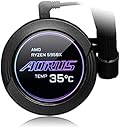
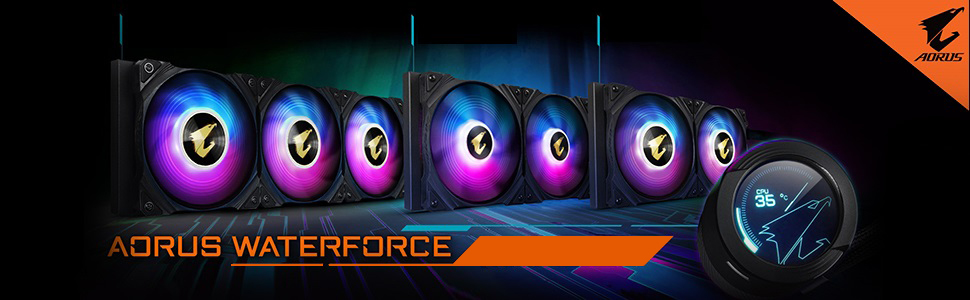
The AORUS WATERFORCE X 360 is a premium all-in-one liquid CPU cooler featuring a 360mm radiator, a unique 60x60mm full-color LCD customizable with videos and text, and high-performance ARGB fans with graphene nano lubricant. It supports a wide range of Intel and AMD sockets, offers quiet operation at 37.6 dB, and integrates seamlessly with RGB FUSION 2.0 for synchronized lighting across your setup. Designed for high-end CPUs and overclockers, it delivers efficient heat dissipation with a sleek, customizable aesthetic.







| ASIN | B08YMVNQDJ |
| Best Sellers Rank | #2,563 in Computer CPU Cooling Fans |
| Brand | GIGABYTE |
| Brand Name | GIGABYTE |
| Compatible Devices | Desktop, Server |
| Cooling Method | Water |
| Customer Reviews | 4.4 out of 5 stars 415 Reviews |
| Included Components | AIO Cooler |
| Item Dimensions L x W x H | 15.51"L x 1.06"W x 4.69"H |
| Item Weight | 1 Kilograms |
| Manufacturer | GIGABYTE |
| Material Type | Aluminum |
| Maximum Rotational Speed | 2500 RPM |
| Model | AORUS WATERFORCE X 360 |
| Noise Level | 37.6 Decibels |
| Number of Items | 1 |
| Part Number | AORUS WATERFORCE X 360 |
| Power Connector Type | 4-Pin |
| Product Dimensions | 15.51"L x 1.06"W x 4.69"H |
| UPC | 827676014427 813567029700 |
| Unit Count | 1.0 Count |
| Voltage | 360.0 |
| Warranty Description | 3 |
| Wattage | 360 |
T**O
Keep your cool
If you are running a top-end CPU and overclocking, you need this. It ranks within the top 5 360 AIOs available. I prefer to keep my equipment with the same manufacturer to simplify control/configuration and reduce all the additional software needed. It efficiently keeps temps under control, and even when running at full speed, I don't hear a thing. The build quality is first-rate rate as would be expected from Gigabyte. Installation is straightforward with no surprises. As with all coolers, you have to possess a case that will accommodate its size and also consider positioning within your case. I think the price point is spot on.
M**N
You get what you expect
I preferred this one because my rest of the system is also all gigabyte, so I dont like to have a separate software for everything. The contact point is pretty large so it is covering more area than the size of any consumer CPU. The screen has various options to display, like custom text, custom image, custom gif, custom video (if you attach a SD card), CPU statistics etc... All in one can be managed through gigabyte software. I will not say you that the gigabyte software is the best one out there and the most stable one, but if you have a clean windows and clean setup, 99% of the time it is working without an issue with me but I know when it happens it happens and it is annoying. Cooling values are really good, I am using one in AMD R7 7800X3d and with cpu load tests I could manage to heat the cpu up to 81 Celcius maximum, that was top head I could reach. With intel i9 14900K with the full load I could manage to hit 100 degree celcius but then dropped back to 95s and travelled between the 95-98. I mean for intel I think you can not do much. But ofcourse these are give everything to cpu tests. In normal usages like gaming intel stays at around 65-70 and AMD stays around 50-55 including background screen recording and playing spotify during gaming (Euro Truck simulator , Battlefield 2042, Red Dead Redemption 2 are games I play mostly)
R**M
Excellent Water Cooling
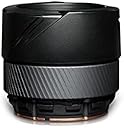
One of the best CPU water coolers out there. Mounting the radiator is the same with all brands as far as I know. The pump can go on four ways depending how you want the hoses to run. The only thing you must take into account is Gigabyte uses higher quality, thicker hoses, than most of the other manufacturers. Being thicker, obviously they can't bend at the same arc as many of the other brands. So plan ahead where your GPU pump & memory sits and route the hoses accordingly. You can have a lot of fun with the LCD screen on the pump as its display can be changed easily with the micro card that fits into the side of the pump. Remember they don't supply a micro card with the unit so you'll have to buy that separately, but you only need that if you want something other than the supplied graphics that are already programmed in the unit.. Would recommend this cooler to all.
J**0
Buyer Beware
First off, I LOVE this AIO, however, there were frustrations upon install. I'm not sure how many others have stated this, but this AIO has some very thick and rather short hoses. Depending on your motherboard, you may be able to only install/mount things one way, as the waterblock will be too close to the RAM slots, or it simply won't reach due to the hoses being short. I initially installed this on a z690 Hero and the only orientation the waterblock would mount is with the hoses facing down (which is fine), but I usually like them to the side when mounted. I was one of the unlucky owners of a bad Hero board, so I got the z690 Apex and the only way it will fit that board is with the hoses to the side (opposite of the ram slots). In order to mount it that way, the radiator had to be installed in only one direction so it would mount to the mbo. Now, If you install your radiator to the front of your case, the waterblock may reach/fit, but I can't say for certain as I always do top mounts. Anyway, installation issues aside, the AIO itself runs great! My CPU is always really cool, around 29-31 degrees when not running games, and gets in the low to mid 50's when i'm really pushing it while gaming. I also paired this with Lian Li fans, just for looks.
R**S
Great AIO Cooler For Your High End CPUs 2nd Time Purchasing for a New Build
I liked this cooler so much I bought it twice. My original one has been going strong for about 3 years now and keeps my i9 10900K nice and frosty. So I decided to purchase a 2nd one for a new build to cool an i9 13900k and it does a great job. Not to mention the display is awesome and so are the LED Fans. I have to admit on the new build I did swap the fans out with MF140 Halos by Cooler Master but do have the factory ones on my other build. One thing to mention is that in order to get this working you will need a micro SD Card Formatted Fat32 in order for the Firmware Update to work. Yes you will need to latest firmware in order the the software to work correctly with your X280. You will also need the Gigabyte Control Center Software to get the full functionality. So be sure to install that as well.
S**V
On my second and its worse than the first
The cooler is beautiful, no doubt, and it does the job well. The problem is with the hoses. For one, they are too short, I'd say by about an inch. Second, the hose clamps are too big, and they easily separate. 2 of my clamps will not stay on, and it is extremely annoying. My first ram slot could not be used if I had 4 sticks, the huge hose clamp prevents that slot from being occupied. I returned my original cooler and ordered a second one. While mounting radiators is not difficult, cable management can be, so I didn't look forward to doing it a second time. I managed the second install and one of the CPU mounting screws snapped, wonderful. Basically, hand tighten the screws, or you risk snapping one. The second rad has a bad pump, anything above silent setting sounds like a hard drive thrashing about in my case. Now I need to do this all over again a 3rd time. This feels very much like a first gen cooler from gigabyte, they need to improve on the hoses the screws and apparently the quality testing. Update: On my 3rd unit and so far so good. The pump is not rattling and finally the Aorus Engine / RGB2.0 software is controlling my GPU my cooler my board and my ram. It took Gigabyte 4 revisions to make one that actually works.
M**L
Looks cool, well built, great performance!
Pros: - Breathtakingly cool as compared to most of the CPU coolers - Easiest installation - Great performance - Highly customizable (needs gigabyte RGB app) - Thermal paste included Cons: - No CPU FAN connection, needs Gigabyte Aorus Engine to adjust fan speed according to the CPU temperature. Although, the app can be easily accessed through Support tab on Aorus website.
V**R
Nice temperatures
Great Aio. Keeps my 9800xd3 cool with undervolt 53 Celsius at load! Full load barely 60!! Fans are a bit loud but overall great product and high quality.
S**S
Dope Product
Great Product, Great Look, Sufficient Cooling. Paired With My Ryzen 7 3700X, Getting 35-45 on idle+ low load task, getting 50-60 on 1080p Ultra setting Gameplay. NOTE- Sometime Screen GIF getting Stucked, don't know it's RGB Fusion Software Bug Or Aio problem. Anyway All over it's a good choice
M**H
Good
After receiving the item very late. I found gap of air inside the radiator, so i didn't install it because if there is a leak it will damage my new PC so i returned the item to Amazon beside as long it is still new it shouldn't have air inside any way, so way to accept it. And now after 30 days from returning date, Amazon told me that i have to wait for another month to receive my money back
R**N
Muy padre combina con todo
Mantiene sus temperaturas muy bien y el software permite hacer cambios y estar pendiente de eso
S**L
The best cooler
This cooler did things I did not know it could do!! Like adding images, gifs or video's My pc used to get very hot and now it feels close of too cold. I recomand this cooler to anyone.
R**A
Excelente
Me encanto que es simple de armar aparte que la entrega fue muy rรกpida funciono muy bien ๐
Trustpilot
1 week ago
2 weeks ago