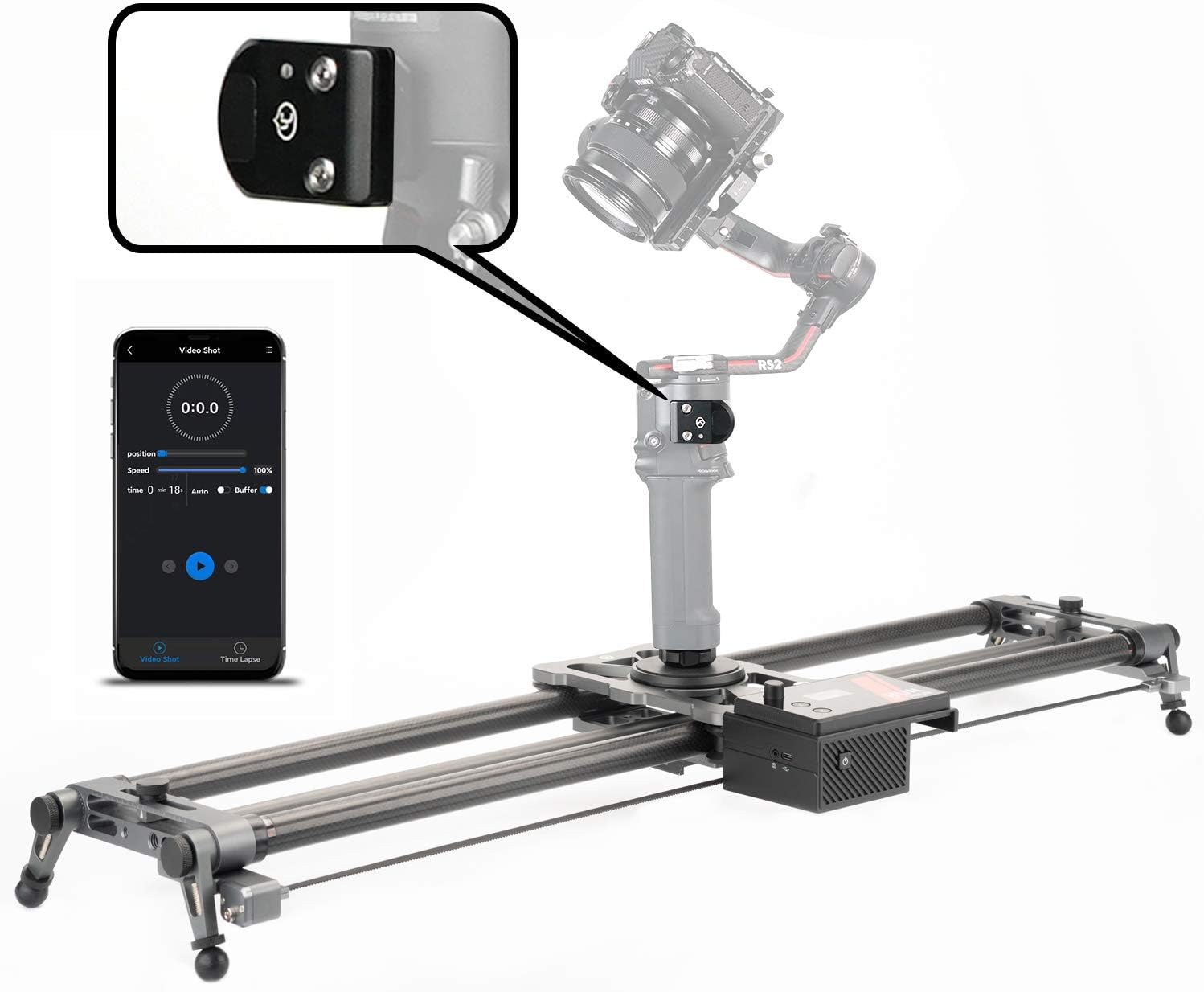

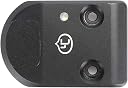

YC Onion RS2 Stabilizer Bluetooth Linked Control Module
Product ID: 302775960
Buy anything from 5,000+ international stores. One checkout price. No surprise fees. Join 2M+ shoppers on Desertcart.
Desertcart purchases this item on your behalf and handles shipping, customs, and support to UK.
YC Onion Motorized Camera Slider and RS2 Stabilizer for Carbon FiberEasy APP control linkage with RS2 stabilizerPackage includes:1 * Control module1 *Accessory Pack Review: It works…. and is very advanced actually! - Amazing that a device like this exists! For the price, it’s an important accessory for slider if using with a gimbal. When I first ordered this, it would not turn on. desertcart accepted return of the original and I ordered it again… the second unit worked immediately with the Ronin RS3 Pro! The setup is very simple via the YC Onion app. Set point A for Slider, then add key frames for Gimbal. The slider can move specifically for EACH key frame so move both the gimbal and slider (via app) for each point. Finally set the final Slider B point and you are done! It can run in an infinite cycle, and the movement between each keyframe is very smooth, especially if you adjust smoothness inside the Ronin app for Gimbal. Two important understandings: 1. Add both the Gimbal and Slider in the YC Onion app (many gimbal models are available but check compatibility before buying!) 2. Once both are added in the app, you select both icons and an option will appear on the bottom of page to enter a “pairing mode” which now always works consistently! It even remembers the last program you set (having additional program save options though would be a nice update for App). I am very impressed. I would ignore the other comments mentioning it is unreliable or not professional. If you understand keyframes, this is it. For example, if you set point A with Gimbal facing top right corner, then set point B with Gimbal facing bottom left corner, the App will perfectly figure out the movement in between, and when running back and fourth, reverse the same movement. Adding multiple Gimbal keyframes (I’ve added up to 6 so far) within the A to B Slider points makes this very sophisticated and really could be used in a studio setting or advanced nature time-lapses. Recommend adding the Manfroto “MOVE” quick release system to quickly switch from slider to handheld when necessary. Review: This does not really work well at all. - No ease in ease out possible with created motion (does a hard ping pong on the RS2 that looks very amateurish) Does not start and stop the same way each time - sometimes it falls behind the slider - so the slider stops moving, and this device makes the RS2 continue to move, and the device makes the RS. go too fast so it ends before the slider move does. This is different each time. Very very crappy app - no way to edit keyframes - you need to start over from scratch every time. Overall, if you want to create a move with your RS2 on a slider (any slider, even the Onion Hot Dog) you are better off using the DJI app (which is not bad) , and just pressing play on the slider and the app at the same time. This is a complete fail that has no place on any pro set.
L**L
It works…. and is very advanced actually!
Amazing that a device like this exists! For the price, it’s an important accessory for slider if using with a gimbal. When I first ordered this, it would not turn on. Amazon accepted return of the original and I ordered it again… the second unit worked immediately with the Ronin RS3 Pro! The setup is very simple via the YC Onion app. Set point A for Slider, then add key frames for Gimbal. The slider can move specifically for EACH key frame so move both the gimbal and slider (via app) for each point. Finally set the final Slider B point and you are done! It can run in an infinite cycle, and the movement between each keyframe is very smooth, especially if you adjust smoothness inside the Ronin app for Gimbal. Two important understandings: 1. Add both the Gimbal and Slider in the YC Onion app (many gimbal models are available but check compatibility before buying!) 2. Once both are added in the app, you select both icons and an option will appear on the bottom of page to enter a “pairing mode” which now always works consistently! It even remembers the last program you set (having additional program save options though would be a nice update for App). I am very impressed. I would ignore the other comments mentioning it is unreliable or not professional. If you understand keyframes, this is it. For example, if you set point A with Gimbal facing top right corner, then set point B with Gimbal facing bottom left corner, the App will perfectly figure out the movement in between, and when running back and fourth, reverse the same movement. Adding multiple Gimbal keyframes (I’ve added up to 6 so far) within the A to B Slider points makes this very sophisticated and really could be used in a studio setting or advanced nature time-lapses. Recommend adding the Manfroto “MOVE” quick release system to quickly switch from slider to handheld when necessary.
R**O
This does not really work well at all.
No ease in ease out possible with created motion (does a hard ping pong on the RS2 that looks very amateurish) Does not start and stop the same way each time - sometimes it falls behind the slider - so the slider stops moving, and this device makes the RS2 continue to move, and the device makes the RS. go too fast so it ends before the slider move does. This is different each time. Very very crappy app - no way to edit keyframes - you need to start over from scratch every time. Overall, if you want to create a move with your RS2 on a slider (any slider, even the Onion Hot Dog) you are better off using the DJI app (which is not bad) , and just pressing play on the slider and the app at the same time. This is a complete fail that has no place on any pro set.
Trustpilot
2 months ago
2 weeks ago