


Buy anything from 5,000+ international stores. One checkout price. No surprise fees. Join 2M+ shoppers on Desertcart.
Desertcart purchases this item on your behalf and handles shipping, customs, and support to UK.
๐ Elevate your home office game with Epsonโs powerhouse all-in-one printer!
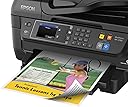
The Epson WF-2760 is a versatile all-in-one inkjet printer designed for home and office use, featuring Precision Core technology for laser-quality 1200 dpi prints. It offers robust wireless connectivity options including Wi-Fi Direct, NFC, and Ethernet, plus a 2.7" color touchscreen for intuitive control. With a 150-sheet capacity, auto duplex printing, and a 30-page auto document feeder, it streamlines your printing, scanning, copying, and faxing needs in a compact design.




| ASIN | B01DME4SWG |
| Additional Printer Functions | Copy, Fax, Scan |
| B&W Pages per Minute | 1 |
| Best Sellers Rank | #757,717 in Office Products ( See Top 100 in Office Products ) #381 in Ink Tank Printers |
| Brand | Epson |
| Built-In Media | CD-ROM for product setup, DURABrite Ultra Ink cartridges โ Four 220i-series standard capacity ink cartridges: Black, Cyan, Magenta, Yellow, Epson WorkForce WF-2760 all-in-one, instruction manual, power cord |
| Color | Black |
| Color Pages per Minute | 1 |
| Compatible Devices | Laptops, PC, Smartphones |
| Control Method | App |
| Controller Type | Android, Vera, iOS |
| Customer Reviews | 3.8 3.8 out of 5 stars (1,786) |
| Display Type | LCD |
| Dual-sided printing | Yes |
| Duplex | Yes |
| Global Trade Identification Number | 00010343928848 |
| Hardware Interface | Ethernet |
| Ink Color | Black, Cyan, Magenta, Yellow |
| Item Type Name | Epson WorkForce WF-2760 All-in-One Wireless Color Printer with Scanner, Copier, Fax, Ethernet, Wi-Fi Direct and NFC |
| Item Weight | 18 Pounds |
| Manufacturer | Epson |
| Maximum Copies Per Run | 100 |
| Maximum Copy Resolution Black and White | 1200 dpi |
| Maximum Copy Resolution Color | [HIGH RESOLUTION] |
| Maximum Media Size | 8.5 x 14 inch |
| Maximum Print Resolution Black and White | 1200 dpi |
| Maximum Sheet Capacity | 150 |
| Maximum print Resolution Color | 1200 dpi |
| Model Name | WF-2760 |
| Model Number | C11CF77201 |
| Model Series | WorkForce |
| Number of Ethernet Ports | 1 |
| Number of Licenses | 1 |
| Number of Trays | 2 |
| Other Special Features of the Product | Ethernet,Wireless |
| Output sheet capacity | 150 |
| Paper Size | 1 |
| Power Consumption | 14 Watts |
| Print media | Paper (plain) |
| Printer Connectivity Type | USB, Wi-Fi |
| Printer Output Type | Color |
| Printer Type | Inkjet |
| Processor Count | 1 |
| Resolution | 12000 |
| Scanner Type | document |
| Specific Uses For Product | Home, Office |
| Total Usb Ports | 1 |
| UPC | 010343928848 |
| Warranty Description | 1 year limited |
| Wattage | 14 watts |
B**N
Great printer, great price
I have been using this printer fairly heavily for my business for the last week or so, and at this price point it is really hard to beat. This Epson replaced an older Brother laser color all-in-one, and it has made me realize how much I missed the superior color reproduction offered by an inkjet printer. Admittedly, text is not as sharp as it was on the laser, but this printer was also 1/4 the cost, and the difference is negligible. I was able to easily set this printer up on Windows 10, Mac OS X, and Fedora Linux (23 and 24). I did setup over ethernet, and it was largely painless. All operating systems found and detected the printer without issue, although on Linux I did have to download additional drivers from the vendor website. I was able to install without issue though, and Epson provides drivers for all major Linux distros, with rpm, deb, and source downloads all available. Cons - The printer is a bit louder than I expected, and its startup time is somewhat slow. These are minor issues though. I'm really only mentioning them so that I am able to put something down as a con. Pros - This printer performs great. Text and color reproduction exceeded my expectations. I have not tested the fax capabilities yet, but the printer produces good prints and copies, and the color accuracy of the scans is superior to my old Brother all in one and a previously owned HP all in one. Scan time also seems superior, although I have not actually timed it. I have not printed any photos, nor do I really plan to. I imagine it would produce passable photo prints using appropriate paper, just judging by basic color output I have witnessed thus far. I cannot comment on the life of the included ink cartridges, but they are still chugging along after several dozen prints (as I would expect them to). At the end of the day, I would easily and without hesitation recommend this printer to anybody in the market for a good quality all in one office printer that won't nuke your budget.
J**B
Great as a home printer
I bought the Epson WF-2760 to replace a 4+ year old HP OfficeJet Pro 8500 that was no longer printing properly. It was very easy to set up. I opted to connect it to my network using wired connection but probably could have connected it to PC using USB and then enabled WIFI for other devices. Printed pages look great. All printed text (black and color) have crisp edges. Bright colors don't look as vivid as my old HP printer but it's still very good. Not sure but it could just be a difference between HP and Epson ink. The LCD control panel is pretty intuitive. I've used copy, fax, and scan. I figured out how to use the Epson Scan software application on my PC to scan documents to my PC. But I have not yet figured out how to scan to my PC using the printer's LCD screen. I suspect it can be done but didn't feel like spending time to RTFM (read the help documentation). This printer has a small footprint and is maximum of 9" tall so it takes up much less space than my old printer.... a big plus. The high customer ratings paint an accurate picture. This really is a great little printer and is easily worth buying as a home printer.
L**R
TWO YEARS OF OWNERSHIP
For over two years, I have dealt with this printer. The description says "Fast, Reliable, and" some other nonsense that isnt true because this is the worst printer ever. I read the reviews like everyone else does here on Amazon, but I still bought it anyway. At the time, I thought I was getting a decent deal for the money, since Epson is a pretty well established brand in the photocopying business. HOWEVER: DO NOT DOUBT THE REVIEWS. I write this review to stop a fellow college student who is low on money not spend their money and waste their time on this piece of junk. I may just sound like I'm exaggerating, but I am NOT. First, the only 3 things I like about it, which compelled me to buy it: the scanner has an auto feeder, which is very useful. And the printer has an app, where you can print from your phone. Also, the printer has a two sided option And now the good is out of the way, I can truly tell you the horrors of Epson WF-2760 ownership. - The printer refuses to print only in black ink, which is frustrating considering the printer uses its overpriced color ink way too quickly on only monochrome printing. - The ink is overpriced. - It has a "PRECISION CORE" badge on the front, which unsurprisingly lies considering the print always comes out fuzzy and the color is not accurate. - The stop button does not work as far as I've seen. While printing and you try to stop with the stop button, you will hear an annoying tone saying it's unable to do that. -Speaking of stopping and fuzzy images, the app allows you to print from your phone, which in theory is an awesome and useful concept, but all of the images turn out hazy and it takes 4x as long as it should need to because presumably of the wireless aspect. Also, if you choose to cancel using the app, (and I am NOT exaggerating) you will be required to sit and wait at least 5 minutes. It acts like a car without brakes that has to coast to a stop. - The auto feeder is slow and things always get stuck. - This printer has a very hard time with any paper but stock 8 ร 11 printer paper. It refuses to pull up the paper to print and then it gets jammed. - This printer likes to jam. Not the good kind, with music either. IT JAMS A LOT. - The touch screen is unresponsive. - In the middle of the night, in your dorm, when it is 2 am, while you are sleeping, the printer will begin its "I've been sitting too long and I have to refresh myself to keep from drying my ink out" process and it WILL WAKE YOU UP, which makes you chose to unplug it every time to keep from waking up to that, which therefore makes the startup time for that paper that is due take 10 minutes when it could have taken 2. - The software it installed on my laptop makes my laptop think that anything that is put into the USB port is a scanner and then you go through a process of the fatal "Scanner is unresponsive to your PC" message when you just wanted to charge your phone. - When working in top conditions, the printer is slow. - The paper settings are nonsense and if you try to use glossy paper with glossy settings, it says *holds nose closed* *snarky mimicking voice* "Paper settings do not match paper source". So when you try to print posters, at 6am and you have several designs to print, you have to print each individually while waiting on the option to pop up on the screen. These are just a few reasons I have chose to give up on this printer and buy what I should have bought two years ago, but thought I would be getting a better printer for the extra money. I will be buying a laser printer. This printer made me lose all hope in inkjet printers. However, if you insist on reading this review and then just buying it anyway, I must also insist on one thing to assist you. Buy a $3 80s electric typewriter from your local thrift store, because it will be more reliable that this Epson Workforce printer. Being a college student, I can only imagine if I was running a business with a printer like this. This is not intended for a workforce, because it definitely can't keep with a 20 year old in a dorm, let alone a bookkeeper or lawyer. This printer was a joke when I bought it, it is a joke now, and it will be a joke to whoever buys this printer from the thrift store after I donate it.
K**G
Fast, high quality, easy to set up and use. Make sure you set up the tray holder; otherwise your paper shoots out quickly! Excellent value for money
D**T
The first time the black ink cartridge ran empty, replacing it with an Epson cartridge went according to the instructions. The second time, using the same procedure, also with an Epson branded cartridge, the black ink level showed as full up but ink would no longer flow. Auto print head cleaning did not correct the issue. Fiddling and re-seating the cartridge did not either. Nor did installing another new Epson cartridge. Repairing this printer would be more expensive than the printer itself. The only solution is to throw it in the trash and buy a new printer of some other make. Better yet, consider it trash right now and don't buy it in the first place. There are other brands than Epson.
H**A
Wow, for the price, I LOVE THIS PRINTER. I hate most printers, because they always don't print. This one has been working fine for a few months. I buy non-Epson Ink, so that voids my warranty, but if it ever breaks, it's less than $100 to replace. I like that there is a wireless and a wired option.
T**X
Great little printer. Pros, - Fast - Can initiate scans from printer to any computer on network - Wireless works great Cons, - Ink is expensive (it is for other printers as well) - Not quite as good as our old HP for photo printing. Can get good photo prints but just have to tweak colors, contrast and brightness. I would recommend, hard to beat for the price. Update...Have had it for 1 year now and have had no problems.
C**N
Excellent produit. Facile ร installer et configurer. Utilise peu d'encre.
Trustpilot
2 days ago
1 month ago