Desertcart purchases this item on your behalf and handles shipping, customs, and support to UK.
🚀 Upgrade your desktop WiFi game with lightning-fast, precision-tuned connectivity!
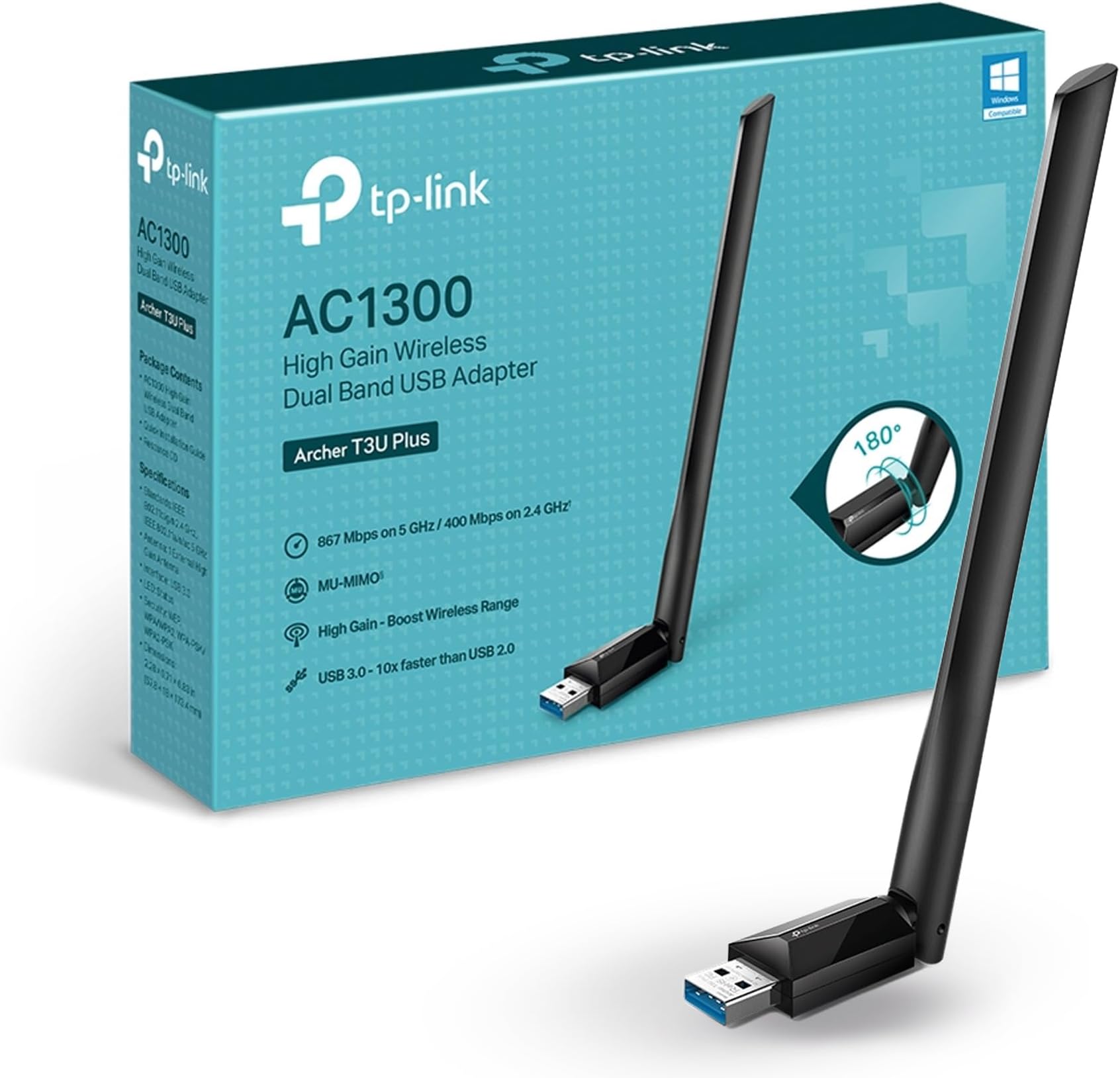
The TP-Link Archer T3U Plus USB WiFi Adapter delivers dual-band AC1300 speeds up to 867 Mbps on 5 GHz and 400 Mbps on 2.4 GHz, enhanced by MU-MIMO technology for efficient multi-device streaming. Its 5 dBi adjustable high-gain antenna ensures extended range and stable connections, compatible with a wide range of Windows and macOS systems. Ideal for professionals seeking reliable, high-speed wireless upgrades for desktop PCs.


| ASIN | B08D72GSMS |
| Best Sellers Rank | #2 in Computer Networking Antennas |
| Brand | TP-Link |
| Built-In Media | 1 x AC1300 High Gain Wireless Dual Band USB Adapter1 x Quick Installation Guide1 x Resource CD |
| Color | Black |
| Compatible Devices | Desktop |
| Compatible Operating System Family | Windows |
| Customer Reviews | 4.4 out of 5 stars 17,265 Reviews |
| Data Link Protocol | USB |
| Data Transfer Rate | 867 megabits_per_second |
| Hardware Interface | USB |
| Item Dimensions L x W x H | 2.28"L x 0.71"W x 6.83"H |
| Item Weight | 18.14 g |
| Manufacturer | TP-Link |
| Mfr Part Number | Archer T3U Plus |
| Minimum Required Operating System Version | Windows XP |
| Model Number | Archer T3U Plus |
| Number of Items | 1 |
| Product Dimensions | 2.28"L x 0.71"W x 6.83"H |
| UPC | 840030701047 |
| Unit Count | 1 Count |
| Warranty Description | 2 year manufacturer |
M**N
Very Cost-Effective but Reliable Dual-Band WiFi Adapter
This WiFi adapter is an effective but cost-effective way to add dual-band WiFi to a PC. I've found that it reliably maintains WiFi connections and has decent throughput. Additionally, the antenna is large and very adjustable which gives this adapter a big leg up on those adapters that have small and/or internal antennas. I am now using two of these on a regular basis.
E**Z
Great performance, easy setup, and very reliable
I’m very happy with this TP-Link AC1300 USB WiFi adapter. Setup was extremely easy—plug it in, install the driver, and it worked right away. No complicated configuration at all. The speed is excellent. I immediately noticed a big improvement compared to my old WiFi adapter, especially on the 5GHz band. Streaming, video calls, and downloads are smooth and stable, with no random drops. It’s a perfect solution for desktop PCs that don’t have built-in WiFi or for upgrading an older adapter. Reliable, fast, and well worth the price. I would definitely recommend it.
A**N
How I got 802.11ac and 5G working in Windows 11
I've increased from 3 stars to 4 as a result of the following workaround. Can't give 5 stars because the workaround was necessary, and because it took many hours to find! The following apparently solves the problem of being stuck with 2.4G (Wifi 4). Despite all my previous efforts, the device would eventually revert to 802.11n which is limited to 2.4G and Wifi 4. Then I found this: 1) Control Panel -> Network and Sharing Center. Identify the TP-Link adapter device. Right mouse -> Properties. Then Configure. Driver tab. Uninstall Device (and attempt to remove driver). Then IMMEDIATELY unplug the USB device. 2) Control panel -> Programs and features - TP-Link Archer driver (etc) - if it exists, uninstall it. 3) Plug in the Linksys Archer T3U into Windows 11 computer USB 3.0 port Then Right-click on This PC -> Manage; then select Device Manager. Under Network Adapters find TP-Link wireless USB Adapter Right mouse click on the device, then select Properties Go to the Advanced tab Click on "Wireless Mode". In the drop-down box, select IEEE 802.11ac Click on "OK" If the above solution does not remain successful, I will come back and edit again. ORIGINAL REVIEW This TP-Link AC-1300 Archer TCU Plus adapter works like it is supposed to.... but only IF you use the latest driver from the TP-Link web site. Based on my experience, the driver that is included on the DVD only gives you Wifi 4 (802.11n) compatibility. Similarly, when I plugged it in without first installing any driver, Windows only supplied a 802.11n driver. The driver I downloaded from the TP-Link web site gives Wifi 5 (802.11ac) compatibility. In Windows 11, once I installed this adapter and connected to a network, I checked what kind of connection I got via the Wifi icon on the bottom right of the task bar. I clicked on that icon, and then on the ">" symbol next to the Wifi connection. Then click on the blue "i" in the blue circle next to the connection. Under "Protocol" iit shows what kind of connection you have: Wifi 4 (802.11n) or Wifi5 (802.11ac). Be sure to install the new downloaded driver BEFORE you plug in the new adapter. Otherwise the 802.11n driver will be automaticaly installed by Windows, and you'll need to uninstall it before you can get the new driver to install properly. If you've already installed the driver from the disk that came with the adapter, you'll need to go into the Control Panel -> Programs and Features to uninstall it before installing the downloaded driver. If instead you attempt to install the downloaded driver without removing the one from the disk yourself, the downloaded installer will attempt to remove it, but will fail. It will appear to have worked, but you'll still get only 802.11n. Once I figured all that out and navigated it successfully, the adapter works wonderfully - significantly better than the adapter inside my PC. I've deducted two stars for the installation challenges. There are multiple ways to get it installed incorrectly. I suspect a lot of people are just using it as an 802.11n device without realizing it. I hope this review helps some people get the full benefits of this device. When properly installed, it is a significant improvement on the adapter inside my PC. ORIGINAL EDIT: I've had to turn off Windows driver updates and also uninstall Dell Support Assist because both services replace the driver for this adapter with an incorrect driver (which lacks 802.11ac support.) If you're not willing to do that, you might want to consider a different adapter.
A**D
Installed in under 2 seconds!
If you are questioning what WiFi wireless adapter should I get, look NO further this is the one!! I literally put the adapter into the USB port, clicked onto my WiFi icon and was connected in under two minutes! The signal is strong and I could have not asked for a better product for the money!!!! No hassle no worry! Very satisfied and TP-Link will have a customer for life! ❤️
A**D
Quality
Overall it was very durable and nice quality.
J**K
Boosts wifi quite a bit. Good value for money.
I use it with my 8+ year old Toshiba satellite laptop. It has increased the wifi signal siginificantly.
N**E
Works great!
Casts further than previously
A**Y
does the job
have an old home laptop that is used lightly since it's quite old but still functional for basic things like streaming but it suddenly wasn't able to connect to wifi one day and this was able to resolve the problem
T**R
مدى البعد للجهاز
جميل جدا يستحق الشراء شكرا امازون
D**L
Enhance desktop PC's internet connectivity. It's fast, reliable, and easy to use
The TP-Link Archer T3U Plus has been a significant upgrade to my desktop PC's connectivity. This isn't just a WiFi adapter, it's a powerful tool for seamless internet access. The AC1300Mbps USB 3.0 WiFi Dual Band Network Adapter is a standout feature. It provides fast and reliable internet connectivity, supporting speeds up to 1300Mbps. The dual-band functionality allows me to switch between 2.4GHz and 5GHz bands based on my needs, ensuring optimal performance. The High Gain Antenna ensures a strong and stable WiFi signal. Whether my desktop PC is close to the router or in a different room, the Archer T3U Plus delivers consistent internet connectivity. The MU-MIMO technology is another feature that I appreciate. It allows the WiFi adapter to serve multiple devices at once, improving efficiency and speed when multiple devices are connected to the network. The compatibility of the Archer T3U Plus is impressive. It supports Windows 11/10/8.1/8/7/XP and Mac OS 10.9-10.15, making it a versatile choice for various desktop PCs. The TP-Link Archer T3U Plus is a fantastic investment for anyone looking to enhance their desktop PC's internet connectivity. It's fast, reliable, and easy to use. Highly recommended!
M**S
Gostei, melhorou minha internet.
É um bom adaptador, meu notebook tem uma placa de rede antiga (suporta somente 2.4GHz) com velocidade variando de 30-50 mbps com sinal forte no speedtest, com a placa de rede antiga conseguia assistir vídeos em até1080p sem travar (quando colocava em 1080p60 começava a travar). Com a adaptador na rede 5GHz eu consigo velocidade de 60-110 mbps com sinal médio e consigo assistir vídeos em 4k60 sem travar. Estou testando ele por 3 dias e só tive um pouco de problema no início que ele ficava conectando e desconectando sem parar, depois de algumas horas eu tive a ideia de reiniciar o modem e roteador e depois daí resolveu esse problema. O único ponto negativo que encontrei é que eu esperava uma captação de sinal muito melhor por conta da antena externa. O sinal melhorou pouca coisa em relação a aparelhos com placa de rede com antena interna.
C**.
Cumple bastante bien
Es un producto muy honesto, cumple con lo que promete, da buena cobertura. Cuenta con la antena y un disco para la instalación, el proceso es muy sencillo y rápido. Hasta el momento no ha presentado problemas. Cómo comparación, la antena la compré porque mi escritorio queda lejos del módem y anteriormente compré un wifi mesh y no me dio resultado, la distancia y número de paredes lo hacían imposible, pero está antena si logra dar buena señal
N**S
Simple, cost effective USB WiFi adapter
Simple to use, cost effective USB WiFi adapter for PCs out of reach of router. Unwrapped, connected and working within minutes.
Trustpilot
1 month ago
2 weeks ago