


Desertcart purchases this item on your behalf and handles shipping, customs, and support to UK.
🎯 Dominate every move with precision and style — the Tartarus Pro is your secret weapon.
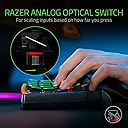
The Razer Tartarus Pro is a cutting-edge analog optical gaming keypad featuring 32 programmable keys with pressure-sensitive inputs, an 8-way directional thumbpad, and fully customizable RGB lighting. Designed for gamers and creative professionals alike, it offers adjustable actuation, unlimited macro storage, and dual-function keys to elevate control and efficiency. Ergonomically crafted and USB-C connected, it’s the ultimate tool to transform your gaming or workflow setup.




| ASIN | B07YV8TY52 |
| Antenna Location | Gaming |
| Best Sellers Rank | #44,211 in Computers & Accessories ( See Top 100 in Computers & Accessories ) #302 in Gaming Keyboards |
| Box Contents | 1 x Razer Tartarus Pro Gaming Keypad |
| Brand | Razer |
| Brand Name | Razer |
| Button Quantity | 32 |
| Colour | Black |
| Compatible Devices | Gaming Console |
| Connectivity Technology | USB-C |
| Country of Origin | China |
| Customer Reviews | 4.2 out of 5 stars 1,528 Reviews |
| EU Spare Part Availability Duration | 2 Years |
| Enclosure Material | Plastic |
| Global Trade Identification Number | 08886419360193 |
| Hand Orientation | Ambidextrous |
| Importer Contact Information | Acro Engineering Company |
| Item Dimensions L x W x H | 20.2L x 15.1W x 6.4H Centimeters |
| Item Type Name | keyboard |
| Item Weight Unit of Measure | 362 Grams |
| Keyboard Backlighting Color Support | RGB |
| Keyboard Description | Ergonomic |
| Keyboard Layout | AZERTY |
| Language | English, English, English, English, English |
| Manufacturer | Razer |
| Manufacturer Part Number | RZ07-03110100-R3M1 |
| Mechanical Keyboard Switch Model | razer_analog_optical |
| Model Name | Tartarus |
| Model Number | RZ07-03110100-R3M1 |
| Number of Items | 1 |
| Number of Keys | 32 |
| Number of Sections | 1 |
| Power Source | Battery Powered |
| Processor Count | 1 |
| Product Features | Backlit, Ergonomic |
| Recommended Uses For Product | Gaming |
| Special Feature | Backlit, Ergonomic |
| Style Name | Modern |
| Switch Type | Linear or Tactile |
| Theme | gaming |
| UPC | 811659035301 |
| Unit Count | 1 Count |
| Warranty Description | Razer offers its 1 Year Manufacturing Warranty in India. All you gotta do is make sure that the issue with your product is eligible for warranty claim. |
| Water Resistance Level | Not Water Resistant |
H**H
Better than keyboard for shortcuts.
Feels durable, I use it for digital painting and drawing, using lots of shortcuts. Don't know how it works for gaming but. Better than using a keyboard while working. Highly recommended for anybody with hands.
P**R
Here are the few things before you buy
1. This is not a normal keyboard (obviously) . 2. Use the default layout as it is the best and if you notice it’s layout is like a keyboard cut in half. 3. There are a ridiculous amount of customisation and if you have never seen it then it can drive you crazy 4. You will find it hard to hold it at first but trust me it will get easier to hold the longer you use it and try to avoid using your laptop keyboard (if you have it). 5. Final thing, if you already have a good gaming keyboard don’t buy this (I’m not asking it’s bad just saying that it’s not worth the risk learning a new type of layout)
S**.
You will need to adjust .. its not a keyboard
Good product but beware learning curve
C**E
Great product but D-Pad has a manufacturing fault.
I have been using this product for a while and the D-Pad is broken. The switches that they have used for the D-Pad are of low quality. Once they are broken, it is impossible to fix them unless you source the switches from countries like China and later you will have to solder them to the PCB. Razer doesn't have any official support for this issue. You will have to buy a new unit instead. Considering the price at which this product sells. It is not even worth it.
S**Y
DO NOT BUY
Made the mistake of buying it thinking it would be a fun experience. It wasnt. Setting this thing up will make you question your $1000+ gaming pc and your own sanity. The games do not link well to razer synapse which is the software used for this to have any proper use at all.
J**I
It automatically updates but disables the keyboard during update
I was in overwatch comp game while update happened. Do not buy this bad product
D**Y
Tres bonne qualité !! Je recommande vivement 👍
A**O
Perfecto, muy útil y se puede personalizar
Estoy muy satisfecho con mi producto, lo personalize con keypads verdes para más precisión igual de la marca razer, lo uso para Albion Online y League of legends
B**E
J'adore !
Je suis habitué au Keypad gaming et j'étais en possession du Orbweaver de Razer (avec touches mécaniques) depuis bientôt 9 ans et il vient récemment de me lâcher. (Je peux dire que je l'ai vraiment séché pendant ces 9 années, je ne joue qu'avec ça.) Je suis donc parti sur le Tartarus Pro car il n'y a plus qu'une seule référence chez Razer maintenant (enfin sans compter la version normale et pro) Je n'utilise pas la double détection des touches du coup je me demande si c'est une bonne idée d'avoir pris la version pro.. Mais alors quel plaisir de l'utiliser ! Il est d'un confort extrême avec le petit "canapé" sous le poignet, les douches sont silencieuses et très réactives, la couleur est top et entièrement réglable, on peut ajuster la longueur du support pour ceux qui ont des grandes mains comme moi, et l'ensemble a un rendu vraiment premium. 2 petits défauts tour de même (mais minimes donc ne rentrent pas en compte dans ma note) : - je transpire de la pomme de la main avec cette version (contrairement à l'ancienne version Orbweaver où il n'y avait strictement aucune transpiration) et donc je l'essuie de temps en temps - il manque très clairement la touche "V" à la place de cette molette useless. Mais pour palier à ce problème j'ai bindé la touche "V" sur le clic molette ET sur la molette UP + molette DOWN. Du coup peut importe comment mon doigt arrive sur cette molette, j'ai ma touche "V" qui part. Attention tout de même : il faut un petit moment pour s'adapter à un Keypad. Mais après on ne peut plus s'en passer 🙂
K**R
Too big for giant hands and a pointless scroll wheel
Removing one button to have a scroll wheel is awful to me. I already have a scroll wheel on my mouse, I don't need a giant hard-to-press clutzy one stuck on my keypad. Also this controller is gigantic. I have absolutely massive hands and I can't reach the top row of buttons comfortably. Yes, I adjusted the hand rest and even took it off completely but no luck. I have used two previous iterations of this controller and they were all fine (except the rubber pads kept coming uglued on the hand rest). This one is the worst of all of them.
L**O
Really great for a couple years, then comes the problems
It's very comfortable and useful but after a couple years some keys and especially the "spacebar" key, or key 20 starts glitching quite heavily which isn't very nice. Sometimes it completely misses an input and other times it doubles an input. I wish there was some way to fix it because everything else about it is just so amazing but I've not found any such way yet.
Trustpilot
1 month ago
1 week ago