Buy anything from 5,000+ international stores. One checkout price. No surprise fees. Join 2M+ shoppers on Desertcart.
Desertcart purchases this item on your behalf and handles shipping, customs, and support to UK.
🔗 Tiny adapter, massive wireless freedom — stay connected, stay ahead!
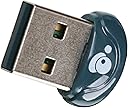
The IOGEAR Bluetooth 4.0 USB Micro Adapter (GBU521) transforms any Windows 7 or 8.1 PC into a Bluetooth-enabled powerhouse with ultra-low power consumption, a 30-foot wireless range, and support for up to three simultaneous device connections. Its ultra-compact form factor ensures it won’t block adjacent USB ports, while wideband audio and A2DP streaming deliver crystal-clear sound. Ideal for professionals seeking reliable, seamless wireless connectivity without compromise.


| ASIN | B007GFX0PY |
| Best Sellers Rank | #711 in Bluetooth Network Adapters |
| Brand | IOGEAR |
| Built-In Media | blanket |
| Color | Navy |
| Compatible Devices | Printers |
| Compatible Operating System Family | Windows |
| Customer Reviews | 4.2 4.2 out of 5 stars (1,885) |
| Data Link Protocol | Bluetooth |
| Data Transfer Rate | 3 Megabits Per Second |
| Global Trade Identification Number | 00881317509512 |
| Hardware Interface | USB 2.0 |
| Item Type Name | San Francisco 49ers All Weather Outdoor Blanket XL |
| Item Weight | 5.67 g |
| Manufacturer | IOGEAR |
| Mfr Part Number | GBU521 |
| Model Number | GBU521 |
| UPC | 741329019501 044112745183 617407326697 956262747460 611101337102 021111855945 523160929207 711938989069 172302832860 782386028938 112040001036 012951474878 631058323119 001910065905 521375303720 102931029577 069991918046 012303819449 070090135050 674656483625 072090536196 523160931606 001910065714 069991928267 696582163259 080050241950 806293537137 012302541495 807030505792 031112232058 1911201000… |
| Unit Count | 1.0 Count |
| Warranty Description | 3 Years |
A**Z
BEST OF THE BEST UNTILL NOW AND EVEN BETTER THAN BELKIN PLEASE READ THE PRODUCT DESCRIPTION CAREFULLY
I am a guy who normally work on computers and spend most of the time in front of my computer. I have a engineer degree on computer so I know abut this stuff. I tried many Bluetooth dongles, from the cheap ones to the expensive ones, but in here it fits the phrase that says As more expensive, better the product, well in this case it is true, but with this product it is not necessarily that it must be too much or crazily expensive to be good. Some customers clime to have problems with this dongle and some others asking some questions about this product PLEASE READ THE PRODUCT DESCRIPTION and this review so may help. I consider up to 20 dollars for a Bluetooth dongle is a good price. This dongle it comes with a very very nice software that connects everything automatically and recognizes everything instantly and will make a profile, if it has, of the product you have. For example I have my keyboard connected via Bluetooth, I also normally connect my JLab GO Bluetooth Wireless Headphones and the software of the Iogear Bluetooth creates an specific profile for my Bluetooth headphones and it creates another one for my cell phone, a Note 2, so the profiles works for you to control specific stuff of the devices you connect which is excellent and only expensive devices comes with such a software. I tried with the 2 dollars bluetooths and those burnt out or stop working in around 4 months. I bought this Bluetooth dongle about 4 months ago after my cheap ones, (2), bunt out, so I strongly recommend this dongle to anyone. Just pay a little bit more extra and don't get a pain in your butt suffering for cheap products, this is the real deal. There are some customers claiming that they need to upgrade or reinstall or uninstall and re install the software that comes with the Cd. Well normally even when the dongle claims to be plug and play, PLEASE INSTALL THE SOFTWARE FIRST BEFORE PLUG IT IN, generally every single product now days you have to do that install the software first and then restart your computer and then plug the device in. if that doesn't work then you can download the software from the webpage, but for me that won't be necessary. I am very happy with this dongle. Hope this review helps. Oh and PLEASE DO YOURSELFS A FAVOR.. READ THE PRODUCT DESCRIPTION BEFORE ASKING QUESTIONS... This device SUPPORTS UP TO 3 SIMULTANEOUSLY CONNECTED BLUETOOTH DEVICES AT THE SAME TIME BUT NO MORE THAN 3 otherwise the dongle will run it crazy. Thanks
H**E
Great fix for persistent BlueTooth issues on Apple Mac Pros!
This is a great solution for a pervasive problem with Apple's Mac Pro systems through 2013. I have not tested the new "late 2013" rount tower model, but all of the previous designs (Mac Pro 1,1 through 5,1) have Bluetooth antennas on the bottom of the case resulting in very poor performance - especially with the Magic Mouse. This adapter solves the problem and upgrades BT to version 4.0 BT LTE. The chip set is Broadcom, which is used by Apple. I think, starting with Mountain Lion the shipping kernel extension recognizes the chip and device, there is no extra driver software required. Previous versions required some editing of Info.plists. I simply plugged mine into one of the USB inputs on the back of the Cinema display. Based on reports I read, in some cases the system will automatically select this devices over the built-in ones. In my case, I had to use the BlueTooth Explorer available as a developer tool to activate this device as the system BlueTooth Controller. I also needed to pair all my devices again. But now, there is no more lag. Alas, it is not (yet?) recognized in Yosemite as a device suitable to allow hand off... Comment after some use: The device is not recognized during the EFI boot phase. This means that you have to use a USB connected keyboard for parameter reset, option boot device select, and entering the pass phrase for FileVault2. I always have a second USB keyboard connected, since this was also unreliable with the built-in controller. Otherwise, BlueTooth is now working great with Yosemite and Mavericks. I have not been able to get it to work properly with Snow Leopard even with an edited KEXT, but that configuration is not officially supported anyway. The controller is recognized, but I was unable to pair devices in a short test. I only use this for some old games requiring Rosetta.
M**E
Great BT adapter, Good range, Perfect size and flush fit to my HP notebook
My new HP dv6 with windows 8 pro came with a Intel Centrino 1000 BGN, but no BT... I needed a cheap cost effective solution that wasnt going to and snag on my Targus neoprene case, cause damage to one of my USB ports, or have to deal with the HP/LENOVO whitelist of approved miniPCI-E network cards... IOGEAR USB adaptors have never disappointed... The GBU521 is my 4th IOGEAR BT adapter, but my first BT 4.0 adaptor... Thankfully with windows 7 or 8, just plug it in a free USB 2 or 3 port and windows simply installs the drivers without any bloatware.... Just throw the installation disk away, you don't need it.... This adapter uses the BCM20702 Chipset, and seems to be compatible with everything ive thrown at It.. It seems to have sped up my Canon MX860 printer (using a IOGEAR BT2.0 usb adapter), works great with my Asus Google Nexus 7 transferring files, working flawlessly with my MS Wireless Bluetooth Mouse 5000, and interfacing with my iPhone 4s. I would definitely buy this again at this price in a heartbeat, but this product's biggest strength is that I perfectly fits in your laptop and doesn't protrude out like Microsoft's mouse micro transceivers or other large dongles
M**S
Works out of the box in Win10 and OSX10.14 also hackintosh
A**S
Clé fonctionnelle sous Mac OSX pour les personnes comme moi qui ont la puce Bluetooth défaillante. Elle est minuscule en plus.
M**C
This was perfect and did what I needed to do. The time it took to get between countries was very reasonable and makes my PC compatible with any Bluetooth device. Definitely recommended.
E**N
Lo compre para un Hackintosh y funcionó a la primera, sin necesidad de inyectar ningun kext. Mas facil imposible. El sistema lo reconoce perfectamente y a la primera. Mi hackintosh esta constituida por placa gigabyte GA-H97M-D3H + intel i5, y S.O. El Capitan version 10.11.5, y todo instalado con Multibeast (Tony MyMac). Bajo Win-10 también funciona a la primera, una vez carga los drivers que trae el disco de instalacion. Por mi parte, darle un 10 a IoGear
M**T
Revealing my nerd status here, I am posting this for the benefit of other users who are having trouble with their Mac's Bluetooth system. If you want a decent BT adaptor, you can use this - I have it and it definitely works with OS X. NOW READ THE NEXT BIT CAREFULLY... OS X DOES NOT select this as the default BT adaptor when you plug it in unless you have no BT installed in your Mac (rare), it is not telepathic. This is definitely not Plug and Play if you already have an active Bluetooth unit in your machine. Really honestly, Apple tech confirms this. You need to download the Apple Developer IO Developer Tools, and use the Bluetooth Monitor to switch off the internal Bluetooth circuit and select this little USB device as the ACTIVE Bluetooth device. If you do not do this, it will simply not be working and you will be wondering why things are no better as the little blue light will be illuminated. I have been struggling wit Macs and Bluetooth ever since the original G5 was released, the thick metal case causes some problems for Bluetooth reception, and buying this 'sort of' fixes it. I also have a better solution, but it is a bit dirty hands, pliers and tricky type fix - Although effective and I have carried it out for couple of other people as a favour.
Trustpilot
1 day ago
2 weeks ago