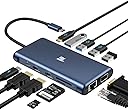
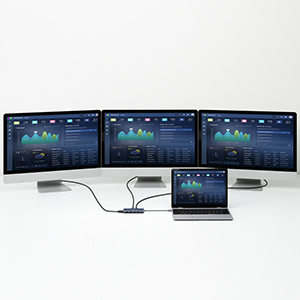
🚀 Elevate your desk game with the ultimate 12-in-1 USB-C docking station!
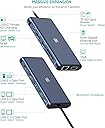
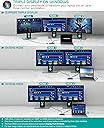
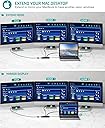
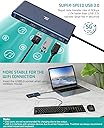
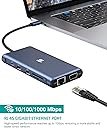
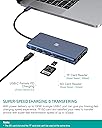
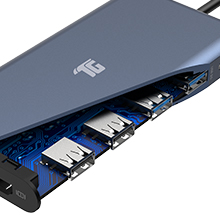
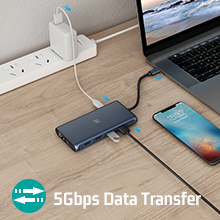
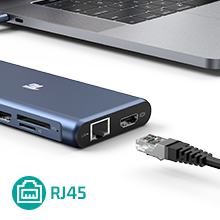
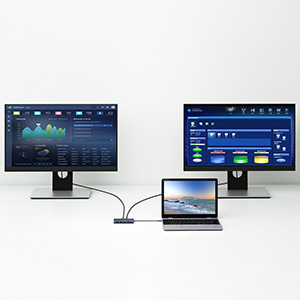
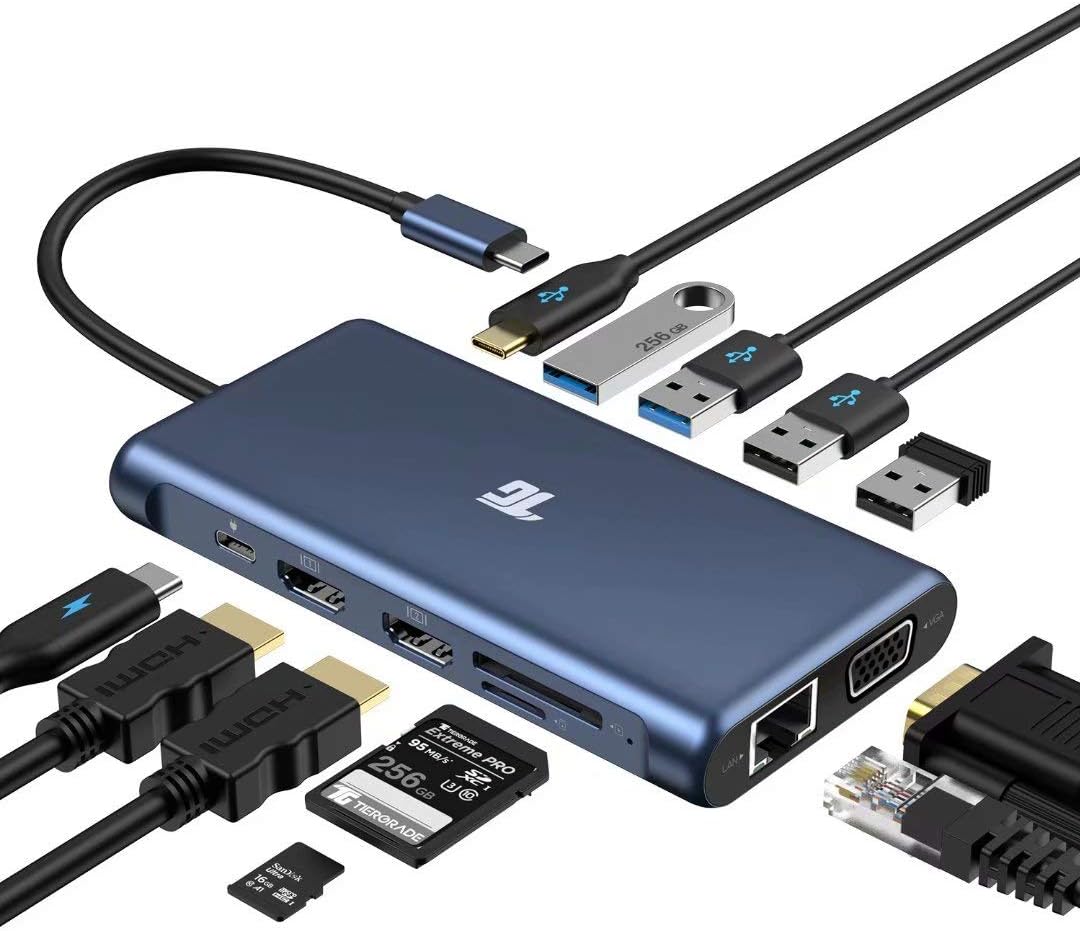
The Tiergrade USB-C Docking Station is a compact 12-in-1 hub designed for professionals seeking triple display support (2x HDMI 4K + VGA), ultra-fast 5Gbps data transfer, and 100W Power Delivery charging. It features a 1000M Ethernet port, multiple USB 3.0/2.0 ports, and SD/TF card readers, ensuring seamless connectivity for MacBook, Windows laptops, and other USB-C devices. Perfect for multitasking, travel, and boosting productivity with a sleek, portable design.


| ASIN | B07XHFZ1P4 |
| Best Sellers Rank | #61,710 in Computers & Accessories ( See Top 100 in Computers & Accessories ) #2,027 in Laptop Docking Stations |
| Brand | Tiergrade |
| Built-In Media | Tiergrade 12in1 hub |
| Color | Blue |
| Compatible Devices | MacBook Air, MacBook Pro, iPad, iPad Pro |
| Customer Reviews | 4.3 out of 5 stars 689 Reviews |
| Hardware Interface | Ethernet, HDMI , USB 2.0, USB 3.0, VGA |
| Item Dimensions L x W x H | 5"L x 2.6"W x 0.6"H |
| Item Weight | 4.7 Ounces |
| Manufacturer | Tiergrade |
| Mfr Part Number | TG-HB015 |
| Model Number | TG-HB015 |
| Number of Ports | 12 |
| Product Dimensions | 5"L x 2.6"W x 0.6"H |
| Total Number of HDMI Ports | 2 |
| Total USB Ports | 4 |
| Total Usb Ports | 4 |
| UPC | 778716324238 |
| Warranty Description | 18-month warranty |
| Wattage | 100 watts |
C**.
Very good, higher price, lots of ports, Lots of Tests/Stats in review
My background: Macbook pro user, not a super user but very tech savvy. Can use more ports on this than most and have tested various scenarios I have run into before. Turns out many of the USB-C hubs are either made by or sold by the same groups (probably both). They are all made in China even name brands. I have a TOTU one that I am sure is made by the same people or distributed by the same people. The TOTU one is the 13 in 1 just like this. They essentially have the same functionality with this Tiergrade one having a USB-C port instead of a 3.5mm jack output. Here is the one I'm comparing and have had for over a year. https://smile.amazon.com/gp/product/B07Q9JXWTP/ref=ppx_yo_dt_b_search_asin_title?ie=UTF8&psc=1 I don't really need the 3.5mm output on my Macbook Pro (15 inch 2019, i9) as it has one natively. However what I do need is an easily portable solution that has all the ports I need. The main specs for the two are identical and really the difference is the one port I mentioned and the layout. Comparing this to the TOTU it has a different layout with all the USB on one side. The TOTU has a split design where it has a USB 2.0 on the side with the HDMI and the rest of the USB are on the opposite side. This Tiergrade has all USB data connections on one side and the USB PD port on the other side with the HDMI and SD card stuf (basically a power only port that you plug into your USB C power adapter). This layout is more logical in that you don't have to worry about flipping it around to find which ports you need as all USB ports for connecting anything are on one side. The downside is you have to have everything on that one side. It used to be that we worried about usb 3.0 next to a usb 2.0 and RF interference so that could be why the TOTU has that design. I put a USB 2.0 unifying receiver from logitech into the 2.0 port next to a usb 3.0 while it was connected to a hard drive. I did not notice any interference which was good. The ethernet reports in at gigabit connections to my router. I ran a speed test and it ran at my maximum internet connection. I didn't test a full saturation throughput with gigabit ethernet because... well who really saturates a gigabit ethernet connection very often? I doubt I have ever. It does get hot like all the others especially when powered and has multiple things connected. Edit: After contacting the company regarding the second HDMI port flickering they sent a new one. It was still flickering with the cable I used. Re-ran the tests with a different cable (HDMI premium high speed certified) and it did much better. Normal response and no flickering. Moral of the story is to try a better cable when trying to do 4k HDR! With another cable it was fine only through one port. I'd say that some hardware is more picky than others. SD Card transfer was decent. I had a Sandisk Ultra with some pictures on it rated at Class 6 speed (30MB/s). The transfer rate to my Macbook was about 23 MB/s so not bad. It transferred 2.85 GBs of data in about 2 minutes. I'm betting if I had a faster card it would hustle more but I'll leave someone else that test. My faster cards are at the office... Power delivery through the hub is about 8 watts less than the adapter itself. So you can probably guess the hub takes about 8-10 watts depending on what is connected. I tried two different power adapters. One a 90 watt and the other an 86 watt adapter. Both registered 8 watts less when connected to the hub vs directly to my Macbook. This is about normal from what I have seen. I even had a bus powered USB drive connected and it still showed that reading. A few big pros: this has a longer cable than the TOTU and a more useful USB C port which in this day and age is a better choice unless your computer doesn't have an audio jack. But most of the time we are dealing with wireless audio with bluetooth nowadays! It also has rubber feet on the bottom which a are nice touch to keep it from scraping or moving as much. This thing feels sturdy and all the ports work as expected. USB 3.0 didn't interfere with RF for wireless mouse like others have - better shielding. Cons: It's thicker but shorter than the TOTU. It is blue so it doesn't look like a macbook pro space grey which isn't really an issue. The blue is not a bad color just doesn't match the macbook. Must use a quality HDMI cable (Cable Matters was what I used). It gets very HOT... but they all do. Overall I'd buy it but make sure you test all the ports you are going to use with the cable you are going to use. I contacted the company and they sent me a new one to test. When it had a similar HDMI port issue they troubleshooted that it might be the cable. They were right! I needed another one for my home "dock" so I'll probably leave one of the two at home connected to all the peripherals. Thanks for reading!
R**E
No more need to carry multiple adapters to have more functionality of my devices
I bought this USB C hub because I have a lot of equipment that has a very limited amount of ports, especially my MacBook and ultra thin HP laptop. Both of these devices only have a handful of USB C ports and not much else. This makes it hard for when I want to connect an external monitor, keyboard, mouse, and so on to either one of these devices. I have a small selection of individual adapters to provide more USB ports and a way to connect to external monitors, but those adapters end up taking up the limited USB C ports that I have. With this hub I can now connect up to three external monitors, thanks to the two HDMI ports and the VGA port. I can connect up to four different USB devices with the 2 USB 2.0 and the 2 USB 3.0 ports. I can also charge my devices directly through the USB hub without taking up another USB C port. I also like that there is a little bit of rubberized material on the bottom side of the hub. This helps prevent the hub from sliding around my desk or making a lot of noise if it does move around. I also tried it on both my Android phone and iPad and it works great on both. I really like that I can use Samsung Dex on my phone when I plug this hub in, effectively turning my phone into a computer on the go. For anyone that needs more ports on their devices, I highly recommend trying this USB C hub out for yourself!
C**G
Works great, hot when connected to power adapter for pass through charging. Good customer service.
Have been using for about 7 months for work and personal. Nothing broken that I'm aware of. Pros: This works great for connecting my 2 monitors via HDMI, mouse keyboard via USB-A, a micro-usb charging cable for the keyboard and mouse, and charging my dell work laptop. Hub will work when connected to the laptop only. Does not need a power adapter for it's own source of power. Hub is small. Case and paint is durable. Case is very lightweight. Con: Gets hot when I connect my laptop charger's usb-C cable to the hub to charge my work laptop through the hub. It does cool down relatively quickly. The maximum power passthrough to the laptop seems to be 65w. Thus, it won't charge laptops that require a higher charging capability (e.g. 2019 Dell XPS15). The usb A ports seems weak/or does not support fast charging. The microSD card transfer speed is really slow for transferring pictures and videos. The usb-c cable to connect to the laptop is short (like 5 inches). 11/6/21 update - hub died on me after about 1yr and 5months of use. Reached out to Tiergrade (via email & Amazon) and they sent me a new one free of charge. The normal warranty period is only 12 months but they still replaced mine. Greatly customer service and glad they stand behind their product.
T**J
Great hub, great customer service
I bought this back in October of 2020, needed it to replace a J5create hub. Nothing wrong with the J5 hub, just needed more ports and an SD card reader. I gotta say, this thing looks and feels high quality, from the packaging all the way through to the device itself. The body is metal with plastic ends, and looks like care went into building it. I've had a lot of portable hubs over the years, and this is by far my favorite. I have three use cases for it. The first was for my laptop. I needed a little more ports. My laptop only has a couple USB-C ports and a USB-A port, and I have a lot of peripherals. The 4 USB-A ports and one USB-C port fixed that issue. As a bonus, resting the back edge of my laptop on the hub gave it a nice incline, and the grippy feet on the bottom really helps keep it from slipping around this way. I'm actually surprised Tiergrade doesn't show any images of the bottom of the hub where the feet are. They're quite useful! The second use case was for my desktop. I've got plenty of ports on the back of the tower, but only one USB-A port on the front. I've plugged the hub in on the front, and attached a portable hard drive, a thumb drive, and some other devices to it. This is without the additional USB-C power connection, btw. It handles most of that just fine, until I plug another drive or higher-powered device into it, then I have to plug the USB-C power in. Otherwise, no problems there, too. The third and most recent use case was for my Steam Deck. The SD only has one USB-C port, so expanding ports requires a hub. This was the only use case where I tried using the HDMI ports. Not only did they work, but in Windows 10 I was able to get 144Hz @ 1920x1080! 4K works, but only at 30Hz max. I didn't try more than one HDMI port at a time, so I'm not sure how that might affect the output. I didn't try out the ethernet or VGA ports. Side note: I recently needed to contact support due to a couple USB ports and an SD card slot starting to act weird. They were extremely helpful in helping me get back up to speed with the hub! Hopefully you'll never need to do so, but if your unit does end up having issues, definitely drop them an email and see what they can do. Overall a great hub with excellent support!
A**N
A great dongle for a great price!
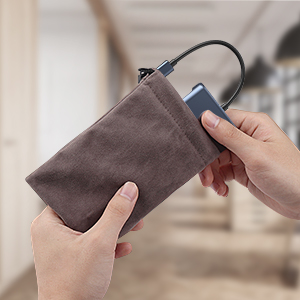
I bought this USB-C dongle for my Surface Laptop 3. I can honestly say that this product is great! If you search for USB-C dock, you'll find a bunch of big and bulky bricks that may have a lot of ports, but they cost a fortune. This dongle is half the price of those docks, and it offers most if not all of the same features! This product is a must have for anyone who has a laptop with a USB-C port. You won't feel like your laptop lacks ports after you purchase it! In addition to all of the features, I can also say that it has exceptional build quality. The aluminum casing is sturdy, and it has rubber feet on the bottom to keep it from sliding. It also comes with a little felt bag. (a super nice addition!) I stress tested it by connecting something to all the ports all at once. All of the USB ports, the HDMI ports, the VGA port, and the ethernet port worked without any problem. I did notice that you can't plug a microSD and an SD card into it at the same time, you'll have to do either-or. But seriously, who's going to do that anyway? Anyway, I would say this dongle is a must-have for anyone with a USB-C laptop.
J**M
Great way to expand your laptop
This product works exactly as advertised and I was able to quickly get my Samsung laptop up and running with an ethernet connection and two external monitors connected via HDMI cables. Great for my office set and I now have one monitor running in landscape mode and one running in portrait mode - which is great for multi-tasking and improved technology. It also allowed me to get ethernet speeds vs. WiFi when I'm connected which is nice assurance for Zoom and other video calls. For my laptop, I was also able to use a USB-C power in (same one that powers Apple devices) to the port so that while this accessory is plugged in it is also charging my laptop (another big plus). While I haven't yet used, nice to have the flexibility of additional USB C and 3.0 ports for other items like an external web camera.
S**D
Works great but cable too short
It is a great hub to extend ports and provide an ethernet. However, I found the cable to the USB-C port too shot. My laptop has a USB-C port on the right side. Therefore this sits right next to the laptop giving not enough length of the cable, it interferes with the mouse. Yes, I use always a mouse with my laptop. The cable should have been at twice the length so it could be moved away from the mouse pad area. The other option; if the cable is detachable them the user can use his own long cable. EDIT June 9th 2021: Reduced the Overall rating to 1 Star. The hub all of sudden started giving problems. When connected to my ASUS Zenbook Duo laptop Win 10 Pro, the Windows will NOT Boot.
B**A
UPDATE: Issue was with extension cable
I received this today and was very excited to use this with my new surface laptop. The two HDMI ports work perfectly. But the USB ports do not work at all. I even plugged the device into a USB C power supply and it still won't work. So my USB mouse and keyboard won't work. I have e-mailed the company and have received no reply hours later. I was really hopeful for this. I will update this review if the company gets back to me and develops a way to get this working. UPDATE: I lowered my review to 1 star because it's been a full day and no one has returned my e-mail to the company about the issues I am having. Seems tech support is non-existent. Buy at your own risk! UPDATE 2 (6/22/2020): I FINALLY troubleshooted (toubleshot?) the issue on Microsoft's Web site and discovered the issue was NOT with the Tiergrade device but with the UCB C extension cable I purchased. Once I connected the device directly to the Surface, everything worked perfectly! I'm still deducted 1 star for such a short-a** cable, and 1 star for absolutely zero tech support. Had to find out this answer on my own.
R**N
belle surprise a petit prix
je cherchais un hub pour mon pc pro , le nombres de sorties est tout simplement top pour un petit prix , multi écran étendu seul bemol chauffe pas mal mais bon
C**N
Super satisfeita
Como descrito. Tudo ok.
M**.
Uso
Funziona senza problemi su Windows 10. Su Windows 11 NON sono riuscito ad installarlo. I monitor (tutti VGA ecc.) NON funzionano. NON riesco a trovare dei drivers adeguati. Suggerimenti?
P**N
Worked straight from the box
I luv this product amazing capabilities worked straight out of the box …very happy cheers paul
K**Z
No funcionó como esperaba, sin embargo no fué una sorpresa.
Esta compra fue bastante riesgosa desde el principio, ya que este hub, comparado con su competencia (startech, belkin, etc) tiene un precio bastante competitivo, pero la publicación y las especificaciones que nos ponen aquí en amazon son bastante ambiguas, en el sentido de que no provee con exactitud las funciones que te va a brindar. MAC OS: - El producto NO ofrece el modo de escritorio EXTENDIDO en MAC OS, como la publicidad lo señala. Solo duplica el display. De hecho solo reconoce uno de los monitores, y el segundo monitor conectado solo lo duplica, sin más. Probé utilizando HDMI y VGA. Mi principal necesidad es usar dos monitores buscando tener todo en un solo puerto, entonces no estoy totalmente satisfecho con esta compra, pero nuevamente, esto ya lo veía venir de acuerdo a la calidad de la publicación, la reputación y la popularidad de la marca, la cual es NULA. Como se ve en la imagen tengo un adaptador de StarTech.com que me da mis dos monitores full hd sin problema, entonces me quede con este adaptador para los displays y con el HUB Tiergrade para el resto de conexiones. - Al parecer todas las otras funciones como los puertos USB 2.0 y 3.0, la conexión de red, carga (hay una observación sobre esto mas adelante), funcionan sin problema. WINDOWS: - Puedo extender los dos displays HDMI sin problema mas el display de la laptop, lo cual me da un total de 3 monitores FULL HD para trabajar, probado en una WorkStation HP con thunderbolt. - Carga la computadora. - Da conexión de red. .... La verdad no llegué a comprobar el resto de funciones pues lo que me interesaba era que funcionara en la MAC, pero creo que no tienen problema. OBSERVACIÓN DE LA CARGA: - Tengo un cargador de 65W Apple conectado al puerto de carga del HUB y cuando desconecto el HUB de la computadora, el cargador de Apple hace un ruido raro, como un chiflido, es muy chistoso pero a la ves alarmante, por que al tratarse de energía me da miedo que el cargador se descomponga, entonces cada vez que desconecto el HUB también lo desconecto de la corriente. Esto me parece absurdo y cero práctico. En conclusión, creo que es un producto que da parcialmente lo que promete. Pero por el precio, tal vez es justo.
Trustpilot
5 days ago
3 weeks ago