Buy anything from 5,000+ international stores. One checkout price. No surprise fees. Join 2M+ shoppers on Desertcart.
Desertcart purchases this item on your behalf and handles shipping, customs, and support to UK.
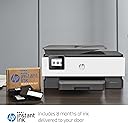
Set the new standard in business productivity. The HP OfficeJet Pro 8035 all-in-1 is a revolutionary home office printer that includes 8 months of ink, delivered to your door. Features like Smart Tasks and scan-to-USB capabilities help increase productivity and save time. Reduce interruptions and maintain privacy and control, thanks to the 8035's self-healing Wi-Fi and best-in-class security. No matter how you choose to connect to your wireless printer, you can be confident in quality prints. Review: I LOVE this printer! - I had a Canon Pixma printer for years, and it finally stopped working. I was going to buy another Canon, but I spent a couple hours researching printers and found this HP one. I could not be any happier with it! It's sturdy and well made, really attractive (I got the white/gray one), the print quality is awesome (even for photos I've printed of my kids, and that's coming from a professional photographer, so I am very picky about print quality - just make sure you buy good quality photo paper), it's not very loud, it was easy to set up, it's also a fax machine and scanner, and the general design is just great. On top of ALL of that, my version came with 8 months of Instant Ink, which can be modified based on how many pages you print per month - mine ended up being 13 months for 50 pages per month. And much to my excitement, it also gave me 3 FREE months of up to 300 pages per month before that even begins! So I have been happily printing photos that I have put off printing for years because of ink costs. My Instant Ink package arrived within less than a week, but I still haven't even used the ink that came with my printer. HP's Instant Ink can't be beat, even when you're paying for the monthly plan. If you're looking for a solid printer (that's also nice to look at,) consider this one! Review: Great value for the money with easy set up - Itโs always a gamble when you buy a printer online and it has definitely been a while since I had to buy one I have always been most comfortable with HPT and was very pleased at how easy this was to set up. No more programming Wi-Fi you simply scan the code I did it in less than two minutes on my phone sent the link to my computer and everything was set up for me didnโt have to enter my password it was all very seamless. As for the ink cartridges there is ink included in the package and I specifically chose to sign up for the monthly agreement I was given a $40 credit and you use the pin code for the eight months of ink. As for the ink cartridges there is ink included in the package and I specifically chose to sign up for the monthly agreement I was given a $40 credit and you use the pin code for the eight months of ink Personally I really like this option because I never print more than 100 pages of month and to pay a monthly fee of 499 and the printer notifies for shipping of the ink is just one less thing I have to think about. I canโt count how many times in the past I was in the middle of printing documents or needing to do something quickly in the moment and I had run out of ink it is the most irritating thing ever and then you end up spending 60 $70 a month so choose the package that works best for you anyway it goes to me itโs a cost savings and a time savings. I canโt count how many times in the past I was in the middle of printing documents or needing to do something quickly in the moment and I had run out of ink it is the most irritating thing ever and then you end up spending 60 $70 a month so choose the package that works best for you anyway it goes to me itโs a cost savings and a time savings For the price I highly recommend This HP


| ASIN | B07QR1HGV5 |
| Additional Printer Functions | Copy, Fax, Scan |
| B&W Pages per Minute | 20 ppm |
| Best Sellers Rank | #70,132 in Office Products ( See Top 100 in Office Products ) #74 in Ink Tank Printers |
| Brand | HP |
| Built-In Media | HP OfficeJet Pro 8035 All-in-One Printer; HP 910 Setup Black Ink Cartridge; HP 912 Setup Cyan Ink Cartridge, HP 910 Setup Magenta Ink Cartridge, HP 910 Setup Yellow Ink Cartridge; User Guide; Setup poster; Power cord; Instant Ink Flyer [For ink volume and page yield information,visit hp.com/go/learnaboutsupplies] |
| Color | Basalt |
| Color Depth | 24 bpp |
| Color Pages per Minute | 10 ppm |
| Compatible Cartridge | [Multiple HP ink cartridges] |
| Compatible Devices | Laptops, PC, Smartphones |
| Connectivity Technology | Ethernet, Wi-Fi |
| Control Method | Voice |
| Controller Type | Amazon Alexa, Vera |
| Customer Reviews | 4.2 out of 5 stars 4,317 Reviews |
| Display Type | LCD |
| Dual-sided printing | Yes |
| Duplex | Automatic (standard) |
| Global Trade Identification Number | 00193424632299 |
| Hardware Interface | Ethernet |
| Initial Page Print Time | 20 seconds |
| Ink Color | Color |
| Item Dimensions D x W x H | 9.21"D x 18.11"W x 13.43"H |
| Item Type Name | Inkjet Printer |
| Item Weight | 18.1 Pounds |
| Manufacturer | HP |
| Maximum Copies Per Run | 100 |
| Maximum Copy Resolution Black and White | 1200 dpi |
| Maximum Copy Resolution Color | 4800 x 1200 dpi |
| Maximum Copy Speed Black and White | 20 ppm |
| Maximum Media Size | 8.5 x 14 inch |
| Maximum Print Resolution Black and White | 1200 x 1200 dpi |
| Maximum Sheet Capacity | 100 |
| Maximum print Resolution Color | 4800 x 1200 dpi |
| Model Name | 5LJ23A#B1H |
| Model Number | 5LJ23A#B1H |
| Model Series | OfficeJet Pro |
| Number of Drivers | 2 |
| Number of Ethernet Ports | 1 |
| Number of Trays | 1 |
| Other Special Features of the Product | Auto Document Feeder, Auto-Duplex, Cloud Print Enabled, Energy Star, Ethernet Networking, Network-Ready, Touch Screen, USB Port for Image Print and Scan |
| Output sheet capacity | 100 |
| Paper Size | 3.5 x 5; 4 x 6; 5 x 7; 8 x 10; 8.5 x 14 |
| Print media | Card stock, Envelopes, Glossy photo paper, High-resolution paper, Labels, Paper (plain) |
| Printer Connectivity Type | Ethernet, Wi-Fi |
| Printer Output Type | Color |
| Printer Type | Inkjet |
| Printing Technology | Inkjet |
| Processor Count | 1 |
| Resolution | 1200 x 1200 dpi (Black), Up to 4800 x 1200 dpi (Color) |
| Scanner Type | Flatbed |
| Special Feature | Auto Document Feeder, Auto-Duplex, Cloud Print Enabled, Energy Star, Ethernet Networking, Network-Ready, Touch Screen, USB Port for Image Print and Scan Special Feature Auto Document Feeder, Auto-Duplex, Cloud Print Enabled, Energy Star, Ethernet Networking, Network-Ready, Touch Screen, USB Port for Image Print and Scan See more |
| Specific Uses For Product | business, home office |
| Total USB 2.0 Ports | 1 |
| Total Usb Ports | 1 |
| UPC | 193424632299 |
| Unit Count | 1.0 Count |
| Warranty Description | One-year limited hardware warranty |
| Warranty Type | limited warranty |
| Wattage | 21 watts |
B**A
I LOVE this printer!
I had a Canon Pixma printer for years, and it finally stopped working. I was going to buy another Canon, but I spent a couple hours researching printers and found this HP one. I could not be any happier with it! It's sturdy and well made, really attractive (I got the white/gray one), the print quality is awesome (even for photos I've printed of my kids, and that's coming from a professional photographer, so I am very picky about print quality - just make sure you buy good quality photo paper), it's not very loud, it was easy to set up, it's also a fax machine and scanner, and the general design is just great. On top of ALL of that, my version came with 8 months of Instant Ink, which can be modified based on how many pages you print per month - mine ended up being 13 months for 50 pages per month. And much to my excitement, it also gave me 3 FREE months of up to 300 pages per month before that even begins! So I have been happily printing photos that I have put off printing for years because of ink costs. My Instant Ink package arrived within less than a week, but I still haven't even used the ink that came with my printer. HP's Instant Ink can't be beat, even when you're paying for the monthly plan. If you're looking for a solid printer (that's also nice to look at,) consider this one!
J**D
Great value for the money with easy set up
Itโs always a gamble when you buy a printer online and it has definitely been a while since I had to buy one I have always been most comfortable with HPT and was very pleased at how easy this was to set up. No more programming Wi-Fi you simply scan the code I did it in less than two minutes on my phone sent the link to my computer and everything was set up for me didnโt have to enter my password it was all very seamless. As for the ink cartridges there is ink included in the package and I specifically chose to sign up for the monthly agreement I was given a $40 credit and you use the pin code for the eight months of ink. As for the ink cartridges there is ink included in the package and I specifically chose to sign up for the monthly agreement I was given a $40 credit and you use the pin code for the eight months of ink Personally I really like this option because I never print more than 100 pages of month and to pay a monthly fee of 499 and the printer notifies for shipping of the ink is just one less thing I have to think about. I canโt count how many times in the past I was in the middle of printing documents or needing to do something quickly in the moment and I had run out of ink it is the most irritating thing ever and then you end up spending 60 $70 a month so choose the package that works best for you anyway it goes to me itโs a cost savings and a time savings. I canโt count how many times in the past I was in the middle of printing documents or needing to do something quickly in the moment and I had run out of ink it is the most irritating thing ever and then you end up spending 60 $70 a month so choose the package that works best for you anyway it goes to me itโs a cost savings and a time savings For the price I highly recommend This HP
S**C
HP has won me back!
HP Officejet pro All and one has been a bit interesting from the start. The installation to my computer was bit different than traditional methods. It first had me install via the HP Smart App from Windows Store on my workstation. I also installed HP Smart App and HP Drivers for my android phone. I proceeded to print pictures and documents both from my windows 10 workstation and directly from my phone. The only quark I found is that when I remove standard letter paper and put in 4x6 photo paper the printer does detect the difference, but if you donโt confirm that from LCD. Your print jobs keep trying to print in letter even though the app shows auto select. I had to remove auto select so that I can preselect what paper size I want to print from when using the app. Windows printing worked flawlessly though. I have to admit the quality of photo pictures are amazing and after 10 photo prints and about 20 color sheets of paper the usage on my ink is still less than 10% used. Scanning dpi is perfect for my needs just donโt try and do any high res photo scanning to edit. The only thing Iโm not a fan of is the print tray it doesnโt come in and out very smooth and normally I only use letter, but in going from letter to photo and back it was a bit of a hassle. The printer head does move very fast side to side and like most inkjets this produces a lot of moment, but even with all this movement no bleeding or blurry edges occurred so thatโs a huge plus. The LCD is a bit tiny if you are not right in front to read the smaller text it displays, but I donโt use that often. So far the printing is reliable no jams, it will feed an extra blank sheet from time to time and cycle through loading in some rare cases when changing paper, but HP is holding true to a multi printing device that can stand up to personal and business use in one. A nice extra feature is the remote printing from app. I donโt have to be on wifi to send documents to print to my printer! Finally my favorite thing about this printer is so simple yet happens so often to many wireless printers. When it goes into eco/hibernation mode I donโt need to wake it up it keeps wifi connection 100% of the time!! Final item I will be looking out for is printing black and white copies when color is out. Will it let me or force to me add color. Not there yet, but I hope this is not the case. One last shout out to HP the package is fantastic. When unboxing I knew my product would be safe from any shipping situation!
T**C
New printer for our small business
This is a new printer we purchased to replace an older much more expensive HP printer that we had been using for over 10 years. We had problems getting it set up. Everything worked OK until we got to the part where it's supposed to print an alignment sheet and then it locked up with the screen showing setting up print head do not turn off or open any compartments. After waiting about 5 minutes and trying several things my wife called the HP help line and surprisingly after a few key strokes she was connected with an actual person who was very knowledgeable. We let him take over our computer and he found there had been a problem when the printer was connected to our computer so he removed it and reloaded the drivers. He explained everything really well and got it working. The printer prints double sided documents automatically which I didn't expect and the print quality and speed are real good. The price is really reasonable and since I had just signed up for an Amazon business account we got a 35% discount. We also signed up for the 50 sheet instant ink program for $2.99 a month which is 600 sheets per year for $36.00 plus tax. It looks like a set of standard ink cartridges will print about 300 sheets and costs about $55.00 plus tax, which for 600 sheets would be $110.00 plus tax a year so if these figures are correct it will be quite a savings. We've only had the printer a few days now. This is a really good printer so far and if it lasts half as long as the HP printer it replaced I will be happy.
C**S
DO NOT BUY!!!
I bought one of these last year. The scanner failed after about 40 pages. I looked up the HP support site to find solutions to the problems. After trying all the recommendations, I contacted the HP support site and ended up being asked to go through all the recommendations again. I was also asked to download and run diagnosis software. I was asked to do a factory reset. Eventually, it was agreed that the printer would be replaced. The replacement had exactly the same problems, and was replaced. The third one failed after 1.5 pages. The fourth one failed after 25 pages. By this time, I had my own HP specialist to help with the problems. After scanner number 4, I was given an HP gift card of value equivalent to my initial purchase. I used this, reluctantly, to buy an HP 9015e all-in-one scanner, which, to my delight, actually works pretty well and has now scanned several thousand pages without fault. As the problems were identical with every scanner, my conclusion is that they suffer from a design or manufacturing fault that was not rectified over the four months of my ordeal. The problem was the scanner would develop a document feeder jam error (see photo 4). However, the document would continue to run through the feeder but, when checked, there were no documents jammed in the feeder. The error could not be cleared without switching the scanner on and off. Whenever this error occurred, the document being scanned would develop a large black area on the left side of the document. Sometimes this started part-way through a page (see photo 3). Once started, it generally did not clear, although on some of the scanners switching them off and on worked for a few pages. The area sometimes expanded and could be accompanied by a gray area to the right (see photo 1). After being instructed to do a factory reset, the whole image (document feeder and flat bed scan) became one of multi-colored lines (see photo 5). Once this happened, nothing would change it. Two of the scanners had an intermediate issue where a band of multi-colored lines would appear running through the black and gray areas (see photo 2). Once this started, it could not be eliminated. On the plus side, the photographic print quality was excellent, but I needed the scanning function. The Instant Ink plan is also great value if you print lots of photographs.
B**Y
Great Printer!
Great quality printer! Prints fast! Good quality printing in color and black. Very easy to set up. The menu screens are very user friendly.
H**Y
A+ for Grad School
As a new grad student majoring in English the majority of my "textbooks" are actually PDF documents online. I am one of those students who love a hard copy and this printer is amazing and exactly what I need! Starting with the attractive look of the printer the white and gray pair perfectly with my office/library. It is very clean and modern looking with a bright screen that is easy to maneuver. Set up is a breeze and was done within minutes of plugging the printer in. When printing documents they are crisp with no smudges or "ghosting". I have put in a variety of paper such as regular copy paper, envelopes, card stock, premium glassy paper and printable HTV. This little workhorse of a printer handled them all with no issues except the HTV, which was probably a user (me) error more than the printer. I need to address envelopes for my husband's surprise birthday party and didn't want to waste time handwriting them, thanks to this printer and the built in envelope tray it was done in a jif! HP now offers this wonderful service of Instant Ink, which I could not be more thankful for. I am very quickly automating many areas of my life and this is another one that I don't even have to think about. With other printers I was always running out of ink and having to run to the store and hope they had the ink I needed in stock or wait for Amazon Prime. Now HP send me ink when I need it which is great! This printer is absolutely amazing, the HP brand has a new loyal customer and I am even considering other HP products due to this workhorse of a printer.
S**N
Wireless veries Wireed Printing
Was easy to setup and works better the the Wireless one I had before. Being Wired makes the connect more Reliable, as the wireless on keep dropping the concoction to my Cox Cable Modem.
Trustpilot
2 weeks ago
2 months ago