UNIDOCKU33
Product ID: 12783570
Details
- BrandStarTech.com
- ColorBlack
- Hardware InterfaceUSB 3.0
- Hardware PlatformPC laptop
- MaterialPlastic
⚡USB 3.2 Gen 1 (5 Gbps) speed
💾Dual-bay SATA & IDE support
🔄Hot-swap with 15,000 cycle durability
Desertcart purchases this item on your behalf and handles shipping, customs, and support to UK.
💼 Elevate your data game with pro-grade dual-drive docking — because your drives deserve the VIP treatment.
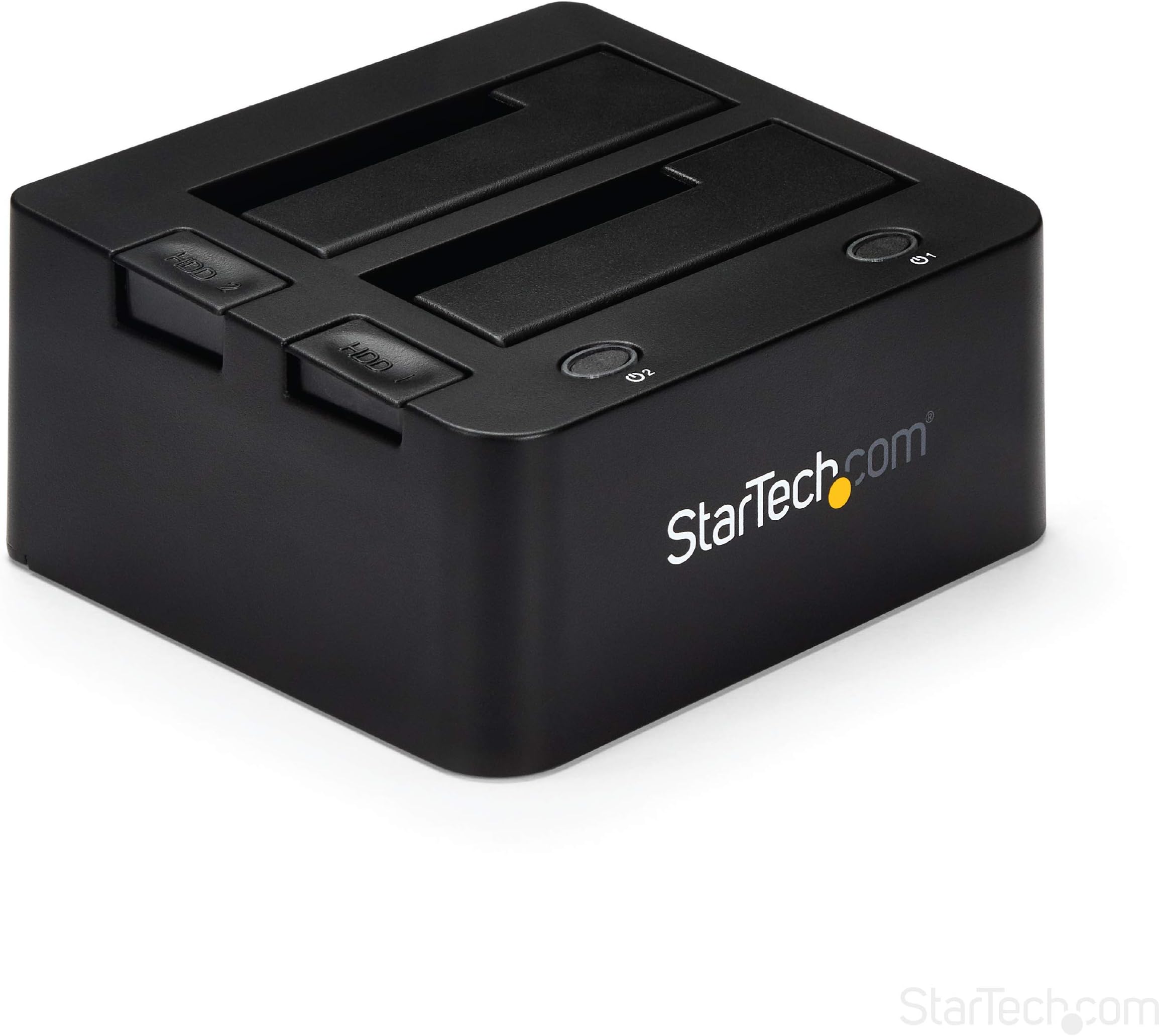
The StarTech.com UNIDOCKU33 is a professional dual-bay hard drive docking station supporting both SATA I/II/III and IDE drives. Featuring USB 3.2 Gen 1 (5 Gbps) with UASP, it delivers fast, reliable data transfers. Its tool-free, hot-swappable bays with dedicated power and eject buttons ensure seamless drive management. Designed for IT professionals, it offers durable construction rated for 15,000 insertions, universal compatibility, and comes with a 2-year warranty plus expert support.


| ASIN | B00T0ZRAOK |
| Best Sellers Rank | #260 in Enclosures |
| Brand | StarTech.com |
| Built-In Media | StarTech USB 3.0 to SATA 6Gbps IDE Docking Station for 2.5/3" Hard Drive and Sol |
| Color | Black |
| Compatible Devices | PC; Mac; Unix |
| Connectivity Technology | SATA, USB |
| Customer Reviews | 4.0 out of 5 stars 217 Reviews |
| Data Transfer Rate | 5 Gigabits Per Second |
| EU Spare Part Availability Duration | 2 Years |
| Enclosure Material | Plastic |
| Global Trade Identification Number | 00065030859813 |
| Hard Disk Form Factor | 2.5 Inches |
| Hardware Interface | USB 3.0 |
| Hardware Platform | PC, laptop |
| Item Weight | 0.51 Kilograms |
| Manufacturer | Startech.com |
| Material | Plastic |
| Memory Storage Capacity | 2 TB |
| Mfr Part Number | UNIDOCKU33 |
| Model Number | UNIDOCKU33 |
| Supported Devices Quantity | 1 |
| UPC | 065030859813 650308598138 724627256076 723856188929 |
| Unit Count | 1.0 Count |
| Warranty Description | 2 year warranty |
S**N
Versatile Dock
Versatile and functional as described. Worked well for me without issue.
M**K
Great dock. Has 1 SATA slot and 1 slot for PATA drives.
Great dock. This contains one slot for SATA drives and one slot for PATA drives. The PATA slot does not have any connections, as you are expected to use the external cables to connect PATA drives to the dock. This is great for folks with a mix of older drives and newer drives.
J**T
I do not know what's going on but I do not recommend this.
I received two in a row where the SATA interface worked but IDE interface did not work. The drives I connected are good and can be installed in a machine and used. I tried every relevant technical thing available to me (different IDE cables, computers, jumpers, OSs, checking power supplies, etc.) to diagnose and resolve the problem but had no luck. I twice tried to contact the company's technical support over a week after receiving the replacement (with full description of the behavior) and they seem to have been ignoring my support requests since I never heard back from them. Today is one week after receiving the replacement and it is also going back.
K**T
Good but a bit clunky
I liked the idea of a dock that can handle IDE drives, since I'm going through old computer drives and media. This one works, but the IDE part is pretty clunky.
D**N
Great product. Did what I wanted it to do
Connected it up as soon as I got it, and I was able to access files from two hard drives taken out of old computers that stopped running. Saved me a lot of time having to create the files again from scratch. Great product. Did what I wanted it to do.
M**.
Works great but one caution
Bottom line is this dock does what it says it will do, allow you to transfer data between SATA dn IDE drives. What is not so clear from the write ups though is that it does not allow you do transfer between two SATA drives. This is a one to one transfer capability only, one SATA and one IDE drive. Other than that, plugged it in, set the drives in place and off we went. simply and easily. Remember if you are looking for that SATA to SATA handling then this is not the dock for you.
J**Y
Just when you think that something doesn't exist -here it is!
I had every hard drive that I have ever had in a box with the intention that someday I would add them to a new computer to copy all of my artwork and written music. Never happened until I brazenly type in USB harddrive Dock. Lo and behold this unit appeared first. Kind of funny because even though I worked in the IT industry I never knew they existed and when I described what I wanted to do to another techie they would scrunch up their nose and say that such a beast does not exist. This worked perfectly without any computer complaints or error messages.
T**R
Works exactly as described
Works exactly as described. Meets my expectations. I was surprised at the ease of use. The plug and play feature of Windows better known as a plug and pray seemed to install the unit with no hitches. It sees an inserted drive in the same way it would a USB flash drive allowing you to use it for data storage or to perform other functions with the associated drive. Not sure if it would provide a bootable drive option. I suppose that would depend on your boot order in the bios. I have not tried the clone or copy feature yet but so far it seems to work as advertised.
A**I
Ottima docking station.
Prodotto molto buono. Ottima la costruzione. Connessione USB 3.0 molto veloce. Il PC lo ha subito riconosciuto ed installato. Sono molto soddisfatto.
P**U
Enfin ça fonctionne 😅
Station d’accueil IDE/SATA : oui, le prix est un peu élevé par rapport aux petites interfaces “chinoiseries”. Même si ça vient probablement de Chine, les contrôles qualité et la fabrication sont clairement au-dessus, et ça se voit. Le pack est très complet, et surtout… ça fonctionne comme prévu. Testé avec des disques SATA 3.5", IDE et 2.5" : pour de la réparation ou des modifications rétro, c’est un outil indispensable. J’ai essayé deux autres modèles auparavant, tous deux partis à la poubelle à cause d’un fonctionnement aléatoire. Ici, rien à redire : 5 étoiles pour la qualité du pack et la fiabilité. Seul point à surveiller : la tenue des disques autres que le SATA, un peu légère. Prudence donc avec les HDD fragiles
B**Y
Top quality powered adapter
Another excellent product from startech. I have tried with this with everything from 20yr old drives, to brand new 20TB enterprise drives and it performs perfectly. The IDE feature is nice to have, buty old IDE drives are seized up, which is something it obviously can’t help with. No issues with power draw or losing connection, which is why I had to buy this in place of a generic 3.5” powered adapter. The only quirk I discovered and I think it was my system, was that my read/write speeds were severely throttled unless I connected directly to a USB A port on a dock, rather than using a usb-a to usb-c adapter directly into the back of my M1 iMac.
D**G
Great product.
Great product.. I read every single hard drive that I had saved from all of my previous computers,including one that a local computer shop told me had failed.
A**G
Funktioniert einwandfrei
Habe damit die Daten von mehreren älteren Festplatten "gerettet" hat gut und zuverlässig funktioniert. Werde auch weiterhin damit arbeiten wenn ich Festplatten aus PCs oder Laptops ausbaue und die darauf vorhandenen Daten nachträglich sichern möchte.
Trustpilot
3 days ago
2 weeks ago