Desertcart purchases this item on your behalf and handles shipping, customs, and support to UK.
🚀 Elevate your Raspberry Pi setup with vibrant touch and pro-level versatility!
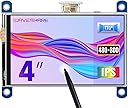
The Waveshare 4-inch HDMI LCD is a high-resolution (800x480) IPS display featuring a resistive touch screen designed primarily for Raspberry Pi models. It offers wide 178° viewing angles, energy-saving backlight control, and easy HDMI connectivity, making it ideal for developers, gamers, and tech enthusiasts seeking a compact, versatile display solution with robust driver support and extensive online resources.
| ASIN | B07P5H2315 |
| Additional Features | Touchscreen |
| Aspect Ratio | 1.66:1 |
| Best Sellers Rank | #42,754 in Electronics ( See Top 100 in Electronics ) #1,057 in Computer Monitors |
| Brand | waveshare |
| Color | 4inch HDMI LCD Screen |
| Compatible Devices | Raspberry Pi (all revisions except Pi 1 Model B and Pi Zero) |
| Connectivity Technology | HDMI |
| Contrast Ratio | 1500:1 |
| Customer Reviews | 4.0 out of 5 stars 161 Reviews |
| Display Resolution Maximum | 480x800 |
| Display Technology | LCD |
| Display Type | LCD |
| Global Trade Identification Number | 00614961950160 |
| Hardware Connectivity | HDMI |
| Image Contrast Ratio | 1500:1 |
| Included Components | 4 inchHDMILCD x 1,HDMI connector x 1,Touch pen x 1,RPi screws pack (4pcs) x 1,Quick start sheet x1 |
| Item Weight | 3.2 ounces |
| Manufacturer | Waveshare |
| Model Name | waveshare 4 inch HDMI LCD |
| Model Number | 4inch HDMI LCD |
| Mounting Type | Wall Mount |
| Native Resolution | 480x800 |
| Number of Component Outputs | 1 |
| Picture Quality Enhancement Technology | IPS technology |
| Processor Count | 1 |
| Resolution | 480x800 |
| Screen Finish | Glossy |
| Screen Size | 4 inches |
| Screen Surface Description | Glossy |
| Shape | Flat |
| Specific Uses For Product | Business, Education, Gaming, Photo Editing, Programming, Video Editing |
| Total Number of HDMI Ports | 1 |
| UPC | 614961950160 614591448426 |
| Viewing Angle | 178 degrees |
S**J
Good retro-pi screen over HDMI...
This did the trick. I was able to take my retro pi portable with this 4 inch screen. You will need to install the driver on the pi, just follow the instructions on the wiki. Using the HDMI worked for the retro gaming, I wouldn't expect the gpio pins to have the performance you'll need. This comes with a small HDMI plug so don't worry about having to plug in a HDMI cable, they have you covered, and it looks nice. I wish I didn't have to set the Pi's screen rotation, but that's a minor gripe. Overall happy with the screen.
E**.
Waveshare makes GREAT stuff. I have 7 different screens, all great!
I have a 4.3 inch display, (3) 3.5 inch displays, a 4 inch display and a 2.8 inch display. Excellent quality, and MOST IMPORTANTLY, fantastic documentation and technical support on their extensive website to walk you through the set up process. Why is this a big deal? I am using (3) of these screens with Raspberry Pi systems, which can be a challenge to set up. Thank You Waveshare
S**S
Maybe i’m stupid
I bought this with the intent of using with a raspberry pi. But I haven’t gotten it to work in the proper aspect ratio. Idk i’m probably just not smart enough.
G**O
Hard to connect
Hard to connect
D**D
Works!!
Worked perfectly. Some people had issues when reading reviews… just have to make sure you restart your computer before using this monitor. Make sure everything is plugged in and restart and should work like a mini monitor for PC
G**E
OK display, poor touch performance.
The display itself is bright and the resolution decent, I can easily read text on it and images are clear. There are no instructions with it, but the manufacturer's web site has everything needed. It is designed for use with a Raspberry PI, the interface is the same 40 pin connector as on all Pis. So, it's just a matter of adding a header to the PI and plugging into the display and connecting an HDMI cable. Power and touch are both provided by the 40 pin connector, video is HDMI. There is a driver required for the touch screen, available from the manufacturer. This display is OK, but for me it fails in one of the primary functions. The touch screen is unstable and jitters badly. Touch the stylus to the screen and hold it in one spot and the cursor jumps all around. My application requires the ability to draw lines and curves and for this, it is entirely unsuited. It ends up looking like random scribbles.
T**R
Works with Octoprint!
Took a little work to get all set up, but looks great and works great so far! Also, The seller was quick to send me a link for all of the documentation and driver file locations. Although, the instructions in the box give you a pretty much everything you need to install off of Putty. I'm using the screen with raspberry pi for my touch screen interface to my custom 3D printer with Octoprint and TouchUI.
I**A
Great tiny screen
Added this to my mining pc to keep an eye on things works good easy to install be careful while mounting looseing screws is very easy plug and play just need a micro USB and HDMI for it to work
Trustpilot
2 months ago
2 weeks ago